Programmatic UTM Link Generation: API and CLI for Marketing DevOps
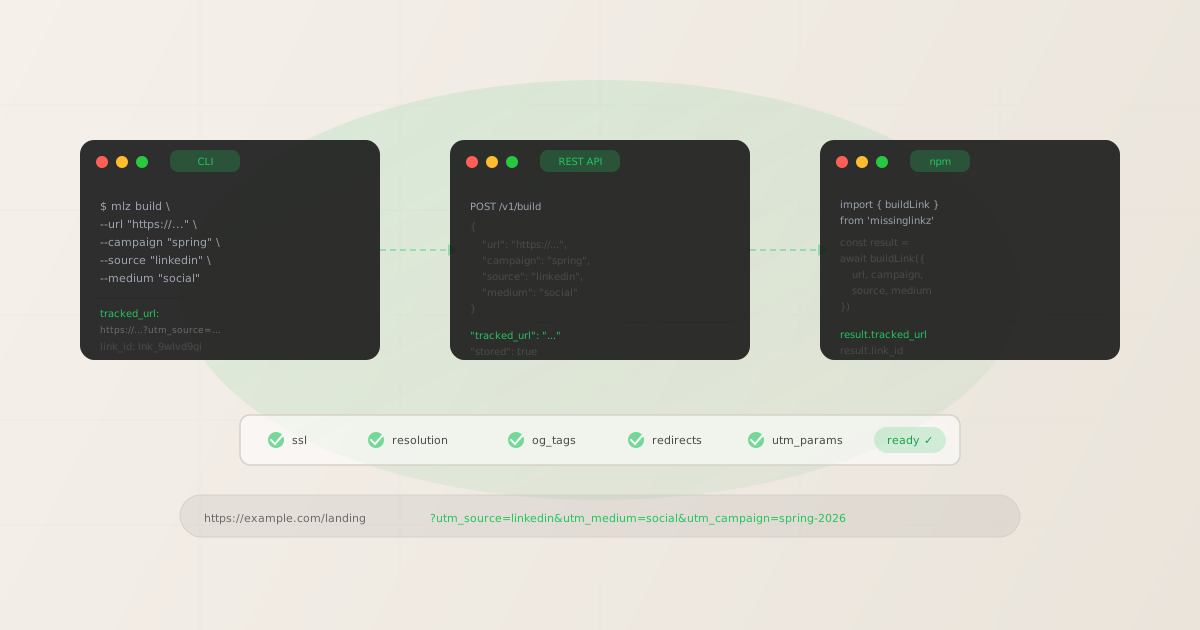
Programmatic UTM link generation means building campaign-tracked URLs through code rather than a browser form — using a CLI, a REST API, or an npm package that accepts structured input and returns structured JSON. The output is the same tracked URL you would get from Google’s Campaign URL Builder. The process is repeatable, scriptable, and embeddable in any pipeline or agent workflow. The difference matters when you are generating more than a handful of links per campaign. Manual UTM builders require a human to open a browser, fill a form, copy output, and paste it somewhere — repeated for every URL variant. At ten links per campaign across five active campaigns, that is fifty manual form operations per cycle. At scale, the error rate from typos, inconsistent capitalization, and copy-paste mistakes is high enough to fragment GA4 attribution in ways that take weeks to diagnose. The programmatic alternative removes the human from each repetition. This guide covers all three MissingLinkz methods for programmatic UTM generation: CLI, REST API, and npm package — with real code samples and the validation step that most link builders skip entirely.
When manual UTM builders become a liability
A manual UTM builder is fine for one campaign with two or three links. It becomes a liability at the point where link generation is frequent, multi-person, or automated. Three patterns signal that you’ve crossed the threshold:
- Volume exceeds what one person can manage consistently
- When multiple team members generate UTM links for the same campaigns, taxonomy drift is inevitable. One person writes
utm_source=Google, another writesutm_source=google, a third writesutm_source=google-ads. All three appear as separate rows in GA4. Programmatic generation with enforced naming prevents this at the source rather than cleaning it up after the fact. For more on why this matters, see UTM tracking best practices for 2026. - Link generation is part of an automated workflow
- If a script, a CI/CD pipeline, or an AI agent needs to generate tracked links as part of a larger workflow, a browser form is not callable. It requires a human in the loop. A CLI, API, or npm package can be called from any automated context without human involvement.
- You need an audit trail
- Manual UTM builders return a string. There is no record of when the link was created, by whom, with what parameters, or whether the destination was validated at generation time. Programmatic generation via MissingLinkz returns a
link_idand acampaign_idwith each response, building an auditable campaign link registry automatically.
If you are still generating links through a browser and the scale is getting uncomfortable, the three methods below are the upgrade path. For a broader comparison of manual vs. automated tooling, see UTM spreadsheets vs automated tools.
Method 1: CLI with mlz build
The CLI is the fastest path to programmatic UTM generation. Install once, call from anywhere:
npm install -g missinglinkz
Build a single tracked link:
$ mlz build \
  --url "https://yoursite.com/spring-launch" \
  --campaign "spring-launch-2026" \
  --source "linkedin" \
  --medium "social"

{
  "tracked_url": "https://yoursite.com/spring-launch?utm_source=linkedin&utm_medium=social&utm_campaign=spring-launch-2026",
  "params": {
    "utm_source": "linkedin",
    "utm_medium": "social",
    "utm_campaign": "spring-launch-2026"
  },
  "destination_url": "https://yoursite.com/spring-launch",
  "created_at": "2026-05-21T09:12:00.000Z",
  "link_id": "lnk_9wlvd9qi",
  "campaign_id": "cmp_kbcht77d",
  "stored": true
}
Every field is machine-readable. The tracked_url is the final URL to use in your campaign. The link_id is the stored link identifier for audit trail and deduplication. MissingLinkz enforces lowercase-hyphenated normalization on all UTM parameter values — so if you pass --source "Google Ads" it is stored and returned as google-ads, preventing the case-sensitivity fragmentation that splits GA4 attribution rows.
For bulk generation from a CSV or shell loop:
$ while IFS=, read -r url source medium campaign; do
  mlz build \
    --url "$url" \
    --source "$source" \
    --medium "$medium" \
    --campaign "$campaign" \
    --format json
done < campaign-links.csv

{ "tracked_url": "https://yoursite.com/landing?utm_source=linkedin&utm_medium=social&utm_campaign=spring", "link_id": "lnk_9wlvd9qi", "stored": true }
{ "tracked_url": "https://yoursite.com/landing?utm_source=google&utm_medium=cpc&utm_campaign=spring", "link_id": "lnk_4mxqr2nv", "stored": true }
{ "tracked_url": "https://yoursite.com/landing?utm_source=email&utm_medium=newsletter&utm_campaign=spring", "link_id": "lnk_7kptz8wj", "stored": true }
The CLI is best for: developer machines, GitHub Actions and CI/CD runners, shell scripts, and AI agents that can execute system commands. See the full CLI usage guide in how to build UTM links programmatically.
Method 2: REST API via curl or HTTP
The MissingLinkz REST API accepts JSON POST requests and returns the same response shape as the CLI. Use this method when your code runs in an environment without shell access: Cloudflare Workers, AWS Lambda, serverless functions, browser-based agents, or any backend service that makes HTTP requests.
Authentication uses a Bearer token. Get your API key with mlz auth register --email [email protected] or from your account dashboard.
$ curl -s -X POST https://api.missinglinkz.io/v1/build \
  -H "Authorization: Bearer $MLZ_API_KEY" \
  -H "Content-Type: application/json" \
  -d '{
    "url": "https://yoursite.com/spring-launch",
    "campaign": "spring-launch-2026",
    "source": "linkedin",
    "medium": "social"
  }'

{
  "tracked_url": "https://yoursite.com/spring-launch?utm_source=linkedin&utm_medium=social&utm_campaign=spring-launch-2026",
  "params": {
    "utm_source": "linkedin",
    "utm_medium": "social",
    "utm_campaign": "spring-launch-2026"
  },
  "destination_url": "https://yoursite.com/spring-launch",
  "created_at": "2026-05-21T09:12:00.000Z",
  "link_id": "lnk_9wlvd9qi",
  "campaign_id": "cmp_kbcht77d",
  "stored": true
}
The same endpoint in Node.js:
const response = await fetch('https://api.missinglinkz.io/v1/build', {
  method: 'POST',
  headers: {
    'Authorization': `Bearer ${process.env.MLZ_API_KEY}`,
    'Content-Type': 'application/json',
  },
  body: JSON.stringify({
    url: 'https://yoursite.com/spring-launch',
    campaign: 'spring-launch-2026',
    source: 'linkedin',
    medium: 'social',
  }),
})

const data = await response.json()
console.log(data.tracked_url)
// https://yoursite.com/spring-launch?utm_source=linkedin&utm_medium=social&utm_campaign=spring-launch-2026
The REST API is best for: backend services, serverless functions, Cloudflare Workers, browser-based tools, and any environment where shell execution is not available. For a complete API reference including all endpoints, request parameters, response schemas, and error codes, see the MissingLinkz REST API reference.
Method 3: npm package for Node.js
If you are building a Node.js application, marketing automation script, or custom tooling, the npm package gives you typed access to all MissingLinkz operations without HTTP boilerplate. Install as a project dependency:
npm install missinglinkz
Build a single tracked link and validate the destination in one call:
import { buildLink, publishCheck } from 'missinglinkz'

// Build the UTM link
const link = await buildLink({
  url: 'https://yoursite.com/spring-launch',
  campaign: 'spring-launch-2026',
  source: 'linkedin',
  medium: 'social',
})

console.log(link.tracked_url)
// https://yoursite.com/spring-launch?utm_source=linkedin&utm_medium=social&utm_campaign=spring-launch-2026

// Validate the destination before publishing
const check = await publishCheck({
  url: 'https://yoursite.com/spring-launch',
  campaign: 'spring-launch-2026',
  source: 'linkedin',
  medium: 'social',
})

if (!check.ready) {
  const failures = check.summary.issues.filter(i => i.startsWith('[FAIL]'))
  throw new Error(`Link not ready: ${failures.join(', ')}`)
}

console.log('Validated. Ready to publish:', check.link.tracked_url)
Bulk generation from an array:
import { buildLink } from 'missinglinkz'

const campaigns = [
  { source: 'linkedin', medium: 'social',      content: 'feed' },
  { source: 'google',   medium: 'cpc',         content: 'brand' },
  { source: 'email',    medium: 'newsletter', content: 'header' },
]

const links = await Promise.all(
  campaigns.map(c => buildLink({
    url: 'https://yoursite.com/spring-launch',
    campaign: 'spring-launch-2026',
    ...c,
  }))
)

links.forEach(l => console.log(l.tracked_url, l.link_id))
The npm package is best for: Node.js applications, marketing automation scripts, custom tooling, and anywhere you want typed API access with TypeScript support. For a package-focused walkthrough, see missinglinkz npm package: build and validate UTM links programmatically.
Adding validation to every generated link — the step most tools skip
Every method above generates a tracked URL. That is necessary, but not sufficient for a link that will go live in a paid campaign. The destination might return a 404. The redirect chain might strip UTM parameters. The OG image might be missing, producing a blank social preview on LinkedIn, Slack, and iMessage. None of these problems are visible from the UTM URL itself — they only appear when the destination is fetched and inspected.
Most programmatic UTM generators stop at URL construction. MissingLinkz combines generation with destination validation in a single command. Using the CLI:
$ mlz publish-check \
  --url "https://yoursite.com/spring-launch" \
  --campaign "spring-launch-2026" \
  --source "linkedin" \
  --medium "social" \
  --format json

{
  "ready": true,
  "link": {
    "tracked_url": "https://yoursite.com/spring-launch?utm_source=linkedin&utm_medium=social&utm_campaign=spring-launch-2026",
    "link_id": "lnk_9wlvd9qi"
  },
  "validation": {
    "valid": true,
    "checks": [
      { "check": "ssl", "status": "pass", "message": "URL uses HTTPS." },
      { "check": "resolution", "status": "pass", "message": "Destination responded with 200." },
      { "check": "redirects", "status": "pass", "message": "No redirects detected." }
    ]
  },
  "inspection": {
    "checks": [
      { "check": "open_graph", "status": "pass", "message": "Open Graph tags present: title, description, and image." },
      { "check": "twitter_card", "status": "pass", "message": "Twitter Card present (type: summary_large_image)." }
    ]
  },
  "summary": { "total_checks": 13, "passed": 12, "warnings": 1, "failures": 0 }
}
The "ready": true field is the go/no-go signal that a CI/CD pipeline or agent can branch on. The command exits with code 0 on success and a non-zero code when validation fails — making it directly compatible with GitHub Actions and similar pipeline tools. For a complete GitHub Actions workflow template with mlz integration, see automate campaign link validation in GitHub Actions.
CLI vs. REST API vs. npm: choosing the right method
The three methods return identical data. Choose based on your execution environment:
| Execution context | CLI (mlz build) |
REST API | npm package |
|---|---|---|---|
| Developer terminal | ✓ Best fit | ✓ Works with curl | ✓ Works if Node.js project |
| GitHub Actions / CI | ✓ Ideal (exit codes, JSON) | ✓ Works via curl step | ✓ Works if Node.js runner |
| Serverless (Lambda, Workers) | ✗ No shell available | ✓ HTTP fetch works everywhere | ✓ npm import works |
| AI agent (CLI shell-out) | ✓ Direct CLI call | ✓ Agent HTTP call | ✓ Agent code execution |
| MCP-compatible agent | Via mlz mcp server |
Via mlz mcp server |
Via mlz mcp server |
For MCP-compatible agents (Claude Code, Cursor), the MCP server wraps all three methods into a single connection — the agent calls mlz_build_link or mlz_preflight directly without choosing a transport. See why AI agents can’t use UTM builders for the architectural context behind these patterns.
Integrating programmatic UTM generation into existing marketing automation
If your team already uses HubSpot, Salesforce Marketing Cloud, or another automation platform, you do not need to replace those tools to get programmatic UTM generation. The pattern is to generate and validate links in a pre-publish step, then pass the tracked_url into the automation platform for the actual send.
A typical integration pattern for a Node.js marketing automation script:
import { publishCheck } from 'missinglinkz'

async function prepareCampaignLink(destination, campaignParams) {
  const result = await publishCheck({
    url: destination,
    ...campaignParams,
  })

  if (!result.ready) {
    throw new Error(`Campaign link failed validation: ${result.summary.issues.join(', ')}`)
  }

  return result.link.tracked_url
}

// Use in your automation workflow
const trackedUrl = await prepareCampaignLink(
  'https://yoursite.com/spring-launch',
  { campaign: 'spring-launch-2026', source: 'email', medium: 'newsletter' }
)

// Pass validated URL to HubSpot, Marketo, etc.
await hubspot.createEmailCampaign({ ctaUrl: trackedUrl })
This pattern ensures every link passed to your automation platform has been validated for SSL, OG tags, redirects, and UTM parameter integrity before the campaign is created. Link failures are surfaced as thrown errors that your workflow can handle — rather than discovering broken links after the campaign has already sent. For more on UTM tracking in developer contexts, see the UTM tracking for developers pillar guide.
FAQ
- What is the difference between
mlz buildandmlz publish-checkfor programmatic UTM generation? mlz buildgenerates the UTM-tagged URL and stores it in the campaign registry — that is all.mlz publish-checkdoes everythingmlz builddoes, plus validates the destination (SSL, resolution, redirects) and inspects the landing page (OG tags, Twitter Card, viewport, favicon). Usemlz buildwhen you need speed at scale and will validate separately. Usemlz publish-checkwhen you want a single command that confirms the link is ready to publish before returning it.- Do I need an API key for programmatic UTM generation?
- An API key is required to store links in the campaign registry and access the
link_idandcampaign_idin the response. Without a key,mlz buildstill generates the tracked URL locally, butstoredreturns false. Register for a free key withmlz auth register --email [email protected]— the free plan includes 1,000 links per month. - Does MissingLinkz enforce UTM naming conventions automatically during generation?
- Yes. All UTM parameter values are normalized to lowercase-hyphenated format during generation. If you pass
--source "Google Ads"the stored and returned value isgoogle-ads. This prevents the GA4 attribution fragmentation that occurs when the same source appears asGoogle,google, andgoogle-adsin different rows. The normalization cannot be disabled — it is a correctness invariant, not a preference. - Can I generate UTM links programmatically without Node.js?
- Yes. The REST API works with any HTTP client — curl, Python requests, Ruby Net::HTTP, Go http, or any language. The CLI works in any shell environment. The npm package requires Node.js, but the other two methods have no Node dependency. A Python example:
requests.post('https://api.missinglinkz.io/v1/build', headers={'Authorization': f'Bearer {api_key}'}, json={...}). - How does programmatic UTM generation compare to Google’s Campaign URL Builder?
- Google’s Campaign URL Builder is a web form that generates a URL string — no API, no CLI, no structured response, no validation, no audit trail, no naming enforcement. It is designed for a human making one link at a time. MissingLinkz is designed for programmatic generation at scale: structured input, structured JSON response, automatic normalization, stored link registry, and optional destination validation in the same call. See the broader comparison in alternatives to Google’s Campaign URL Builder.
Recommended posts
Generate and validate UTM links without touching a browser
Install MissingLinkz and start generating programmatic UTM links from the CLI, REST API, or npm package. Every method returns structured JSON with a tracked_url, link_id, and optional destination validation in one call.
1,000 links/month free. No credit card.
Your API key
Save this now — it won't be shown again.
npm install -g missinglinkz
mlz build --url "https://yoursite.com" --campaign "q3" --source "linkedin" --medium "social"
Free plan: 1,000 links/month, no credit card. Full API docs at api.missinglinkz.io.