UTM Tracking for X (Twitter) Ads: How to Build and Validate Campaign Links
For X (Twitter) Ads, use utm_source=twitter with utm_medium=cpc. Despite the platform rebrand from Twitter to X, utm_source=twitter remains the correct value for GA4 attribution — it is the value GA4's default channel group conditions recognise for routing sessions to the Paid Social channel group. Using utm_source=x instead causes sessions to fall into "Unassigned" unless you define a custom channel group. X's t.co link shortener wraps every link in a tweet, creating a redirect chain that UTM parameters must survive — validating that chain before launch is essential.
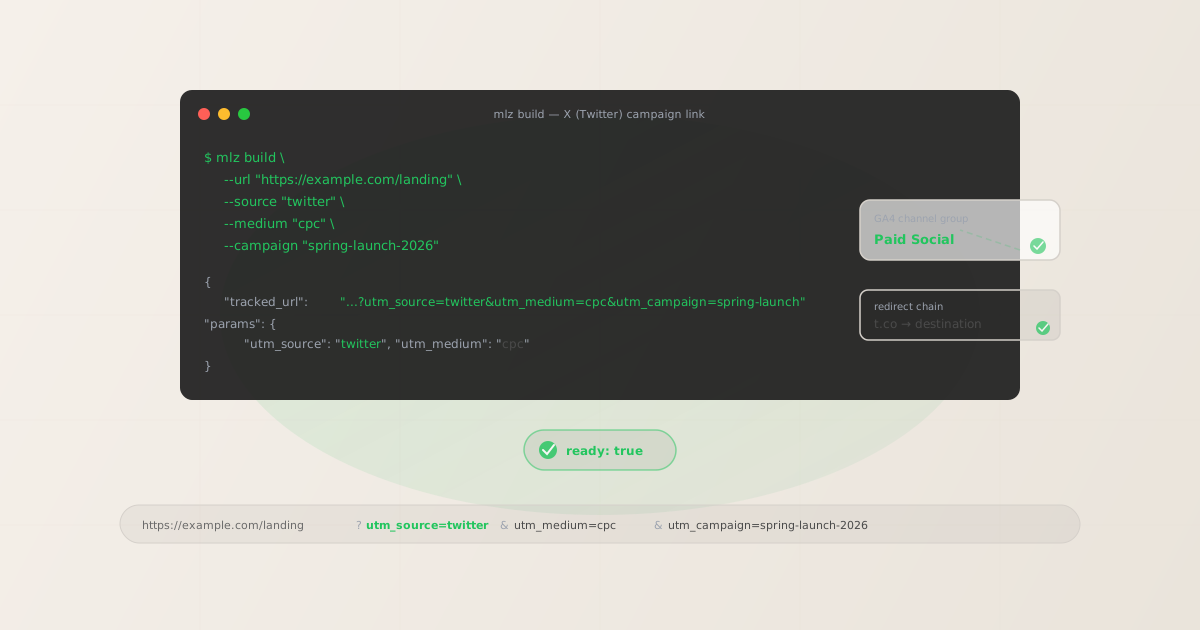
Why UTM parameters matter for X (Twitter) Ads
Unlike Google Ads, X Ads does not have a universal auto-tagging mechanism that feeds session data directly into GA4. The Twitter Ads tracking system reports conversions within the X Ads dashboard, but it doesn't pass structured source and medium signals to GA4 in the way that Google's gclid integration does. Without UTM parameters on your X Ads destination URLs, GA4 typically attributes those sessions as Direct or routes them incorrectly based on the referring domain.
- GA4 acquisition reporting
- UTM parameters are the primary mechanism GA4 uses to populate the Traffic Acquisition report with source and medium dimensions. Without
utm_source=twitter&utm_medium=cpc, paid X Ads sessions don't appear as a distinct, labeled row in your acquisition data — they blend into Direct or Other. - Cross-platform attribution consistency
- If you run campaigns across X, LinkedIn, TikTok, and Google simultaneously, UTM parameters provide a consistent attribution layer. Every analytics tool — Mixpanel, Amplitude, Segment, Heap, or custom pipelines — reads UTM values directly. X Ads conversion reporting only exists inside X Ads itself.
- t.co redirect chain integrity
- Every link posted on X is wrapped in a
t.coshort URL. When a user clicks your ad, the request goes through thet.coredirect before reaching your landing page. In most configurations,t.copreserves query string parameters including UTM — but it depends on your landing page setup. A CDN redirect, URL rewrite, or landing page platform can silently strip parameters after thet.cohop. Validating the full redirect chain before launch is the only reliable way to confirm UTM parameters arrive at GA4. - Paid vs. organic separation
- If you post organic content and run paid ads simultaneously on X, UTM parameters are the only way to separate paid and organic traffic in GA4.
utm_medium=cpcon paid links vs.utm_medium=socialon organic posts creates a clean channel split in your acquisition reports.
The correct utm_source and utm_medium for X Ads
The key decision most teams face post-rebrand is whether to use utm_source=twitter or utm_source=x. The answer is twitter — for now — because that is the value GA4's built-in channel group conditions are designed to recognise:
| X campaign type | utm_source | utm_medium |
|---|---|---|
| Promoted Post (paid) | twitter |
cpc |
| Promoted Video ad | twitter |
cpc |
| X Amplify (pre-roll) | twitter |
cpc |
| Organic post with link | twitter |
social |
GA4's default Paid Social channel group condition matches sessions where utm_source contains the platform name and utm_medium matches cpc, ppc, paid, or similar paid indicators. GA4's list of recognised social sources includes twitter — it does not yet include x as a separate recognised source. Using utm_source=x sends sessions to the "Unassigned" channel group in most GA4 configurations unless you build a custom channel group rule to match it.
For organic X posts with links, use utm_medium=social. GA4 routes utm_source=twitter&utm_medium=social to the Organic Social channel group, keeping paid and organic X traffic cleanly separated in your acquisition reports.
Building X (Twitter) UTM links with mlz build
The mlz build command generates the tagged URL and normalises all values to lowercase automatically. For X Ads, the core command is:
# Paid X Ad (Promoted Post)
$ mlz build \
  --url "https://example.com/landing" \
  --source "twitter" \
  --medium "cpc" \
  --campaign "spring-launch-2026"

{
  "tracked_url": "https://example.com/landing?utm_source=twitter&utm_medium=cpc&utm_campaign=spring-launch-2026",
  "params": {
    "utm_source": "twitter",
    "utm_medium": "cpc",
    "utm_campaign": "spring-launch-2026"
  }
}

# Organic X post with link
$ mlz build \
  --url "https://example.com/landing" \
  --source "twitter" \
  --medium "social" \
  --campaign "product-launch"
"tracked_url": "...?utm_source=twitter&utm_medium=social&utm_campaign=product-launch"
If you run multiple creative variants — different images, different copy — pointing to the same landing page, add --content to distinguish them. For example, --content "image-a" vs --content "image-b". See the utm_content parameter guide for full details on tracking creative variants.
Add --validate to confirm the destination URL responds with HTTPS and a 200 status at build time. This catches broken landing pages before the campaign budget starts spending.
X's t.co redirect and UTM parameter survival
Every link published on X — whether in an organic post or a paid ad — is automatically wrapped in a t.co short URL. When someone clicks your X Ad, the request goes through the t.co redirect before reaching your destination page. In the typical case, t.co appends the original query string (including UTM parameters) to the final destination URL, and GA4 records the session correctly.
However, UTM parameters can still be lost after the t.co hop if:
- Your landing page platform (e.g. HubSpot, Unbounce, Webflow) performs an internal redirect that drops query strings
- A CDN or load balancer rewrites URLs before the request reaches your server
- Your server-side redirect logic doesn't propagate
?query strings to the final URL - A vanity URL or URL shortener in your own stack strips parameters
Use mlz check to inspect the redirect chain from your X Ads destination URL before launch:
$ mlz check "https://example.com/landing?utm_source=twitter&utm_medium=cpc&utm_campaign=spring-launch-2026"

{
  "url": "https://example.com/landing?utm_source=twitter&utm_medium=cpc&utm_campaign=spring-launch-2026",
  "valid": true,
  "checks": [
    { "check": "url_format", "status": "pass", "message": "URL format is valid." },
    { "check": "ssl", "status": "pass", "message": "URL uses HTTPS." },
    { "check": "resolution", "status": "pass", "message": "Destination responded with 200." },
    { "check": "redirects", "status": "pass", "message": "No redirects detected." }
  ],
  "status_code": 200,
  "response_time_ms": 218
}
If the redirect check returns a warning about parameter stripping, review each hop in your URL chain. See the guide to checking if a redirect strips UTM parameters for a detailed walkthrough of diagnosing and fixing this problem.
X Ads tracking gotchas
- utm_source=twitter vs utm_source=x — the naming decision
- GA4's default channel group conditions recognise
twitteras a social source. Usingutm_source=xis technically more current (the platform is now X), but GA4 does not yet natively matchxin its Paid Social or Organic Social channel group conditions. Stick withutm_source=twitteruntil Google updates GA4's channel definitions — or build a custom channel group rule in GA4 that includesxalongsidetwitter. If your organisation decides to migrate toutm_source=x, do it consistently across all links at once to avoid a split in your historical attribution data. - X's in-app browser and UTM preservation
- When a user clicks an X Ad on mobile, the destination loads in X's in-app browser before potentially switching to Safari or Chrome. In most cases, the in-app browser passes UTM parameters correctly to the destination page. The more common failure point is a redirect on the destination side — not X's browser. Validate the destination URL chain (not just the initial URL) before launch.
- X Ads dynamic URL parameters ({campaign_name}, {adgroup_id})
- X Ads supports dynamic substitution macros like
{campaign_name}in destination URLs. If you use these, place them inutm_campaignorutm_content: e.g.utm_campaign={campaign_name}&utm_content={creative_id}. Do not mix dynamic macros with the static UTM values you build withmlz build— build the static base link first, then append dynamic parameters in the X Ads destination URL field. - No gclid equivalent — UTM is your only attribution signal
- Unlike Google Ads, X Ads has no automatic click ID (gclid equivalent) that integrates with GA4's native attribution. UTM parameters are the only structured attribution signal that flows from X Ads into GA4. This makes UTM accuracy more critical for X than for Google campaigns: a missing or malformed UTM parameter on an X Ad means that traffic has no attribution at all in GA4.
X (Twitter) UTM naming conventions
The same lowercase-hyphen convention that applies to all UTM parameters applies here. GA4 treats twitter and Twitter as different sources, fragmenting what should be a single channel into multiple rows in your acquisition reports. The mlz build CLI normalises all values automatically, but if you generate links in a spreadsheet or URL builder, enforce lowercase manually.
Recommended conventions for X campaigns:
- utm_source:
twitter(always lowercase — not "Twitter", "X", or "x") - utm_medium:
cpcfor paid ads,socialfor organic posts - utm_campaign: lowercase hyphen-separated, e.g.
spring-launch-2026 - utm_content: creative variant identifier, e.g.
image-a,video-30s
For a full cross-channel naming reference, see the UTM naming conventions guide.
FAQ
- Should I use utm_source=twitter or utm_source=x now that the platform is called X?
- Use
utm_source=twitter. GA4's default channel group conditions still match ontwitteras a known social source. Usingutm_source=xcauses sessions to fall into the "Unassigned" channel group becausexis not yet a recognised source in GA4's built-in definitions. Until Google updates GA4 to recognisexalongsidetwitter, stick withtwitterfor consistent Paid Social attribution. If your team wants to future-proof, add a custom channel group condition in GA4 to match bothtwitterandx. - Does X's t.co shortener always preserve UTM parameters?
- The
t.coredirect itself generally preserves UTM parameters — it passes the full query string to the destination URL. The risk is not thet.cohop but what happens after it: any redirect on your own infrastructure (CDN, landing page platform, vanity URL) can strip parameters. Always validate the destination URL withmlz checkbefore your campaign goes live, particularly if your landing page uses a custom domain that redirects to another URL. - Do I need UTM parameters if I'm using X Ads conversion tracking?
- X Ads conversion tracking (via the X Pixel or App Events API) reports conversions within the X Ads dashboard. It does not feed structured source and medium attribution data into GA4. If GA4 is your primary analytics source — or if you use any analytics tool outside of X Ads — UTM parameters are the only way to get session-level attribution from X campaigns into your analytics platform. Even if you only use GA4, UTM parameters make the Traffic Acquisition report readable:
utm_source=twitter / cpcis immediately interpretable, while traffic attributed via X's tracking pixel only shows up in GA4 if the landing page fires a GA4 event with the right source data. - Can I use utm_term for X Ads?
utm_termis designed for paid search keywords — the specific keyword that triggered an ad. X Ads targeting is audience-based, not keyword-triggered, soutm_termdoesn't have a natural use for standard X Ads campaigns. Some teams use it to tag audience segments (e.g.utm_term=lookalike-q2) but this is non-standard. For X Ads, preferutm_contentfor creative variant tracking and leaveutm_termblank unless you have a specific reason to use it.- What if I use a link shortener in addition to t.co?
- If you paste a pre-shortened URL (e.g. from Bitly or Rebrandly) into your X Ad, the redirect chain becomes:
t.co→ your shortener → destination. Each hop is an opportunity for parameters to be dropped. Validate the full chain end-to-end withmlz checkbefore launch. See the UTM links + link shortening guide for guidance on how to safely combine UTM parameters with link shorteners.
Recommended posts
Build X (Twitter) UTM links from the terminal
Pass --source "twitter" --medium "cpc" to mlz build and get a normalised, validated URL ready for your X Ads destination field. Lowercase formatting ensures GA4 routes every session to the Paid Social channel group correctly — and mlz check confirms UTM parameters survive the full redirect chain before your campaign goes live.
1,000 links/month free. No credit card.
Your API key
Save this now — it won't be shown again.
npm install -g missinglinkz
Free plan: 1,000 links/month. No credit card. See the UTM tracking for developers guide for the full programmatic workflow.