UTM Tracking for LinkedIn Ad Campaigns
LinkedIn Campaign Manager shows impressions, clicks, and conversions — but that data lives inside LinkedIn's walled garden. The moment you want to see LinkedIn traffic alongside email, Google Ads, and organic in GA4, Mixpanel, or a data warehouse, you need UTM tracking for LinkedIn ads. LinkedIn doesn't have an auto-tagging equivalent that syncs to third-party analytics tools. UTM parameters are the only portable, tool-agnostic way to attribute LinkedIn traffic correctly across your entire measurement stack. This guide walks through the right naming conventions, how to build LinkedIn UTM links programmatically with mlz build, and how to validate that your links pass through correctly.
Why LinkedIn campaigns need UTM tracking
LinkedIn's Campaign Manager gives you click and conversion data, but it only shows what happened inside LinkedIn. When a visitor lands on your page after clicking a LinkedIn ad, GA4 sees that traffic as either direct or as referral from linkedin.com — not as a LinkedIn campaign. Without UTM parameters, you can't answer basic questions like "which LinkedIn campaign drove the most demo signups?" inside GA4 or Amplitude.
The difference from Google Ads is significant: Google has auto-tagging that passes gclid to GA4 via the Ads API. LinkedIn has no equivalent automatic integration with GA4. UTM parameters aren't a workaround for LinkedIn — they're the intended and only mechanism for cross-platform attribution.
- Cross-platform attribution
- If you're comparing LinkedIn against Meta, email, and paid search in the same GA4 report, every channel needs UTM parameters. LinkedIn traffic without UTMs appears as direct or referral, skewing your channel comparison.
- Multi-touch attribution models
- Tools like HubSpot, Segment, and most MMP platforms use UTM parameters to map the full journey from first touch to conversion. LinkedIn traffic with no UTMs breaks these paths entirely.
- Campaign-level ROI
- LinkedIn lets you measure cost-per-click inside Campaign Manager, but you can't map that back to downstream revenue without UTMs flowing through to your CRM or analytics tool. The UTM campaign name is the join key between ad spend and pipeline.
UTM naming conventions for LinkedIn
LinkedIn campaigns benefit from a consistent, documented naming scheme. The table below covers the recommended values for each parameter. For the complete multi-channel reference, see the UTM naming convention guide.
| Parameter | Recommended value | Notes |
|---|---|---|
utm_source |
linkedin |
Always lowercase. GA4 maps linkedin + paid-social to the "Paid Social" channel group. |
utm_medium |
paid-social |
Use paid-social for sponsored content and LinkedIn Ads. Use social for organic posts. This distinction is what separates "Paid Social" from "Organic Social" in GA4. |
utm_campaign |
q2-lead-gen |
Match your LinkedIn campaign name, lowercase with hyphens. Enables direct cross-referencing between Campaign Manager spend and GA4 conversions. |
utm_content |
cta-banner |
Optional but valuable. Use to differentiate ad creatives, image variants, or CTA variants within the same campaign. Critical for A/B testing sponsored content. |
utm_term |
Omit (or audience segment) | LinkedIn doesn't use keyword targeting the same way search ads do. If you use LinkedIn's audience targeting, you can set a descriptive term like it-decision-makers for segment-level reporting. |
The paid-social vs. social distinction for utm_medium is important. GA4's default channel grouping uses this to separate paid and organic social traffic. If you use social on paid LinkedIn ads, your spend appears mixed with organic social in your channel reports.
Building LinkedIn UTM links with mlz build
The mlz build command generates a UTM-tagged URL with automatic lowercase enforcement and URL encoding. Pass your LinkedIn campaign parameters directly and get back a structured JSON response with the tracked URL and metadata.
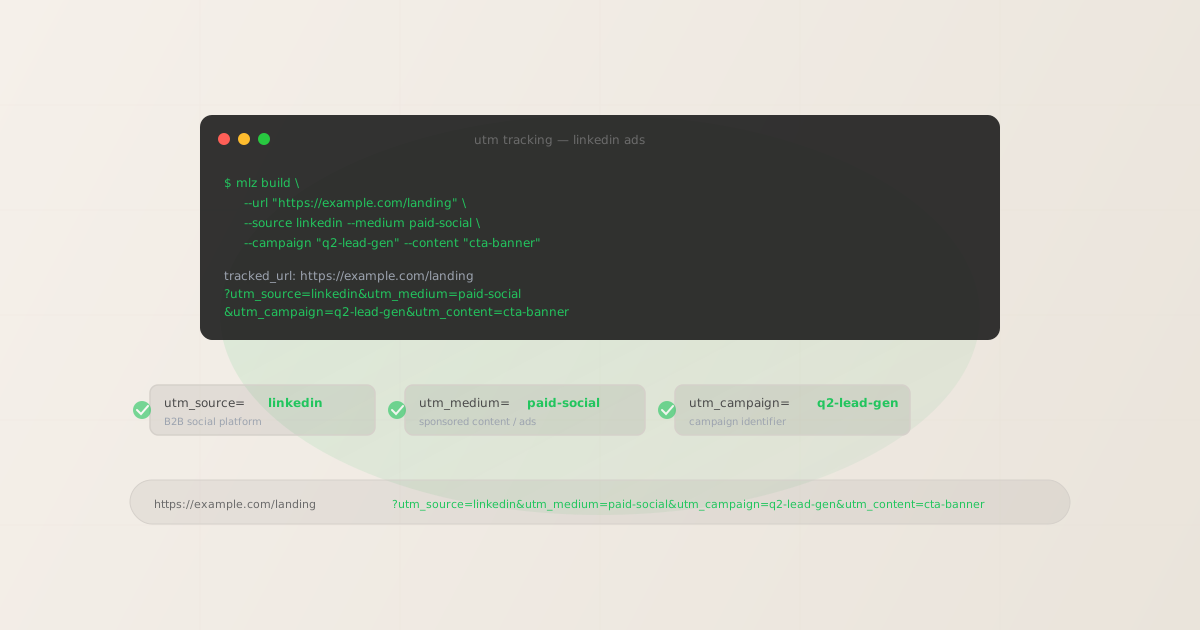
mlz build --url "https://example.com/landing" --source linkedin --medium paid-social --campaign "q2-lead-gen" --content "cta-banner"
{
  "tracked_url": "https://example.com/landing?utm_source=linkedin&utm_medium=paid-social&utm_campaign=q2-lead-gen&utm_content=cta-banner",
  "params": {
    "utm_source": "linkedin",
    "utm_medium": "paid-social",
    "utm_campaign": "q2-lead-gen",
    "utm_content": "cta-banner"
  },
  "destination_url": "https://example.com/landing",
  "created_at": "2026-04-18T08:22:11.010Z",
  "link_id": "lnk_7mnqp4rj",
  "stored": true
}
For LinkedIn organic posts, swap --medium social. For Message Ads (InMail), use --medium email to keep them separate from sponsored content in your reports. To track individual creatives within a campaign, increment the --content value per ad variant: cta-banner-v2, video-testimonial, carousel-a.
mlz build --url "https://example.com/demo" --source linkedin --medium email --campaign "q2-lead-gen" --content "inmail-cto"
Validating that UTM parameters pass through correctly
LinkedIn rewrites some destination URLs in certain ad placements. Lead Gen Forms, for example, use a different click path than standard sponsored content. Before a campaign goes live, run mlz build --validate to confirm the destination URL resolves correctly and the redirect chain doesn't strip your UTM parameters:
mlz build --url "https://example.com/landing" --source linkedin --medium paid-social --campaign "q2-lead-gen" --validate
The --validate flag checks URL format, HTTPS, HTTP resolution, redirect chains, and response time before returning the tracked URL. If a redirect in your landing page chain strips query strings, the error tells you exactly where the chain breaks. This is especially important for landing pages behind a CDN, Cloudflare redirect, or third-party landing page builder — all common sources of UTM stripping. For a deeper look at how redirect chains affect UTM tracking, see how to check if a redirect strips UTM parameters.
Building LinkedIn UTM links at scale
LinkedIn campaigns often run multiple ad formats simultaneously: sponsored content, text ads, document ads, and carousel ads all targeting different audience segments. When you're managing more than a handful of campaign links, build them from a structured input rather than running commands one at a time.
#!/bin/bash
# linkedin-ads.csv: url,campaign,content
while IFS=, read url campaign content; do
  mlz build \
    --url "$url" \
    --source linkedin \
    --medium paid-social \
    --campaign "$campaign" \
    --content "$content" \
    --format json | jq -r '.tracked_url'
done < linkedin-ads.csv
Each call returns a full JSON response. The jq -r '.tracked_url' pipe extracts just the tracked URL. Redirect the output to a file to get a paste-ready list of campaign links for LinkedIn's Campaign Manager URL tracking fields.
For more on programmatic link generation including the npm package and REST API, see how to build UTM links programmatically.
LinkedIn-specific tracking gotchas
- LinkedIn Insight Tag vs. UTM parameters
- The LinkedIn Insight Tag fires on your site and reports conversion data back to LinkedIn Campaign Manager. UTM parameters report to your analytics tool (GA4, Mixpanel, etc.). These two systems are independent — you need both: the Insight Tag for in-platform LinkedIn reporting, and UTM parameters for cross-channel analytics. Don't assume one replaces the other.
- Lead Gen Forms don't send visitors to your landing page
- LinkedIn's Lead Gen Forms capture contact details inside LinkedIn without redirecting to your site. If your campaign objective uses Lead Gen Forms as the primary conversion, UTM parameters on the destination URL won't fire because the user never visits the page. Use Website Conversions instead of Lead Gen Forms when you need end-to-end UTM attribution.
- URL shorteners on LinkedIn ads
- LinkedIn wraps all ad destination URLs in its own click-tracking redirect (
lnkd.in). This redirect preserves query strings in most cases, but if your destination URL also uses a URL shortener in the redirect chain, test the full path withmlz checkbefore launch. Nested redirect chains are the most common source of UTM stripping. - Case sensitivity in GA4
- GA4 treats
LinkedInandlinkedinas different sources, splitting your channel data into two rows. Always use lowercase for all UTM values.mlz buildenforces lowercase automatically — see UTM naming conventions for the full reference.
Recommended posts
FAQ
- Does LinkedIn have auto-tagging like Google Ads?
- No. LinkedIn does not have an equivalent to Google's
gclidauto-tagging that syncs to GA4. UTM parameters are the only mechanism for attributing LinkedIn traffic in third-party analytics tools. Some analytics platforms (HubSpot, Salesforce) have LinkedIn integrations that pull spend data via API, but these don't replace UTM parameters for session-level attribution in GA4. - Should I use utm_medium=social or utm_medium=paid-social for LinkedIn ads?
- Use
paid-socialfor LinkedIn Ads (sponsored content, text ads, dynamic ads). Usesocialfor organic LinkedIn posts. GA4's default channel grouping mapspaid-socialto "Paid Social" andsocialto "Organic Social." Mixing them causes paid ad traffic to appear in your organic social channel, which understates LinkedIn ad performance in channel comparison reports. - What's the best utm_content convention for LinkedIn ad variants?
- Use a descriptor that identifies the creative:
carousel-product-a,single-image-cto-headline,video-testimonial-30s. Avoid generic values likev1orad1— these become meaningless once a campaign ends and you're reviewing historical data months later. Match the naming pattern from your creative brief so you can cross-reference the analytics data against the original ad spec. - Can I use mlz build for both organic and paid LinkedIn posts?
- Yes. Run
mlz buildwith--medium socialfor organic posts and--medium paid-socialfor ads. The only difference is theutm_mediumvalue. Using the same CLI for both channels ensures consistent casing and formatting across all LinkedIn links, regardless of whether they're organic or paid. - How do I track LinkedIn ad performance at the ad set level?
- LinkedIn doesn't have an equivalent to Google's ad group concept in UTM terms. Use
utm_contentto capture the ad set name or audience segment, andutm_campaignfor the campaign name. For example:utm_campaign=q2-lead-gen&utm_content=seniority-director-aboveseparates results for different audience segments within the same campaign.
Build your LinkedIn campaign links programmatically
Stop copying UTM parameters into LinkedIn's URL tracking field by hand. Install MissingLinkz and build consistent, validated campaign links in seconds.
1,000 links/month free. No credit card.
Your API key
Save this now — it won't be shown again.
npm install -g missinglinkz
mlz build --url "https://yoursite.com/landing" --source linkedin --medium paid-social --campaign "your-campaign" --validate
See the full developer guide in UTM Tracking for Developers, or explore all supported channels.