How to Build UTM Links for Meta/Facebook Ads
Building UTM links for Facebook ads is straightforward until Meta's redirect layer gets in the way. Certain ad placements — Facebook Instant Articles, some mobile app interstitials, and older Canvas ads — have historically rewritten destination URLs in ways that strip query parameters. Even on standard placements, Meta wraps click destinations in its own click-tracking redirect, which means your UTM parameters must survive two hops before reaching your analytics tool. This guide walks through the right naming conventions for Meta campaigns, how to build Facebook ad links with mlz build, and how to validate that your parameters actually make it to the destination.
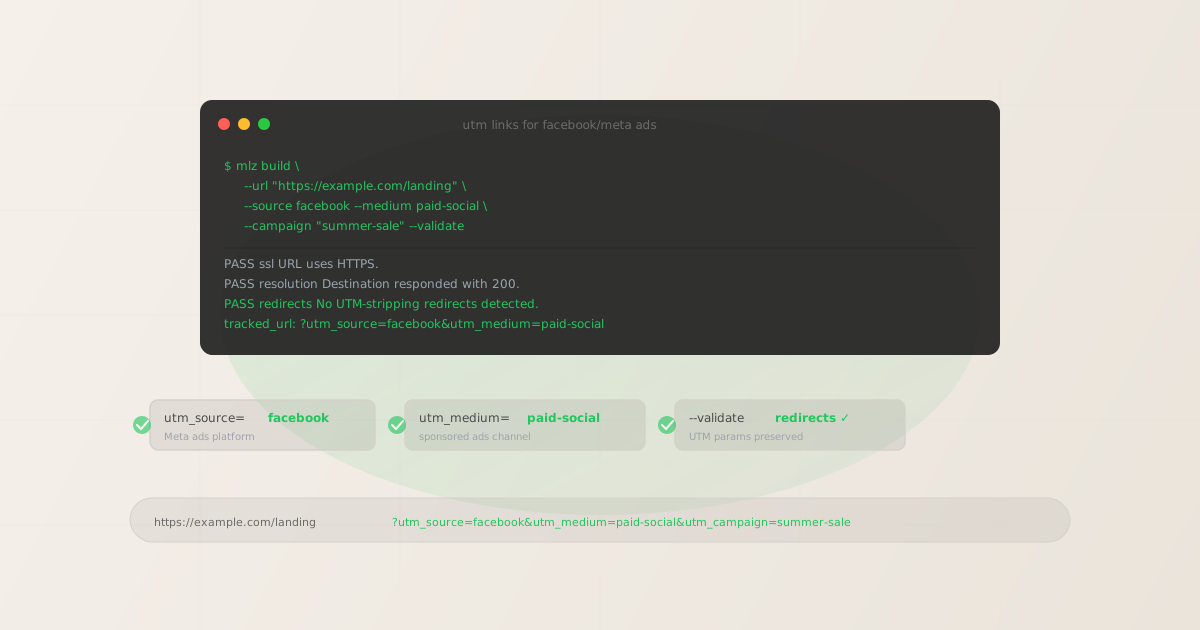
Why UTM validation matters specifically for Facebook ads
Meta's ad platform adds its own click-tracking redirect to every ad destination URL. When someone clicks your Facebook ad, the full path looks like: Meta click tracker → your landing page URL. In most cases, Meta's redirect preserves query strings — but when your landing page also has a redirect (CDN canonical redirect, HTTP→HTTPS, or a third-party landing page builder), you get a multi-hop chain where any redirect can strip UTMs.
The result is a campaign that looks like it's driving zero conversions in GA4, while Meta Ads Manager shows hundreds of link clicks. The traffic is arriving — it's just arriving without UTM parameters, showing up as direct traffic in your analytics. For more detail on this failure mode, see how broken campaign links waste ad budget.
- Meta's click redirect
- All Facebook and Instagram ad destinations go through
l.facebook.comorl.instagram.combefore reaching your URL. This redirect generally preserves query strings, but combined with other redirects on your side, it can cause stripping. - Landing page builders
- Unbounce, Instapage, Leadpages, and similar tools sometimes normalize or rewrite URLs on redirect. If your Facebook ad points to a landing page builder URL that redirects to a custom domain, test the full chain.
- HTTP to HTTPS redirects
- If the destination URL in your Facebook ad uses
http://and the server redirects tohttps://, some redirect configurations don't forward the query string. Always usehttps://as the destination URL and verify withmlz check.
UTM naming conventions for Meta/Facebook ads
Meta's ad inventory spans Facebook, Instagram, Messenger, and the Meta Audience Network. Your UTM convention should make the source clear at a glance while remaining consistent with your other paid social channels. For the full multi-channel reference, see the UTM naming convention guide.
| Parameter | Recommended value | Notes |
|---|---|---|
utm_source |
facebook |
Use facebook for Facebook placements and instagram for Instagram. If you're running a combined Meta campaign across both, facebook is the conventional default. GA4 maps both to "Paid Social" when paired with paid-social medium. |
utm_medium |
paid-social |
Use paid-social for Meta Ads. Use social for organic Facebook posts. This keeps paid and organic traffic separate in GA4 channel reports. |
utm_campaign |
summer-sale-2026 |
Match your Meta campaign name, lowercase with hyphens. This is the key for cross-referencing spend in Meta Ads Manager against conversions in GA4. |
utm_content |
carousel-product-a |
Use to differentiate ad creatives, ad sets, or audience segments within a campaign. Valuable for A/B testing ad formats. Examples: video-15s, carousel-3-products, static-banner. |
utm_term |
Omit for most cases | Meta doesn't use keyword targeting. If you're using Meta's audience targeting features, you can optionally set utm_term to an audience descriptor like retargeting-cart-abandoners for segment-level reporting. |
One common mistake: using utm_source=meta on some campaigns and utm_source=facebook on others. GA4 treats these as different sources, splitting your Meta traffic across two rows. Pick one and enforce it consistently. facebook is the more common convention and maps correctly to GA4's "Paid Social" channel grouping.
Building Facebook UTM links with mlz build
Use mlz build to generate UTM-tagged URLs with automatic lowercase enforcement. Pass the destination URL and your campaign parameters, and get back a structured JSON response containing the tracked URL and metadata.
mlz build --url "https://example.com/landing" --source facebook --medium paid-social --campaign "summer-sale-2026" --content "carousel-product-a"
{
  "tracked_url": "https://example.com/landing?utm_source=facebook&utm_medium=paid-social&utm_campaign=summer-sale-2026&utm_content=carousel-product-a",
  "params": {
    "utm_source": "facebook",
    "utm_medium": "paid-social",
    "utm_campaign": "summer-sale-2026",
    "utm_content": "carousel-product-a"
  },
  "destination_url": "https://example.com/landing",
  "created_at": "2026-04-18T09:10:44.010Z",
  "link_id": "lnk_3prxt8wv",
  "stored": true
}
For Instagram placements in the same campaign, build a separate link with --source instagram to keep the traffic distinguishable in your reports. For retargeting campaigns, append a content descriptor: --content "retargeting-cart-180d".
mlz build --url "https://example.com/landing" --source instagram --medium paid-social --campaign "summer-sale-2026" --content "carousel-product-a"
Validating that UTM parameters survive the redirect chain
Before a Facebook campaign goes live, run mlz build --validate to confirm that the destination URL resolves correctly and the redirect chain doesn't strip your query string. This is especially important for Facebook ads because your landing page URL will go through Meta's click tracker redirect before reaching the destination.
mlz build --url "https://example.com/landing" --source facebook --medium paid-social --campaign "summer-sale-2026" --validate
The --validate flag checks URL format, HTTPS, HTTP resolution, redirect chains, and response time before returning the tracked URL. If a redirect in the chain strips query strings, the error output identifies exactly which hop in the chain is the problem.
To check the destination URL in isolation — without building a UTM link — use mlz check:
mlz check "https://example.com/landing"
{
  "url": "https://example.com/landing",
  "valid": true,
  "checks": [
    { "check": "url_format", "status": "pass", "message": "URL format is valid." },
    { "check": "ssl", "status": "pass", "message": "URL uses HTTPS." },
    { "check": "resolution", "status": "pass", "message": "Destination responded with 200." },
    { "check": "redirects", "status": "pass", "message": "No redirects detected." },
    { "check": "response_time", "status": "pass", "message": "Response time: 198ms." }
  ],
  "status_code": 200,
  "response_time_ms": 198
}
A clean mlz check output confirms no redirect chain is present on your side. Combined with Meta's click tracker (which passes query strings on standard placements), your UTM parameters will reach GA4 intact.
What works and what doesn't on Meta
- Standard feed ads (Facebook + Instagram) — UTMs work reliably
- Standard image, video, and carousel ads in the Facebook News Feed, Instagram Feed, and Instagram Stories all pass UTM parameters through correctly. These are the safest placements for UTM attribution. Use
mlz build --validateto confirm the destination before the campaign launches. - Instant Experiences (formerly Canvas) — test before relying on
- Facebook's Instant Experience format loads inside the Facebook app as a fast-loading mini-page. The "Call to Action" buttons inside an Instant Experience that link to external URLs can pass UTM parameters, but this depends on how the experience is built. Always test a live click path to an analytics-instrumented page before relying on these for attribution.
- Facebook Lead Ads — UTMs on destination URL don't fire
- Facebook Lead Ads capture form submissions inside Facebook without sending the user to your website. The UTM parameters on the "Thank You" URL are only seen if the user clicks through to your site after submitting. If your conversion event is the lead form submission, UTM attribution requires reading Facebook's lead gen API, not GA4 session data.
- Advantage+ campaigns — dynamic destination URLs
- Meta's Advantage+ Shopping campaigns can dynamically select destination URLs from your product catalog. If you're using Advantage+, append UTM parameters via the campaign's URL parameters field in Meta Ads Manager, not just on the final URL. This ensures the parameters appear regardless of which product URL Meta selects.
Building Facebook UTM links at scale
Meta campaigns often involve many ad sets, creatives, and audiences running simultaneously. Building links manually for each combination doesn't scale. Use mlz build in a loop to generate all your campaign links from a structured input file:
#!/bin/bash
# meta-ads.csv: url,campaign,content
while IFS=, read url campaign content; do
  mlz build \
    --url "$url" \
    --source facebook \
    --medium paid-social \
    --campaign "$campaign" \
    --content "$content" \
    --format json | jq -r '.tracked_url'
done < meta-ads.csv
The --format json flag returns machine-readable output. Pipe through jq to extract the tracked URL for each row. The result is a list of fully-formed UTM links ready to paste into Meta Ads Manager's destination URL fields.
For the full programmatic stack including npm package and REST API, see how to build UTM links programmatically. For more on why building links manually breaks attribution at scale, see how broken campaign links waste ad budget.
Recommended posts
FAQ
- Should I use utm_source=facebook or utm_source=meta?
- Use
facebook. GA4's default channel grouping recognizesfacebookas a known social network and correctly maps it to "Paid Social" when combined withpaid-socialmedium. Themetavalue is not in GA4's default recognition list and may require a custom channel grouping rule. Consistency matters more than brand alignment — pick one and enforce it across all campaigns. - Does the Meta Pixel replace UTM tracking?
- No — they serve different purposes. The Meta Pixel fires on your site and sends event data back to Meta Ads Manager for optimization and conversion reporting inside Meta's platform. UTM parameters flow to your own analytics tool (GA4, Mixpanel, etc.) for cross-channel attribution. You need both: the Pixel for Meta's optimization algorithms and UTMs for your independent measurement stack.
- Why does my Facebook traffic show as direct in GA4?
- There are two common causes: (1) UTM parameters are missing from the destination URL, so GA4 can't attribute the session; (2) UTM parameters were present in the ad but stripped by a redirect somewhere in the chain between Meta's click tracker and your landing page. Run
mlz checkon the destination URL to identify any redirect hops, and verify the destination URL in Meta Ads Manager has the UTM parameters appended correctly. - Can I combine Meta's own URL parameters with UTM parameters?
- Yes. Meta's URL parameters (which you set in the "URL Parameters" field in campaign settings) are appended as additional query string values alongside your UTM parameters. Both sets of parameters co-exist on the URL. Use Meta's URL parameters for click IDs that Meta reads back for attribution, and UTM parameters for your own analytics. They don't interfere with each other.
- Do UTM parameters work on Instagram ads run through Meta Ads Manager?
- Yes, with one consideration: set
utm_source=instagramfor Instagram-specific placements so you can separate Facebook and Instagram traffic in GA4. If you're running a single ad set across both Facebook and Instagram placements with one destination URL, you'll need to duplicate the ad set with different destination URLs to track each platform separately. Alternatively, use Meta's dynamic URL parameters to insert the placement automatically.
Build and validate your Facebook campaign links
Stop guessing whether your Meta UTM parameters make it to GA4. Install MissingLinkz, build your links programmatically, and validate the destination before every campaign launch.
1,000 links/month free. No credit card.
Your API key
Save this now — it won't be shown again.
npm install -g missinglinkz
mlz build --url "https://yoursite.com/landing" --source facebook --medium paid-social --campaign "your-campaign" --validate
See the full developer guide in UTM Tracking for Developers, or explore all supported channels.