UTM Tracking for TikTok Ads: How to Build and Validate Campaign Links
UTM tracking for TikTok Ads works the same way it does for any other paid social platform — you append UTM parameters to the destination URL in the ad, and GA4 records them when a user lands on your site. The complication is TikTok's auto-tagging behaviour: TikTok adds its own ttclid parameter to destination URLs, some third-party redirect links strip UTM parameters before the user arrives, and TikTok's in-app browser has historically caused attribution issues. The answer is to build your UTM links correctly and validate that the destination resolves with parameters intact before the campaign goes live.
Why UTM tracking matters for TikTok Ads
TikTok Ads Manager has its own analytics dashboard, but it only reports on in-platform behaviour. To see what TikTok visitors do after they land on your site — whether they convert, which pages they visit, how they compare to traffic from LinkedIn or Google — you need those sessions attributed correctly in GA4 or your analytics tool of choice.
Without UTM parameters, TikTok traffic often lands in GA4 as "Direct" or "Unassigned" because the in-app browser doesn't always pass referrer headers reliably. With UTM parameters appended to the destination URL, GA4 reads them directly from the URL regardless of referrer behaviour — which is why manual UTM tagging is more reliable than relying on the platform referrer alone.
TikTok also offers its own ttclid auto-tagging parameter (similar to Google's gclid), but ttclid is only usable if you've set up TikTok Pixel and TikTok's dedicated GA4 integration. Manual UTM parameters work with any analytics tool without additional configuration.
UTM naming conventions for TikTok Ads
TikTok is a paid social channel, so the UTM naming convention mirrors what you'd use for Meta or LinkedIn. Follow the same rules that apply to all UTM parameters: lowercase, hyphens only, no spaces.
| Parameter | Recommended value | Notes |
|---|---|---|
utm_source |
tiktok |
Identifies TikTok as the traffic source. Use consistently — "tiktok", not "tik-tok" or "TikTok". |
utm_medium |
paid-social |
GA4's default channel grouping maps paid-social to the Paid Social channel. Also acceptable: cpc if you prefer consistency with search channels. |
utm_campaign |
spring-launch-2026 |
Name of the campaign initiative. Match what you use on other channels so GA4 can aggregate cross-channel campaign data. |
utm_content |
video-15s-product |
Optional. Use to differentiate ad creatives (video length, static vs. video, creative variant). Useful for TikTok where creative format matters. |
One note on utm_medium: GA4's default channel grouping assigns sessions to "Paid Social" when utm_medium matches patterns like paid-social, paid_social, social, or when utm_source matches known social platforms. Using paid-social explicitly is the safest choice — it signals intent clearly without relying on source-matching heuristics. See UTM naming conventions for the full GA4 channel grouping reference.
Building TikTok campaign links from the CLI
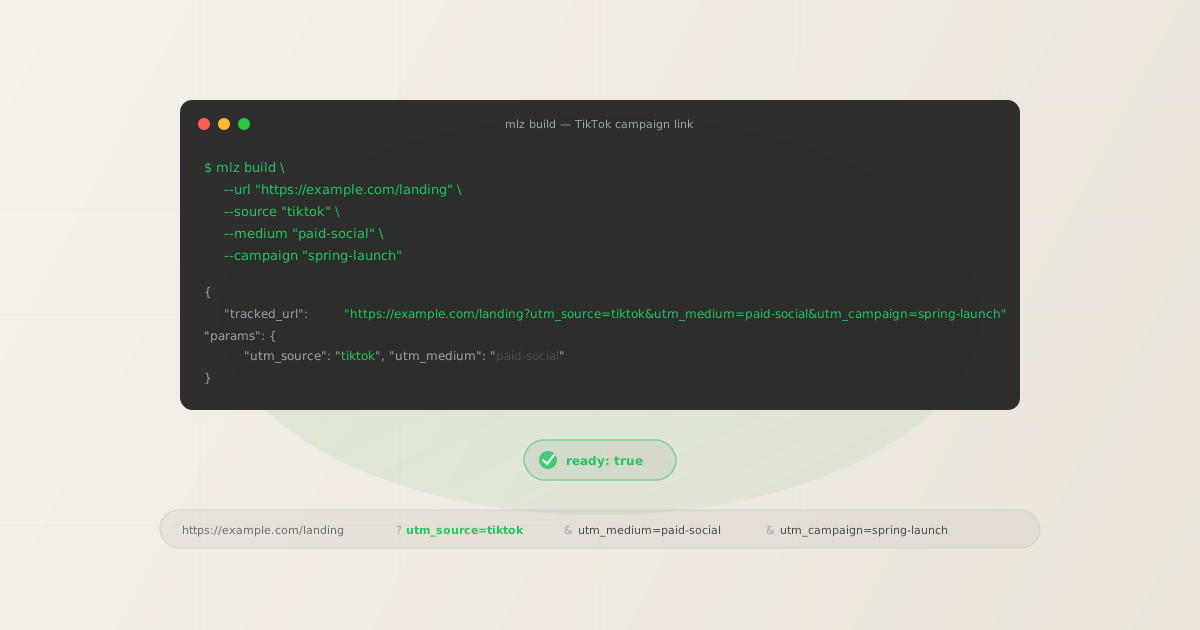
The mlz build command generates UTM-tagged URLs for any platform. Pass --source tiktok and --medium paid-social alongside your campaign details to get a properly formatted link:
$ mlz build \
  --url "https://example.com/landing" \
  --source "tiktok" \
  --medium "paid-social" \
  --campaign "spring-launch-2026" \
  --content "video-15s-product"

{
  "tracked_url": "https://example.com/landing?utm_source=tiktok&utm_medium=paid-social&utm_campaign=spring-launch-2026&utm_content=video-15s-product",
  "params": {
    "utm_source": "tiktok",
    "utm_medium": "paid-social",
    "utm_campaign": "spring-launch-2026",
    "utm_content": "video-15s-product"
  },
  "destination_url": "https://example.com/landing",
  "link_id": "lnk_abc123"
}
Copy the tracked_url value and paste it into the destination URL field in TikTok Ads Manager. When a user clicks the ad, TikTok will append its ttclid parameter after your UTM parameters, so the final URL will look like ...?utm_source=tiktok&utm_medium=paid-social&utm_campaign=spring-launch-2026&utm_content=video-15s-product&ttclid=abc.... Both sets of parameters are preserved.
For campaigns with multiple ad creatives, generate a separate link per creative using a different --content value for each. This gives you per-creative attribution in GA4 without any additional setup.
Validating TikTok campaign links before launch
TikTok campaigns are particularly worth validating because TikTok traffic tends to spike quickly — a video that performs well can drive thousands of clicks in hours. If the landing page has a 404, an expired SSL cert, or a redirect that strips UTM parameters, you'll lose attribution data and waste ad spend before you notice the problem.
Use mlz build --validate to check the destination at link-build time:
$ mlz build \
  --url "https://example.com/landing" \
  --source "tiktok" \
  --medium "paid-social" \
  --campaign "spring-launch-2026" \
  --validate

{
  "tracked_url": "https://example.com/landing?utm_source=tiktok&utm_medium=paid-social&utm_campaign=spring-launch-2026",
  "validation": {
    "valid": true,
    "checks": [
      { "check": "ssl", "status": "pass", "message": "URL uses HTTPS." },
      { "check": "resolution", "status": "pass", "message": "Destination responded with 200." },
      { "check": "redirects", "status": "pass", "message": "No redirects detected." },
      { "check": "response_time", "status": "pass", "message": "Response time: 312ms." }
    ]
  }
}
The redirect check is particularly important for TikTok links. If your destination URL goes through a link shortener, a marketing platform's tracking redirect, or a CDN that rewrites URLs, validate that the redirect chain preserves your UTM parameters end-to-end. See how to check if a redirect strips UTM parameters for the full diagnostic walkthrough.
ttclid vs manual UTM parameters
TikTok's ttclid (TikTok Click ID) is an auto-tagging parameter similar to Google's gclid. TikTok Ads Manager appends it automatically to destination URLs when auto-tagging is enabled. It serves a different purpose than UTM parameters:
- ttclid — TikTok's own attribution signal
ttclidis used by TikTok Pixel to match ad clicks to conversion events within TikTok Ads Manager. It powers TikTok's own attribution reporting (view-through conversions, click-through conversions) and requires TikTok Pixel to be installed on your site. It does not appear in GA4 as a dimension — GA4 ignores it.- utm parameters — your attribution signal
- UTM parameters are read by GA4 and every other standard analytics tool. They're platform-agnostic, work without any pixel, and let you compare TikTok traffic against LinkedIn, Google, and email in a single report. They don't give you TikTok's internal view-through attribution, but they give you first-party session data in GA4.
The two work alongside each other without conflict. Use ttclid (via TikTok auto-tagging) for TikTok's own conversion optimisation, and use manual UTM parameters for cross-channel analytics in GA4. When both are present in the URL, TikTok reads ttclid and GA4 reads the UTM parameters independently.
Common TikTok UTM tracking mistakes
- Using utm_medium=social instead of utm_medium=paid-social
- GA4 maps
utm_medium=socialto "Organic Social," not "Paid Social." TikTok ad traffic tagged withutm_medium=socialwill appear in the Organic Social channel group, mixing paid and organic traffic. Usepaid-socialfor paid placements. - Setting utm_source=tiktokads
- This is non-standard. GA4's channel grouping heuristics recognise
tiktokas a known social source. Usingtiktokadscreates an unrecognised source that might land in "Unassigned." Keep the source astiktok. - Not tagging individual ad creatives
- TikTok campaigns often run multiple video creatives simultaneously. Without
utm_content, all clicks from all creatives aggregate into a single row in GA4. You'll know TikTok drove conversions but not which video drove them. Add--contentwith a creative descriptor per ad. - Skipping destination validation
- TikTok ads are reviewed and then go live — sometimes overnight while you're not watching. If the landing page URL is wrong or the page has been modified to redirect elsewhere, the campaign runs with a broken link. Validate before submitting the ad to TikTok's review queue.
FAQ
- Does TikTok support UTM parameters in destination URLs?
- Yes. TikTok Ads Manager allows custom destination URLs with UTM parameters appended. You enter the full UTM-tagged URL in the destination URL field when setting up the ad. TikTok may append its own
ttclidparameter after your UTMs, but it doesn't remove or modify the ones you added. - Will TikTok's in-app browser affect UTM tracking?
- TikTok's in-app browser has historically had issues passing referrer headers reliably, which is one reason some TikTok traffic appears as "Direct" in GA4 without UTM tagging. With UTM parameters in the destination URL, GA4 reads them from the URL rather than the referrer header, making UTM-tagged links more reliable than referrer-based attribution for TikTok traffic.
- Should I use GA4's auto-marking feature or manual UTMs for TikTok?
- TikTok doesn't have a GA4 auto-marking integration comparable to Google Ads' native GA4 integration. The TikTok Pixel has some GA4 event integration, but for campaign-level attribution in GA4's Acquisition reports, manual UTM tagging is the standard approach. Use UTMs for GA4 attribution; use TikTok Pixel for TikTok's own conversion reporting.
- What utm_medium value does GA4 use to classify TikTok traffic as Paid Social?
- GA4's default channel grouping assigns sessions to "Paid Social" when
utm_mediumexactly matchespaid-socialorpaid_social, or whenutm_sourcematches a list of known social platforms (which includes tiktok) andutm_mediummatchescpc,ppc,social, or similar paid patterns. Usingutm_medium=paid-socialis the explicit, unambiguous choice. - Can I use a link shortener with TikTok UTM links?
- You can, but shortened links add a redirect hop that can strip UTM parameters if the shortener isn't configured to preserve query strings. If you're using a shortener, validate the final redirect destination to confirm the UTM parameters survive the redirect chain. Use
mlz build --validateon the shortened URL to check.
Recommended posts
Build and validate TikTok campaign links in one command
Pass --source tiktok --medium paid-social --campaign your-campaign to mlz build and add --validate to check the destination resolves and the redirect chain is clean before you submit the ad to TikTok's review queue.
1,000 links/month free. No credit card.
Your API key
Save this now — it won't be shown again.
npm install -g missinglinkz
Free plan: 1,000 links/month. No credit card. See the UTM tracking for developers guide for the full programmatic workflow across all platforms.