UTM Tracking for Oracle Eloqua: How to Build and Validate Campaign Links
UTM tracking for Oracle Eloqua has a specific failure mode built into the platform's Campaign Canvas: when Eloqua's built-in UTM appending is active, it derives utm_campaign values directly from your campaign and email asset names — raw, unformatted, with spaces and original casing preserved. "Q2 Nurture Email" becomes utm_campaign=Q2+Nurture+Email in GA4. Meanwhile, your manually built links use utm_campaign=q2-nurture. Two separate GA4 rows for the same campaign, no way to merge them after the fact. Eloqua's click-tracking redirect (tracks.eloqua.com or your custom tracking subdomain) records every click internally before forwarding recipients to your destination URL — it appends Eloqua's own elq and elqTrack parameters separately, but does not strip your UTM query string. GA4 ignores elq* parameters and processes only UTM parameters from the final URL. The fix is straightforward: disable Eloqua's auto-UTM appending in Campaign Canvas and manage all parameter values with mlz build for consistent lowercase-hyphenated slugs across both Campaign Canvas batch sends and Program Builder automation sequences.
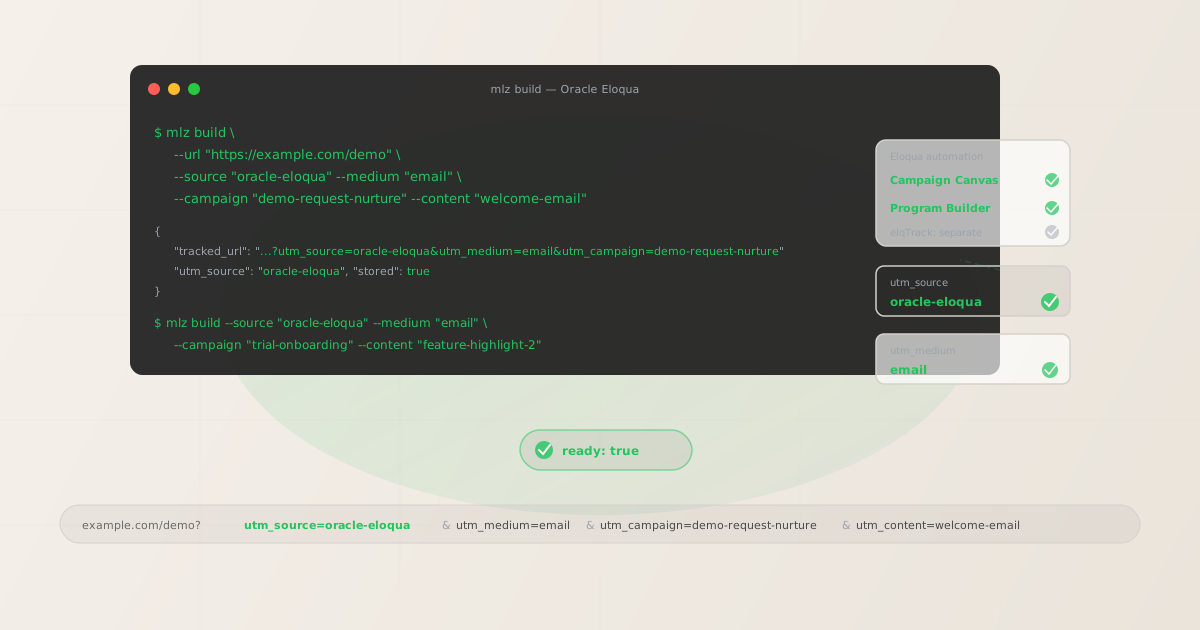
The correct utm_source for Oracle Eloqua
Use utm_source=oracle-eloqua — lowercase, hyphenated — for all sends from Oracle Eloqua. This value is unambiguous in GA4 filter dropdowns: it identifies the sending platform without requiring institutional knowledge of abbreviations, and it distinguishes Oracle Eloqua from other Oracle products such as oracle-crm or oracle-responsys that your team may also run. Avoid eloqua alone (misses the Oracle context that matters for enterprise environments where multiple Oracle products feed GA4), oracle alone (far too broad — covers Oracle CRM, Oracle Responsys, Oracle Advertising, and more), and oracle_eloqua with an underscore (inconsistent with the lowercase-hyphenated convention the rest of your UTM taxonomy likely follows).
The utm_medium for Eloqua is email for all Campaign Canvas and Program Builder email sends. Eloqua is an enterprise B2B email automation platform — its primary channel is email, so there is no ambiguity here that would require a per-channel medium distinction.
| Eloqua send type | utm_source | utm_medium | GA4 default channel |
|---|---|---|---|
| Campaign Canvas (batch send) | oracle-eloqua |
email |
|
| Campaign Canvas (triggered sequence) | oracle-eloqua |
email |
|
| Program Builder (always-on nurture) | oracle-eloqua |
email |
GA4 automatically maps utm_medium=email to the Email default channel group. All three Eloqua automation types share utm_source=oracle-eloqua, so you can filter the Traffic Acquisition report by source and see the full Eloqua traffic picture before breaking down by campaign or content.
utm_campaign naming for Campaign Canvas and Program Builder
Oracle Eloqua has two main automation patterns, each with a different campaign lifecycle and a corresponding utm_campaign naming strategy.
Campaign Canvas is Eloqua's multi-step campaign orchestration tool. It handles both one-time batch sends and triggered sequences with complex branching logic, A/B splits, and wait steps. Campaigns are typically built around a specific initiative with a defined timeframe. Use campaign slugs that describe the campaign theme and, for time-bounded campaigns, a date stamp: demo-request-nurture, product-launch-q3-2026, trial-onboarding, webinar-june-2026. For ongoing nurture tracks in Campaign Canvas that run continuously (re-engagement, post-purchase), omit the date stamp and use a stable evergreen slug.
Program Builder is Eloqua's legacy automation workflow tool for ongoing prospect nurturing. Programs are typically "always on" — multi-step sequences that run continuously with new contacts entering at the top. Because attribution windows for enterprise B2B can span 6 to 18 months, utm_campaign slugs for Program Builder must be stable and evergreen. Never date-stamp a Program Builder slug. Use utm_content per step to distinguish individual emails within the program sequence.
# Campaign Canvas — time-bounded campaign, date-stamped slug
$ mlz build --url "https://example.com/demo" \
  --source "oracle-eloqua" --medium "email" \
  --campaign "product-launch-q3-2026" --content "main-cta"

{
  "tracked_url": "https://example.com/demo?utm_source=oracle-eloqua&utm_medium=email&utm_campaign=product-launch-q3-2026&utm_content=main-cta",
  "params": {
    "utm_source": "oracle-eloqua",
    "utm_medium": "email",
    "utm_campaign": "product-launch-q3-2026",
    "utm_content": "main-cta"
  },
  "link_id": "lnk_eq3r7k2m",
  "stored": true
}

# Program Builder — always-on nurture, stable evergreen slug
$ mlz build --url "https://example.com/onboarding" \
  --source "oracle-eloqua" --medium "email" \
  --campaign "trial-onboarding" --content "welcome-email"
Copy the tracked_url from the JSON output and paste it directly into the link field in Eloqua's Campaign Canvas email editor or Program Builder email step. Eloqua's click-tracking redirect wraps this URL and appends its own elqTrack parameter before forwarding recipients — your UTM query string arrives at the destination URL intact.
How to disable Eloqua's built-in UTM appending
Eloqua's Campaign Canvas has a built-in UTM appending feature that, when active, derives parameter values from your campaign and email asset names. The values it generates are raw — spaces become + or %20, original casing is preserved, and the full asset name is used without any normalization. "Q2 Nurture Email" becomes utm_campaign=Q2+Nurture+Email in GA4, permanently separate from any manually built utm_campaign=q2-nurture links. Disable auto-UTM before managing parameters manually with mlz build.
- Campaign Canvas: Open the campaign settings panel for the campaign. Look for a "Google Analytics Tracking" or UTM tracking section. Disable the toggle or uncheck the checkbox for every campaign where you are embedding manually built UTM links. This setting is per-campaign — check it each time you build a new campaign, even if your account default is set to off.
- Email assets: Individual email assets within a Campaign Canvas step may also have their own UTM tracking settings. When editing an email asset, open the email properties or settings panel and confirm the auto-UTM option is disabled. Some Eloqua configurations surface this at the email level; others only at the campaign level — check both if you are unsure.
- Program Builder: Program Builder email steps do not always expose the same UTM appending toggle as Campaign Canvas, but confirm with your Eloqua administrator whether your instance applies any global UTM appending policy at the account level. Account-level settings in Setup can set the default for all new campaigns and programs, reducing the risk that a team member accidentally enables auto-UTM on a send where you have already built manual links.
Eloqua's click-tracking redirect (tracks.eloqua.com or your custom tracking subdomain) is entirely separate from UTM appending. The click-tracking redirect records clicks in Eloqua's built-in analytics, appends its own elq and elqTrack parameters for Eloqua-internal attribution, and then forwards recipients to your destination URL with the full UTM query string intact. GA4 ignores elq* parameters. Do not disable Eloqua's click-tracking — only disable the separate auto-UTM appending feature.
Building Eloqua links with mlz build
Use mlz build to generate normalised tracked URLs for every Eloqua send. For a Campaign Canvas batch send to an enterprise segment, include utm_term to label the audience:
$ mlz build \
  --url "https://example.com/enterprise-demo" \
  --source "oracle-eloqua" \
  --medium "email" \
  --campaign "demo-request-nurture" \
  --content "pricing-follow-up" \
  --validate

{
  "tracked_url": "https://example.com/enterprise-demo?utm_source=oracle-eloqua&utm_medium=email&utm_campaign=demo-request-nurture&utm_content=pricing-follow-up",
  "params": {
    "utm_source": "oracle-eloqua",
    "utm_medium": "email",
    "utm_campaign": "demo-request-nurture",
    "utm_content": "pricing-follow-up"
  },
  "validation": {
    "valid": true,
    "checks": [
      { "check": "url_format", "status": "pass", "message": "URL format is valid." },
      { "check": "ssl", "status": "pass", "message": "URL uses HTTPS." },
      { "check": "resolution", "status": "pass", "message": "Destination responded with 200.", "details": { "response_time_ms": 148 } },
      { "check": "redirects", "status": "pass", "message": "No redirects detected." }
    ]
  },
  "link_id": "lnk_eq9p4n1v",
  "stored": true
}
For a Program Builder multi-step nurture sequence, build links for every email step with a stable campaign slug and a unique utm_content value per step:
# Step 1 — welcome email
$ mlz build \
  --url "https://example.com/onboarding" \
  --source "oracle-eloqua" \
  --medium "email" \
  --campaign "trial-onboarding" \
  --content "welcome-email"

# Step 2 — feature highlight
$ mlz build \
  --url "https://example.com/features" \
  --source "oracle-eloqua" \
  --medium "email" \
  --campaign "trial-onboarding" \
  --content "feature-highlight-2"

{
  "tracked_url": "https://example.com/features?utm_source=oracle-eloqua&utm_medium=email&utm_campaign=trial-onboarding&utm_content=feature-highlight-2",
  "params": {
    "utm_source": "oracle-eloqua",
    "utm_medium": "email",
    "utm_campaign": "trial-onboarding",
    "utm_content": "feature-highlight-2"
  },
  "link_id": "lnk_eq2m8r5t",
  "stored": true
}

# Step 3 — pricing follow-up
$ mlz build \
  --url "https://example.com/pricing" \
  --source "oracle-eloqua" \
  --medium "email" \
  --campaign "trial-onboarding" \
  --content "pricing-follow-up"
In GA4's Explore report, set utm_campaign=trial-onboarding as a segment and add utm_content as a secondary dimension to compare which Program Builder step drove the most conversions — the stable evergreen slug keeps attribution accumulating under a single campaign across months of program execution, which is what enterprise B2B attribution windows require.
Validating Eloqua destination URLs before sending
Eloqua Program Builder sequences can remain active for months or years, with new contacts entering continuously. Enterprise marketing operations teams at large organisations typically run parallel campaigns across multiple Eloqua programs simultaneously, with CRM attribution windows spanning 6 to 18 months. A destination URL that resolves today can be archived, restructured, or redirected in the next product launch cycle, while the program continues sending that URL to every new entrant. Eloqua has no mechanism to alert you when a destination URL stops resolving.
Use mlz build --validate to confirm destination URLs resolve before activating a campaign or program. Use mlz links list to retrieve all stored tracked URLs for your account, then run periodic mlz check <url> spot-checks on program destinations after any website restructure or product release:
$ mlz check "https://example.com/onboarding?utm_source=oracle-eloqua&utm_medium=email&utm_campaign=trial-onboarding&utm_content=welcome-email"

{
  "url": "https://example.com/onboarding?utm_source=oracle-eloqua&utm_medium=email&utm_campaign=trial-onboarding&utm_content=welcome-email",
  "valid": true,
  "checks": [
    { "check": "ssl", "status": "pass" },
    { "check": "resolution", "status": "pass", "details": { "response_time_ms": 131 } },
    { "check": "redirects", "status": "pass" }
  ]
}
For Eloqua programs with ten or more email steps, use mlz links list to pull all stored tracked URLs into a list and run mlz check against each one systematically after major web infrastructure changes. This is programmatically equivalent to manually opening every link in every program email — something that scales poorly as soon as a program grows beyond a handful of steps.
Oracle Eloqua UTM tracking gotchas
- Eloqua's auto-UTM uses raw asset names — spaces and original casing intact
- When Eloqua's Campaign Canvas UTM appending is active, it reads the campaign name and email asset name and appends them as raw strings to
utm_campaign. "Q2 Nurture Email" becomesutm_campaign=Q2+Nurture+Email. In GA4, this creates a row permanently separate fromutm_campaign=q2-nurture. There is no post-hoc deduplication — once that data is in GA4, the rows cannot be merged. Disable auto-UTM before your first Campaign Canvas send and manage all parameter values withmlz build. - Eloqua's elqTrack parameter is separate from UTM parameters — GA4 ignores it
- Eloqua's click-tracking redirect appends its own
elqandelqTrackparameters to tracked links for Eloqua-internal click attribution. These parameters are Eloqua's proprietary identifiers and are not UTM parameters. GA4 ignores allelq*parameters and processes onlyutm_source,utm_medium,utm_campaign,utm_content, andutm_termfrom the final destination URL. Your manually built UTM query string is preserved through the redirect. Do not attempt to remove or suppress theelqTrackparameter — it is required for Eloqua's internal click analytics and does not affect GA4 UTM processing. - Program Builder attribution windows span months — slugs must be stable
- Oracle Eloqua is an enterprise B2B platform. Long sales cycles mean that a contact entering a Program Builder nurture sequence today may convert 6 to 18 months later, with the assisted conversion mapped to an Eloqua email in CRM (Salesforce or Microsoft Dynamics). If you date-stamp a Program Builder campaign slug —
trial-onboarding-q1-2026— and later rebuild the program with a new slug, attribution from the old slug and the new slug will never aggregate in GA4. Use stable evergreen slugs for all Program Builder campaigns and useutm_contentper step to distinguish individual emails within the program. - Use utm_term to label enterprise audience segments for vertical analysis
- Eloqua's contact segmentation often maps to industry verticals or company size tiers that are meaningful for B2B revenue attribution. Use
utm_termto carry audience or segment information into GA4:enterprise,mid-market,financial-services,technology-vertical. This dimension is particularly useful when running the same Campaign Canvas nurture across multiple industry segments —utm_termseparates their GA4 conversion data without requiring duplicate campaigns with different slugs. Build one tracked URL per segment usingmlz buildwith--termper segment value.
Oracle Eloqua UTM naming conventions
Recommended UTM parameter values for Oracle Eloqua, aligned with GA4 default channel groupings and enterprise B2B attribution requirements:
- utm_source:
oracle-eloqua— lowercase hyphenated, for all Eloqua sends. Distinguishes Eloqua from other Oracle products in GA4 filter dropdowns. - utm_medium:
emailfor all Campaign Canvas and Program Builder email sends. GA4 maps this to the Email default channel group automatically. - utm_campaign: For Campaign Canvas time-bounded campaigns:
product-launch-q3-2026,webinar-june-2026,demo-request-nurture. For Program Builder always-on sequences:trial-onboarding,demo-request-nurture,win-back-program. Never date-stamp a Program Builder slug — attribution windows can span 6 to 18 months. - utm_content: Use to distinguish individual emails within a Campaign Canvas sequence or Program Builder program:
welcome-email,feature-highlight-2,pricing-follow-up. Build one tracked URL per distinct link per email step. - utm_term: Use for audience or segment labeling where the segment is meaningful for revenue attribution:
enterprise,mid-market,financial-services,technology-vertical. Particularly valuable in B2B contexts where the same program runs across multiple industry verticals simultaneously.
See the UTM naming conventions guide for the full cross-platform reference and the UTM tracking for developers guide for programmatic generation and validation at scale.
FAQ
- Should I use oracle-eloqua, eloqua, or oracle as utm_source?
- Use
utm_source=oracle-eloqua. It is readable in GA4 filter dropdowns without requiring institutional knowledge, unambiguous (unlikeoraclealone, which could refer to Oracle CRM, Oracle Responsys, Oracle Advertising, or other Oracle products), and consistent with a lowercase-hyphenated UTM taxonomy. AvoidEloqua(mixed case — GA4 treatsEloquaandeloquaas separate sources),oraclealone (too broad), andoracle_eloquawith an underscore (inconsistent convention). If your account has historic data under a different value, create a custom channel group in GA4 to consolidate old variants while transitioning all future sends tooracle-eloqua. - Does Eloqua's click-tracking redirect strip UTM parameters?
- No. Eloqua's click-tracking redirect —
tracks.eloqua.comor your custom tracking subdomain — records the click in Eloqua's built-in analytics and then forwards recipients to the full destination URL, including your UTM query string. Eloqua appends its ownelqandelqTrackparameters separately for Eloqua-internal attribution, but these parameters are not UTM parameters and GA4 ignores them. Your manually built UTM parameters arrive at the destination URL intact. The only UTM issue arises when Eloqua's auto-UTM appending is active in Campaign Canvas — disable that feature and keep the click-tracking redirect active. - How do I name utm_campaign for a Program Builder always-on nurture?
- Use a stable evergreen slug describing the program's purpose:
trial-onboarding,demo-request-nurture,win-back-program. Never date-stamp a Program Builder slug — programs run continuously with new contacts entering over months or years, and attribution data needs to accumulate under a single stable slug for the full 6-to-18-month B2B attribution window. Useutm_contentper email step —welcome-email,feature-highlight-2,pricing-follow-up— to distinguish individual emails in GA4 reports. Theutm_campaignstays constant across all steps; onlyutm_contentvaries per step. - How do I validate all destination URLs in an Eloqua program before it goes live?
- Build all program email links with
mlz build --validatebefore activating the program. The--validateflag runs url_format, ssl, resolution, and redirect checks on the destination URL at build time, catching broken pages before the program fires. Usemlz links listto retrieve all stored tracked URLs for the program. While the program is active, runmlz check <url>spot-checks on program destinations after any website restructure or product launch cycle — Eloqua program emails fire months after the program was built, and destination pages change. This is especially important for always-on programs that have been running for more than a quarter without review.
Recommended posts
Build Oracle Eloqua links from the terminal
Pass --source "oracle-eloqua" --medium "email" to mlz build and get a normalised, validated URL ready to paste into Eloqua's Campaign Canvas or Program Builder — all lowercase hyphenated, no mixed-case from Eloqua's auto-UTM, stable evergreen slugs for Program Builder sequences and dated slugs for time-bounded Campaign Canvas sends. Add --validate to confirm every destination resolves before activating a campaign or program, and run mlz check periodically to catch broken destinations before they affect attribution across a long B2B sales cycle.
1,000 links/month free. No credit card.
Your API key
Save this now — it won't be shown again.
npm install -g missinglinkz
Free plan: 1,000 links/month. No credit card. See the UTM tracking for developers guide for the full programmatic workflow.