UTM Tracking for Ontraport: How to Build and Validate Campaign Links
UTM tracking for Ontraport starts with utm_source=ontraport — lowercase, the platform name — for all email and SMS sends from the Ontraport platform. Ontraport is a combined CRM and marketing automation platform primarily used by online businesses, coaches, course creators, and membership site owners who need email marketing, automation sequences, and CRM contact management in a single tool. Ontraport's two primary send types are Campaigns — visual drag-and-drop automation sequences that trigger a series of email and SMS steps based on contact behaviour, goals, and conditions — and Broadcasts, one-off email sends dispatched to a segment. The UTM challenge unique to Ontraport is the platform's built-in auto-UTM tagging feature: when enabled, Ontraport automatically appends its own UTM parameters to every email link, which creates duplicate UTM parameters when those links already contain tracked URLs built with mlz build. The duplicate parameters result in malformed URLs where GA4 reads the first occurrence of utm_source only, silently discarding the second — making the outcome of mixing auto-UTM tagging with externally built tracked URLs unpredictable across different email clients and redirect configurations. Disabling Ontraport's auto-UTM tagging globally and using mlz build to construct all tracked URLs before configuring any Campaign step or Broadcast gives you consistent, validated UTM values with no duplicate parameter conflicts.
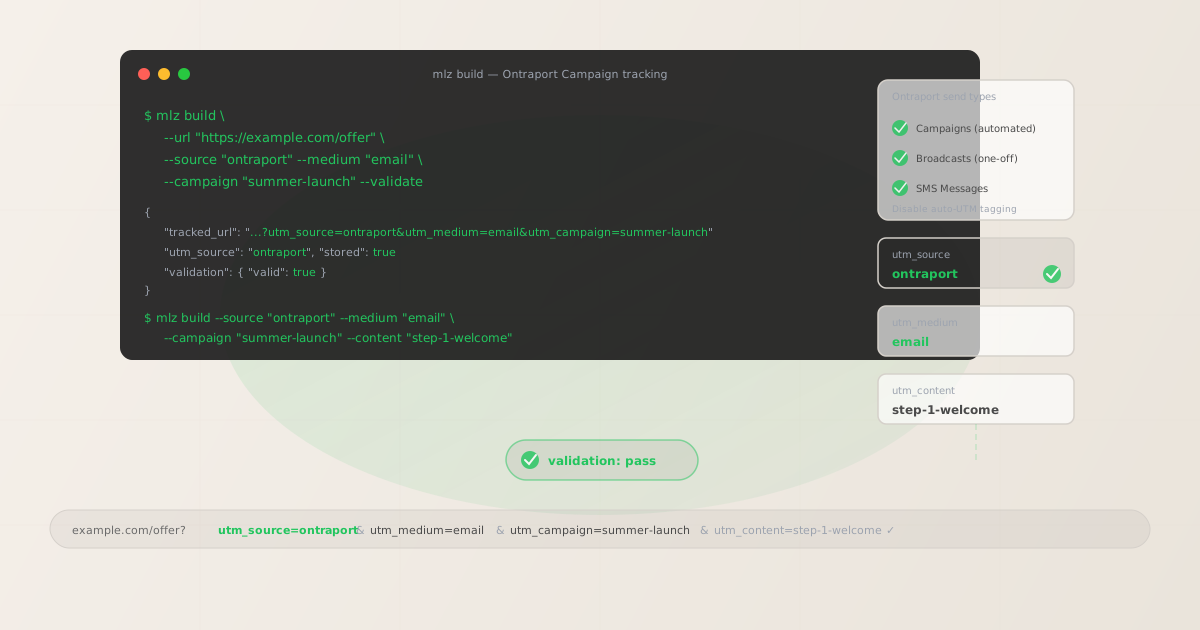
The correct utm_source and utm_medium for Ontraport
Use utm_source=ontraport — lowercase, single word — for all email and SMS sends from the Ontraport platform, whether they originate from an automated Campaign sequence or a manually dispatched Broadcast. The source value identifies the platform that delivered the message, not the channel type or the specific Campaign name. All Ontraport email activity should aggregate under a single source dimension in GA4 — ontraport — enabling platform-level attribution comparison between Ontraport sends and sends from other platforms in your stack.
The medium for Ontraport email sends is utm_medium=email. For SMS messages sent via Ontraport (available on accounts with SMS messaging enabled), use utm_medium=sms. Never use utm_medium=ontraport — the medium describes the channel type, not the platform name, and ontraport does not match GA4's default channel grouping definitions for either email or SMS.
| Source value | Origin | Use this? |
|---|---|---|
Ontraport |
Mixed case — common manual entry | ✗ No — separate GA4 row from ontraport |
ontraport-crm |
Platform-qualified label | ✗ No — adds qualifier that fragments data |
email |
Channel name used as source | ✗ No — collapses all email platforms into one source |
ontraport |
mlz build output | ✓ Yes — lowercase, static, aggregates cleanly |
If your organisation uses Ontraport alongside another email platform — for example, Ontraport for automated Campaign sequences and Mailchimp for newsletter Broadcasts — use a distinct utm_source for each platform: ontraport and mailchimp respectively. Never consolidate multiple platforms under utm_source=email, which removes all platform-level attribution from GA4 reports and makes it impossible to compare the contribution of each platform to campaign goals.
Ontraport auto-UTM tagging — why it conflicts with mlz build
Ontraport includes a built-in auto-UTM tagging feature that can automatically append UTM parameters to all links in your email sends. When enabled, Ontraport adds its own utm_source, utm_medium, and utm_campaign values to every link in the email template at send time. This feature is designed to eliminate the manual step of adding UTM parameters to email links — it sounds convenient, but it creates a significant problem when used alongside externally built tracked URLs.
The conflict occurs when an email link already contains UTM parameters — either from a tracked URL built with mlz build or from a destination URL that already has its own query parameters. When Ontraport's auto-UTM feature appends its own UTM parameters to a URL that already contains UTM parameters, the result is a URL with duplicate parameter keys: ?utm_source=ontraport&utm_campaign=welcome-series&utm_source=ontraport&utm_campaign=your-mlz-campaign. HTTP specification does not prohibit duplicate query parameters, but GA4 reads only the first occurrence of each parameter key and ignores subsequent duplicates — so the auto-UTM values will silently override the carefully built campaign slug from mlz build, and the utm_content value that identifies the specific Campaign step is lost entirely.
The correct approach is to disable Ontraport's auto-UTM tagging globally (in Ontraport settings under Email → Tracking) and use mlz build to construct all tracked URLs before configuring any Campaign step template or Broadcast email. This gives you full control over every UTM value in every link, consistent lowercase-hyphenated parameter formatting, and per-step attribution through utm_content — none of which Ontraport's auto-UTM feature provides.
Ontraport Campaigns — UTM tracking for automated sequences
Ontraport Campaigns are visual automation sequences built in Ontraport's drag-and-drop Campaign Builder. A Campaign starts with a trigger — a contact filling out a form, reaching a specific date, or being added to a contact group — and progresses through a series of steps: email sends, SMS sends, wait delays, condition checks, goal completions, and branches. Each email step in a Campaign that contains a CTA linking to a destination URL needs a tracked URL with a unique utm_content value to make step-level attribution visible in GA4.
Build all tracked URLs for a Campaign before opening the Campaign Builder to configure email templates. For each email step that contains a CTA, define the step identifier — not the visual step name from the Campaign Builder UI, which is an internal label — but a programmatic slug that describes the step's position and purpose: step-1-welcome, step-3-offer, step-7-final-push. Use that slug as the --content value when building the tracked URL with mlz build.
# Campaign step 1 — welcome email with product CTA
$ mlz build \
  --url "https://example.com/product" \
  --source "ontraport" \
  --medium "email" \
  --campaign "welcome-series" \
  --content "step-1-product-cta" \
  --validate

{
  "tracked_url": "https://example.com/product?utm_source=ontraport&utm_medium=email&utm_campaign=welcome-series&utm_content=step-1-product-cta",
  "validation": { "valid": true }
}

# Campaign step 3 — offer email with pricing CTA
$ mlz build \
  --url "https://example.com/pricing" \
  --source "ontraport" \
  --medium "email" \
  --campaign "welcome-series" \
  --content "step-3-pricing-cta" \
  --validate

{
  "tracked_url": "https://example.com/pricing?utm_source=ontraport&utm_medium=email&utm_campaign=welcome-series&utm_content=step-3-pricing-cta",
  "validation": { "valid": true }
}
Paste each tracked URL as a static string into the corresponding Campaign step email template in Ontraport. Do not use Ontraport's "Insert Link" merge field functionality to derive the destination URL from a contact field — merge fields in link URLs create per-contact URL variations that are functionally the same problem as dynamic template variables in any other platform: they produce per-recipient UTM values that fragment GA4 attribution data. Use merge fields only for email body text personalisation, never for UTM parameter values or tracked URL destinations.
After configuring all Campaign step templates, run mlz links list --campaign "welcome-series" to retrieve a JSON list of all stored links for the Campaign and confirm every email step has a validated tracked URL before activating the Campaign.
Ontraport Broadcasts — UTM tracking for one-off sends
Ontraport Broadcasts are one-off email sends dispatched to a contact group or segment — not triggered by contact behaviour, but sent at a scheduled time or dispatched manually. Broadcasts in Ontraport are used for product announcements, promotional emails, newsletters, and content sends to your contact list or a filtered subset.
For Broadcast UTM tracking, the campaign slug identifies the initiative and the content identifier optionally distinguishes individual sends within a recurring series. For a recurring newsletter — a monthly digest, a weekly update — use a campaign slug that includes the series identifier and year: newsletter-monthly-2026. For one-off promotional Broadcasts, use the initiative slug: black-friday-2026, product-launch-june-2026. If a Broadcast contains multiple CTAs linking to different destinations — a hero CTA to the new product page, a secondary CTA to the blog, a footer CTA to the pricing page — build a separate tracked URL for each destination with a distinct utm_content value identifying the CTA position.
For Broadcasts sent to different contact segments — for example, the same promotional email sent separately to a free-tier segment and a paid-tier segment — use utm_term to pass the segment membership into GA4: --term "segment-free" and --term "segment-paid". This preserves the aggregate campaign view while enabling segment-level drill-down through GA4's term dimension — which is the meaningful comparison: did the same offer convert differently across your free and paid contact segments?
Ontraport SMS — UTM tracking for text message sends
Ontraport accounts with SMS messaging enabled can send SMS messages as Campaign steps or as standalone Broadcasts. SMS messages contain shorter content and typically one link — the UTM medium for SMS sends is utm_medium=sms, not utm_medium=email, because the channel type is different and GA4's default channel groupings treat SMS as a distinct traffic channel from email.
For SMS Campaign steps, use the same campaign slug as the parent Campaign but with --medium "sms" and a content identifier that clearly marks the SMS channel: step-2-sms-reminder. For standalone SMS Broadcasts, use an initiative slug that includes the channel: promo-sms-black-friday-2026. SMS links are often shortened for character economy — run mlz build first to generate the full tracked URL, then use a URL shortener on the tracked URL. Verify the shortened URL preserves UTM parameters through the redirect chain using mlz check before sending.
Ontraport UTM tracking gotchas
- Auto-UTM tagging creates duplicate parameters that silently break attribution
- Ontraport's auto-UTM tagging feature appends its own UTM parameters to every email link at send time. If those links already contain UTM parameters — from tracked URLs built with
mlz buildor from destination URLs with existing query parameters — the result is a URL with duplicateutm_source,utm_medium, andutm_campaignkeys. GA4 reads only the first occurrence of each duplicate key and discards the rest. The auto-UTM parameters Ontraport appends come after the existing parameters, so Ontraport's auto-UTM values are discarded — but theutm_contentvalue frommlz buildis also lost if Ontraport's auto-UTM does not append autm_contentvalue (it doesn't by default). Disable auto-UTM tagging in Ontraport settings and usemlz buildexclusively to avoid this conflict entirely. - Ontraport Campaign names are not suitable as utm_campaign values
- Ontraport's Campaign Builder uses display names for Campaigns — names that are meant for internal team identification within the Ontraport UI, such as "New Lead Nurture 2026" or "Webinar Follow-Up Sequence Q3". These display names contain spaces, mixed case, and are subject to informal naming conventions that vary by team member. Using Ontraport's internal Campaign display names as
utm_campaignvalues in tracked URLs produces inconsistent GA4 campaign dimension values:New Lead Nurture 2026andnew-lead-nurture-2026appear as separate campaigns in GA4, splitting attribution data across two rows. Define a separate lowercase-hyphenated campaign slug —lead-nurture-2026,webinar-followup-q3— and use that slug consistently inmlz buildfor every email step in the corresponding Ontraport Campaign. - Ontraport's click-tracking redirect should be verified for UTM preservation
- Ontraport wraps email links in a click-tracking redirect that routes through Ontraport's servers before forwarding to the destination URL. This redirect records Ontraport's click events and is separate from GA4 UTM tracking. In most configurations, Ontraport's click-tracking redirect preserves UTM query parameters through to the final destination. Verify this by running
mlz checkagainst a real Ontraport click-tracking URL from a test send — the command follows the full redirect chain and confirms whether UTM parameters arrive intact at the final destination. If parameters are stripped during the Ontraport redirect, GA4 attributes the resulting session as direct traffic rather than to the Ontraport email send. - Merge fields inside UTM parameter values fragment GA4 attribution
- Ontraport supports merge fields for personalising email content —
[First Name],[Email],[Custom Field]. Merge fields inside UTM parameter values resolve to per-contact values at send time, creating a unique UTM value for each contact in the send:utm_campaign=welcome-[First Name]becomesutm_campaign=welcome-sarahfor one contact andutm_campaign=welcome-jamesfor another. Each unique resolved value creates a separate GA4 dimension row with no way to aggregate performance data across the Campaign as a whole. Use merge fields for email body text personalisation — subject lines, greeting text, dynamic content blocks — but never inside UTM parameter values. Use the static tracked URL frommlz buildas the link destination in every Campaign step email template. - Goal completions inside Campaigns can create attribution ambiguity
- Ontraport Campaigns support Goal elements — conditions that, when met by a contact, move them to a specific point in the Campaign flow or exit them from the Campaign entirely. A contact who completes a purchase Goal midway through a welcome series has their GA4 session attributed to whichever Campaign step email link they clicked most recently — not to the Goal itself. If the final conversion session came from clicking a link in Campaign step 3 email, GA4 attributes the conversion to the
utm_content=step-3-pricing-ctatracked URL, which is the correct and intended attribution. If your Campaign has a Goal completion that sends the contact a separate confirmation email with a different destination link, that confirmation email should also use a tracked URL built withmlz buildusing autm_contentvalue that identifies it as a goal-confirmation send:goal-complete-confirmation.
Ontraport UTM naming conventions
Recommended UTM parameter values for Ontraport, aligned with GA4 default channel groupings and a lowercase-hyphenated taxonomy:
- utm_source:
ontraport— always, for all email and SMS sends from the Ontraport platform, whether from an automated Campaign or a manually dispatched Broadcast. Never useOntraport(mixed case),ontraport-crm(platform-qualified), or the Ontraport auto-UTM tagging feature (which may generate its own values in formats you do not control). - utm_medium:
emailfor all Ontraport email sends — Campaign sequence messages and email Broadcasts.smsfor SMS messages sent via Ontraport's SMS messaging feature. - utm_campaign: Lowercase, hyphenated, initiative-level slug — defined before building any tracked links and stable across Campaign versions and Broadcast iterations. Campaign sequences:
welcome-series,lead-nurture-2026,webinar-followup-q3. Broadcast initiatives:black-friday-2026,newsletter-monthly-2026,product-launch-june-2026. Never use Ontraport's internal Campaign display names as the campaign slug. - utm_content: Per Campaign step email:
step-1-welcome,step-3-offer,step-7-final-push. Per CTA within a single email:hero-cta,secondary-cta. Per Broadcast series issue:issue-2026-06. Goal confirmation sends:goal-complete-confirmation. - utm_term: Optional. Use to pass audience segment membership into GA4 for segment-level attribution when the same Campaign or Broadcast is sent to different contact groups as separate sends:
segment-free,segment-paid,segment-webinar-attendees.
See the UTM naming conventions guide for the full cross-platform reference and the UTM tracking for developers guide for programmatic generation and validation at scale.
FAQ
- Should I use Ontraport's auto-UTM tagging or mlz build?
- Use
mlz buildexclusively and disable Ontraport's auto-UTM tagging globally. Ontraport's auto-UTM tagging appends its own parameters at send time without your ability to control the campaign slug format, add per-steputm_contentidentifiers, or validate the destination URL before the send occurs. When auto-UTM tagging is enabled alongside externally built tracked URLs, the result is duplicate parameter keys in the final URL — GA4 reads only the first occurrence of each key and the rest are silently discarded. Disabling auto-UTM tagging and building all tracked URLs withmlz buildgives you consistent lowercase-hyphenated UTM values, per-step attribution throughutm_content, and pre-send destination validation that Ontraport's auto-UTM feature cannot provide. - How do I track individual Campaign steps separately in GA4?
- Use a unique
utm_contentvalue for each Campaign step email that contains a CTA. Before building any email template in Ontraport's Campaign Builder, define the step-content identifier for each step:step-1-welcome,step-3-offer,step-7-final-push. Build the tracked URL withmlz build --campaign "welcome-series" --content "step-1-welcome" --validateand paste the returnedtracked_urlas a static string into the Campaign step email template's link destination. GA4 attributes sessions and conversions to individual Campaign steps through the content dimension — each step is independently measurable without requiring separate Campaigns, separate campaign slugs, or separate GA4 segments per step. - Does Ontraport's click-tracking preserve UTM parameters?
- Ontraport wraps email links in a click-tracking redirect that records Ontraport's click analytics. In standard configurations, this redirect preserves UTM query parameters and forwards them intact to the destination URL. Verify by running
mlz checkagainst a real Ontraport click-tracking URL obtained from a test send — the command follows the full redirect chain and reports whether the final destination URL contains the expected UTM parameters. If UTM parameters are stripped by the redirect, GA4 attributes the resulting session as direct traffic rather than to the Ontraport email Campaign, silently eliminating email attribution for every send that uses the same redirect configuration. - How do I handle UTM tracking for Ontraport Broadcasts sent to multiple contact groups?
- If you send the same Broadcast content to two separate Ontraport contact groups as distinct sends — for example, a promotional email sent separately to a free-tier contact group and a paid-tier contact group — use a distinct
utm_termvalue per send. Build two tracked URLs for each destination: one with--term "segment-free"and one with--term "segment-paid". Use the free-tier tracked URLs for the free-tier contact group send and the paid-tier tracked URLs for the paid-tier send. GA4's term dimension then shows conversion rates per segment for the same Broadcast campaign — a meaningful signal for deciding whether the Broadcast drives different outcomes across your contact tiers without requiring separate Broadcasts, separate campaign slugs, or separate GA4 reports for each segment. - Can I use Ontraport's merge fields in UTM parameter values?
- You should not use Ontraport merge fields as UTM parameter values. Merge fields resolve to per-contact values at send time —
[First Name]becomessarahfor one contact andjamesfor another. When a merge field appears inside a UTM parameter value, each unique resolved value creates a separate dimension row in GA4 with no way to aggregate performance data across the Campaign. Autm_campaign=welcome-[First Name]value produces separate GA4 rows for every first name in your contact list — potentially thousands of rows for a large list. Use merge fields for email body text, subject line personalisation, and non-UTM content. Use static UTM values frommlz buildfor all tracked link parameters.
Recommended posts
Build Ontraport campaign links from the terminal
Pass --source "ontraport" and --medium "email" to mlz build to get a normalised, validated tracked URL ready to paste into any Ontraport email template as a static link destination. Build all tracked URLs before opening Ontraport's Campaign Builder or Broadcast editor — one per Campaign step with a distinct --content value. Run --validate to confirm that destination URLs resolve correctly before activating any Campaign or dispatching any Broadcast. The key rule for Ontraport specifically: disable auto-UTM tagging in Ontraport's settings before building any tracked URLs — mixing auto-UTM tagging with externally built tracked URLs creates duplicate parameters that silently corrupt GA4 attribution data for every send that uses the same configuration.
1,000 links/month free. No credit card.
Your API key
Save this now — it won't be shown again.
npm install -g missinglinkz
Free plan: 1,000 links/month. No credit card. See the UTM tracking for developers guide for the full programmatic workflow including API and MCP integration.