How to Validate Social Media Link Previews from the Command Line
You can validate social media link previews from the command line with one command: mlz inspect <url>. It fetches the page, parses every Open Graph and Twitter Card tag, checks image presence, and returns structured JSON — no browser, no DevTools, no manual copy-pasting between platform debuggers. This article shows why the browser-based checkers break for automated workflows, and how to replace them with a scriptable CLI approach that works in CI/CD pipelines, pre-deploy hooks, and AI agent workflows.
Why browser-based social preview checkers break automated workflows
The Facebook Sharing Debugger, LinkedIn Post Inspector, and X Card Validator are designed for one URL at a time, inside a browser, from a logged-in session. They require you to navigate to a web page, paste a URL, click a button, and read the output visually. That workflow cannot be scripted.
The consequences for teams that rely on them:
- Manual bottleneck at launch time. Every campaign link has to be checked individually by a human. At scale, this takes hours and often gets skipped under deadline pressure.
- Incompatible with CI/CD. You cannot call the Facebook Sharing Debugger from a GitHub Actions workflow or a pre-deploy hook. There is no API, no CLI, no structured output.
- Invisible to AI agents. An AI agent running in Claude Code, Cursor, or any terminal-based workflow cannot open a browser, log in to a platform debugger, and read the result. The check becomes a manual step the agent cannot automate.
- Platform-specific blind spots. Each debugger checks for its own platform's requirements. You need to run three separate checks — Facebook, LinkedIn, X — and manually reconcile the results.
The alternative is a CLI tool that fetches the page the same way a social platform crawler does, parses all the relevant tags, and returns structured JSON you can use in any script or pipeline.
Validate social media link previews with mlz inspect
mlz inspect is the command-line approach to social preview validation. It checks Open Graph tags, Twitter Card tags, favicon, load time, and page reachability in a single pass, and returns everything as structured JSON. It is the CLI equivalent of running all three platform debuggers simultaneously — but scriptable, pipeable, and usable from any automated context.
Install once:
npm install -g missinglinkz
Then run it against any URL:
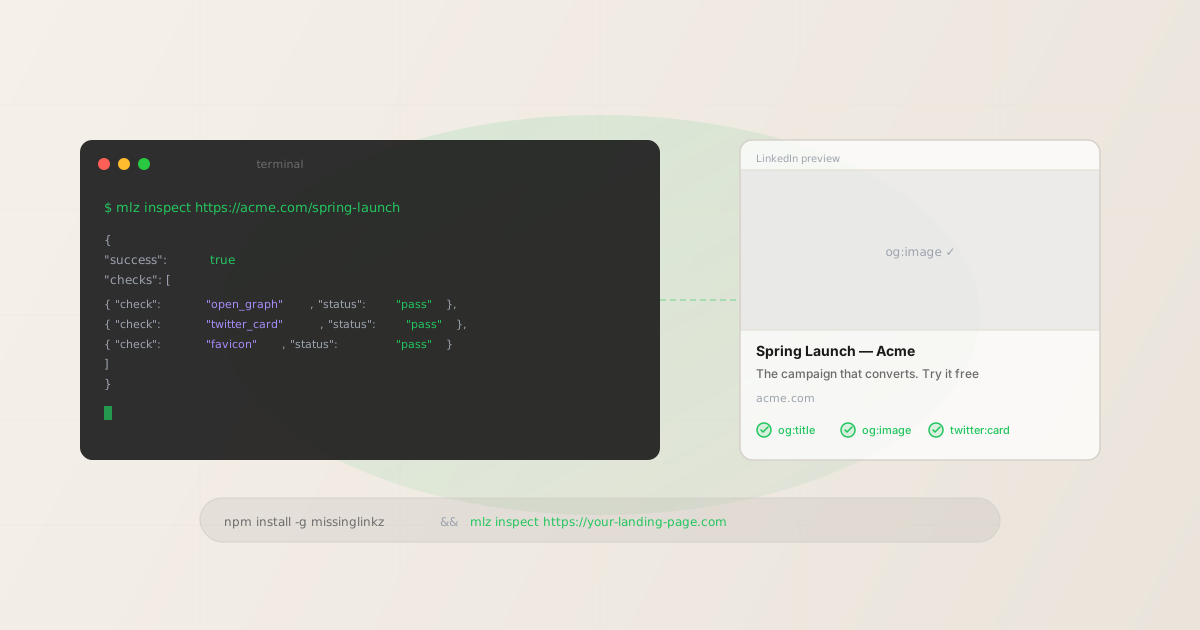
mlz inspect https://acme.com/spring-launch
The JSON response covers every layer of social sharing readiness:
{
  "url": "https://acme.com/spring-launch",
  "success": true,
  "checks": [
    { "check": "fetch", "status": "pass", "message": "Page fetched successfully (287ms)." },
    { "check": "open_graph", "status": "pass", "message": "Open Graph tags present: title, description, and image." },
    { "check": "twitter_card", "status": "pass", "message": "Twitter Card present (type: summary_large_image)." },
    { "check": "favicon", "status": "pass", "message": "Favicon found." },
    { "check": "load_time", "status": "pass", "message": "Page load time: 287ms." }
  ],
  "open_graph": {
    "title": "Spring Launch — Acme",
    "description": "The campaign that converts. Try it free for 14 days.",
    "image": "https://acme.com/og/spring-launch.png",
    "type": "website",
    "url": "https://acme.com/spring-launch"
  },
  "twitter_card": {
    "card": "summary_large_image",
    "title": "Spring Launch — Acme",
    "image": "https://acme.com/og/spring-launch.png"
  },
  "load_time_ms": 287,
  "inspected_at": "2026-04-16T09:14:22.431Z"
}
The checks array gives machine-readable pass/warn/fail status for each property. The open_graph and twitter_card objects return raw tag values so you can verify content accuracy — not just presence. For the full breakdown of what each check covers, see the landing page validation guide.
What a failed preview check looks like
When tags are missing or misconfigured, the output tells you exactly what is wrong and where to look:
{
  "url": "https://acme.com/new-page",
  "success": true,
  "checks": [
    { "check": "open_graph", "status": "warn", "message": "og:description missing." },
    { "check": "twitter_card", "status": "fail", "message": "No Twitter Card tags found." },
    { "check": "favicon", "status": "pass", "message": "Favicon found." }
  ],
  "open_graph": {
    "title": "New Acme Page",
    "description": null,
    "image": "https://acme.com/og.png"
  },
  "twitter_card": null
}
A warn on open_graph means some tags are present but not all three. In this case og:description is missing — LinkedIn and Facebook will fall back to the page's <meta name="description"> tag, which may not be ideal for social sharing. The fail on twitter_card means X will render this link as a plain text URL with no image card at all. Both are worth fixing before a paid campaign runs.
Automating social preview validation as a pre-deploy step
The most effective place to catch missing OG tags is before the page goes live. Add mlz inspect to your pre-deploy script and fail the deploy if critical tags are absent:
#!/bin/bash
STAGING_URL="https://staging.acme.com/spring-launch"

result=$(mlz inspect "$STAGING_URL" --format json)

og_status=$(echo "$result" | jq -r \
  '.checks[] | select(.check=="open_graph") | .status')

tc_status=$(echo "$result" | jq -r \
  '.checks[] | select(.check=="twitter_card") | .status')

if [ "$og_status" = "fail" ] || [ "$tc_status" = "fail" ]; then
  echo "Social preview check failed. Fix tags before deploying."
  exit 1
fi

echo "Social preview checks passed. Deploying..."
This script blocks the deploy if either OG tags or Twitter Card tags are completely absent. Warnings (a missing og:description, for example) allow the deploy to proceed — you decide whether to treat warnings as blocking based on campaign importance. For a CI/CD integration that validates both campaign links and destination metadata in the same pipeline step, see the CI/CD campaign link validation guide.
Checking multiple landing pages at once
For campaigns with multiple landing pages — one per ad group, region, or product variant — loop over all URLs and collect only the failures:
$ for url in \
    https://acme.com/landing-a \
    https://acme.com/landing-b \
    https://acme.com/landing-c; do
    echo "--- $url ---"
    mlz inspect "$url" --format json \
      | jq '.checks[] | select(.status != "pass") | {check, status, message}'
  done

--- https://acme.com/landing-a ---
--- https://acme.com/landing-b ---
{
  "check": "twitter_card",
  "status": "fail",
  "message": "No Twitter Card tags found."
}
--- https://acme.com/landing-c ---
No output for a URL means it passed all checks. This makes it easy to scan bulk results at a glance: only landing-b needs attention. If your URLs are stored in a file, read them with while read -r url; do ... done < urls.txt instead of a hardcoded list.
For a more detailed walkthrough of the loop pattern, including reading URLs from a file and integrating into pre-commit hooks, see the CLI OG tag checker guide.
What mlz inspect validates for social sharing
- open_graph
- Checks for
og:title,og:description, andog:image. Returnspassif all three are present,warnif some are missing,failif none are found. The raw tag values are returned in theopen_graphobject so you can verify content accuracy — does the title match the landing page? Is the image URL reachable? - twitter_card
- Checks for
twitter:cardandtwitter:title. X uses its own tag namespace separate from OG. A page with perfect OG tags can still render as a plain text link on X if the Twitter Card meta tags are absent. This check catches exactly that scenario. See the Twitter Card guide for what each card type requires. - favicon
- Checks for a
<link rel="icon">or accessible/favicon.ico. Missing favicons reduce perceived credibility for paid traffic arriving at an unfamiliar domain for the first time. - load_time
- Measures the page's HTTP response time in milliseconds. The
load_time_msvalue is included in the JSON so you can set custom thresholds in scripts (e.g., fail if over 3,000ms for a paid landing page). - fetch
- Verifies the page returns HTTP 200. A 404, 503, or connection timeout immediately fails inspection and short-circuits all other checks. This is the foundational check — a page that does not respond cannot be validated for anything else.
For the full specification of each tag and what it controls on each platform, the Open Graph tags guide covers the complete picture.
FAQ
- Does mlz inspect check the actual rendered social card?
- No — it checks the meta tags in the page's HTML
<head>, the same way a social platform crawler does. It does not render a visual preview. What it validates is whether the tags that produce the preview are present, correct, and pointing to reachable resources. If the tags pass, the rendered card will be correct. If they fail, the card will be blank or malformed. - Do I need an API key to run mlz inspect?
- No.
mlz inspectruns entirely without an API key. It fetches the page and parses the HTML locally. An API key is only needed for features that involve link storage and campaign management (likemlz buildwith link persistence). Install the CLI and inspect any URL immediately. - How is this different from running curl and grepping for meta tags?
curl | grepreturns raw HTML fragments — you have to parse them yourself, write logic for each tag type, handle encoding, and deal with redirect chains manually.mlz inspectgives you structured JSON with normalized values and a machine-readable pass/fail status for every check, ready to use in scripts without custom parsing.- Can I use this in a GitHub Actions workflow?
- Yes. Install the CLI in your workflow with
npm install -g missinglinkz, then callmlz inspect <url> --format jsonand pipe throughjqto check statuses. The exit code is non-zero whensuccessis false (unreachable page), making it CI-safe. For a complete GitHub Actions template, see the CI/CD validation guide. - What is the difference between mlz inspect and mlz check?
mlz inspectis focused on social sharing readiness: OG tags, Twitter Cards, favicon, and load time.mlz checkis focused on URL health: SSL, HTTP resolution, redirect chains, and response time. For a full pre-publish validation that covers both, usemlz publish-checkwhich combines link building, URL validation, and destination inspection in a single command.
Recommended posts
Validate social media link previews in one command
Install MissingLinkz and run mlz inspect against any landing page URL — get structured JSON back in seconds, ready to parse in scripts, CI pipelines, or AI agent workflows.
1,000 links/month free. No credit card.
Your API key
Save this now — it won't be shown again.
npm install -g missinglinkz
mlz inspect https://your-landing-page.com
No API key required. See all commands in the SKILL.md reference.