How to Check OG Tags from the Command Line
You can check OG tags from the command line in one command: mlz inspect <url>. It fetches the page, parses every Open Graph and Twitter Card tag, and returns structured JSON — no browser, no DevTools, no manual copy-paste. This guide shows you how to use it for single URLs, bulk checks across multiple pages, and pre-commit hooks that catch missing tags before they reach production.
Why developers need a CLI OG checker
Browser-based OG checkers — the Facebook Sharing Debugger, LinkedIn Post Inspector, Twitter Card Validator — are designed for one URL at a time and require a logged-in browser session. They are not scriptable, cannot be called from a CI pipeline, and cannot be invoked by an AI agent. If you need to validate OG tags as part of an automated workflow, you need a command-line tool.
The old manual workaround is curl + grep:
$ curl -s https://acme.com/landing | grep -i "og:"
<meta property="og:title" content="Acme Launch">
<meta property="og:image" content="https://acme.com/og.png">
That works for a quick spot-check, but it returns raw HTML, not structured data. It does not tell you whether the image URL is reachable, whether the image dimensions meet platform requirements, or whether Twitter Card tags are configured separately. You have to parse the output yourself and write logic for every edge case. It is also fragile — if the server returns a redirect first, curl without -L shows you the wrong HTML entirely.
mlz inspect handles all of that and returns clean JSON you can parse, pipe, or check in a script.
Check OG tags with mlz inspect
Install MissingLinkz once, then run mlz inspect against any URL:
npm install -g missinglinkz
mlz inspect https://acme.com/landing
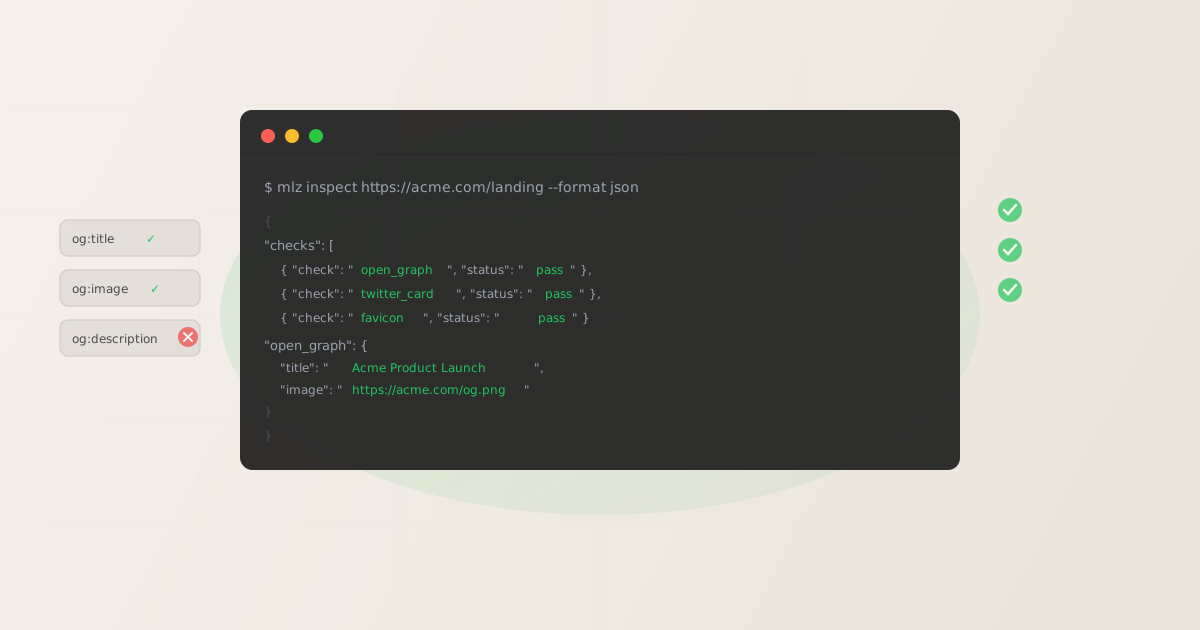
The JSON response includes every Open Graph and Twitter Card tag it finds, plus a structured pass/fail check for each:
{
  "url": "https://acme.com/landing",
  "success": true,
  "checks": [
    { "check": "open_graph", "status": "pass", "message": "Open Graph tags present: title, description, and image." },
    { "check": "twitter_card", "status": "pass", "message": "Twitter Card present (type: summary_large_image)." },
    { "check": "favicon", "status": "pass", "message": "Favicon found." },
    { "check": "load_time", "status": "pass", "message": "Page load time: 312ms." }
  ],
  "open_graph": {
    "title": "Acme Product Launch",
    "description": "The new platform built for scale.",
    "image": "https://acme.com/og.png",
    "type": "website",
    "url": "https://acme.com/landing"
  },
  "twitter_card": {
    "card": "summary_large_image",
    "title": "Acme Product Launch",
    "image": "https://acme.com/og.png"
  },
  "load_time_ms": 312
}
The checks array gives you a machine-readable pass/fail for each property. The open_graph and twitter_card objects give you the raw tag values, so you can verify content accuracy — not just presence. Both are useful in scripts. The full documentation for what mlz inspect covers is in the landing page validation guide.
Checking multiple URLs in a shell loop
For campaign launches you often have several landing pages — one per ad group, product variant, or market. Run mlz inspect in a loop to check them all at once:
$ for url in \
    https://acme.com/landing-a \
    https://acme.com/landing-b \
    https://acme.com/landing-c; do
    echo "--- $url ---"
    mlz inspect "$url" --format json \
      | jq '.checks[] | select(.status != "pass") | {check, status, message}'
  done

--- https://acme.com/landing-a ---
--- https://acme.com/landing-b ---
{
  "check": "open_graph",
  "status": "warn",
  "message": "og:description missing."
}
--- https://acme.com/landing-c ---
The jq filter select(.status != "pass") shows only the warnings and failures — nothing printed for a clean URL means it passed everything. This makes it easy to scan output at a glance even when checking dozens of pages. If jq is not installed, remove the pipe and read the raw JSON; it is still structured and scannable.
If your URLs are in a file (one per line), read them with while read instead:
$ while read -r url; do
    mlz inspect "$url" --format json | jq -r \
      '"[\(.url)] OG: \(.checks[] | select(.check=="open_graph") | .status)"'
  done < landing-pages.txt

[https://acme.com/landing-a] OG: pass
[https://acme.com/landing-b] OG: warn
[https://acme.com/landing-c] OG: pass
Integrating into a pre-commit hook
If your landing pages are managed in a repo (CMS exports, Next.js, Hugo, or similar), you can add mlz inspect to a pre-commit hook so missing OG tags are caught before the code is pushed. Create .git/hooks/pre-commit (or add to an existing one):
#!/bin/bash
STAGING_URL="https://staging.acme.com/landing"
result=$(mlz inspect "$STAGING_URL" --format json)
og_status=$(echo "$result" | jq -r \
  '.checks[] | select(.check=="open_graph") | .status')

if [ "$og_status" = "fail" ]; then
  echo "OG tag check failed. Fix missing Open Graph tags before committing."
  exit 1
fi
Make the hook executable:
chmod +x .git/hooks/pre-commit
Now every commit triggers an OG tag check against your staging URL. If og_status is "fail", the commit is blocked. If it is "warn" (e.g., og:description is missing but title and image are present), the commit proceeds — you decide whether to treat warnings as blocking based on your team's standards. For a full pre-publish checklist that also covers UTM parameters and page speed, see the UTM pre-publish validation guide.
For teams using CI/CD pipelines, the same mlz inspect command works in GitHub Actions or GitLab CI — the exit code and JSON output behave identically in any shell environment.
What mlz inspect actually checks
Beyond the raw tag values, mlz inspect runs structured checks against the page. Each returns a pass, warn, or fail status:
- open_graph
- Checks for
og:title,og:description, andog:image. Returnspassif all three are present,warnif only some are present, andfailif none are found. The raw tag values are also returned in theopen_graphobject so you can inspect content accuracy, not just presence. - twitter_card
- Checks for
twitter:cardandtwitter:title. X uses its own tag system separate from OG; a page with perfect OG tags can still render as a plain text link on X if the Twitter Card tags are missing. See the Twitter Card guide for what each card type requires. - favicon
- Checks for a
<link rel="icon">or/favicon.ico. Missing favicons make the site look unfinished in browser tabs and can reduce perceived trust for ad click traffic arriving for the first time. - load_time
- Measures how long the page takes to respond. Slow pages lose visitors before the content renders, and return 200 while doing it. The raw
load_time_msvalue is included so you can set your own threshold in scripts. - fetch
- Checks that the page returns HTTP 200. A 404, 500, or connection timeout immediately fails the inspection and short-circuits the remaining checks.
For a complete description of every check and what each tag controls on which platform, the OG tag checker guide covers the full picture, and the Open Graph tags reference explains the spec in detail.
FAQ
- Does mlz inspect follow redirects?
- Yes.
mlz inspectfollows HTTP redirects automatically and inspects the final destination. The redirect chain itself is not reported separately byinspect— usemlz checkif you need redirect chain analysis. For a full pre-publish check that validates both redirects and OG tags together, usemlz publish-check. - Can I check OG tags without installing anything?
- If you just need a one-off check in a browser, the quickest approach is the LinkedIn Post Inspector or the Open Graph debugger. But neither is scriptable and both require a browser session. For anything you plan to run more than once, or in any automated context, install
mlz— the install takes under 30 seconds. - What does a "warn" status on open_graph mean?
- A
warnonopen_graphmeans some tags are present but not all three ofog:title,og:description, andog:image. The most common case is a missingog:description. LinkedIn and Facebook will use the<meta name="description">tag as a fallback, but it is less reliable. Fix the warning before running a paid campaign. - How do I check only specific tags?
- Use
--format jsonand pipe throughjqto filter the output. For example, to extract just theog:imagevalue:mlz inspect https://acme.com/landing --format json | jq '.open_graph.image'. The full JSON structure is documented in the OG tag checker guide. - Does it work on pages behind authentication?
- No —
mlz inspectfetches pages the same way a social platform crawler would: no cookies, no auth headers. If your page is behind a login wall, you need to test the public URL (or a public staging URL) instead. Social platforms also can only see public pages, so this mirrors the real-world check accurately.
Recommended posts
Check OG tags in one command
Install MissingLinkz and run mlz inspect against any URL — get structured JSON back in seconds, ready to parse in scripts, CI, or agent workflows.
1,000 links/month free. No credit card.
Your API key
Save this now — it won't be shown again.
npm install -g missinglinkz
mlz inspect https://yoursite.com/landing
No API key required for URL inspection. See all commands in the SKILL.md reference.