utm_source Parameter: How to Set Traffic Sources and Improve Attribution in GA4
utm_source is the UTM parameter that answers the question: who sent this traffic? It identifies the referring platform, publisher, or channel that delivered a visitor to your site — linkedin, google, newsletter, reddit. GA4 uses utm_source alongside utm_medium to determine which channel group a session belongs to, which means a wrong or missing source value doesn't just lose attribution data — it routes traffic to the wrong channel bucket entirely and distorts every downstream report that depends on channel groupings.
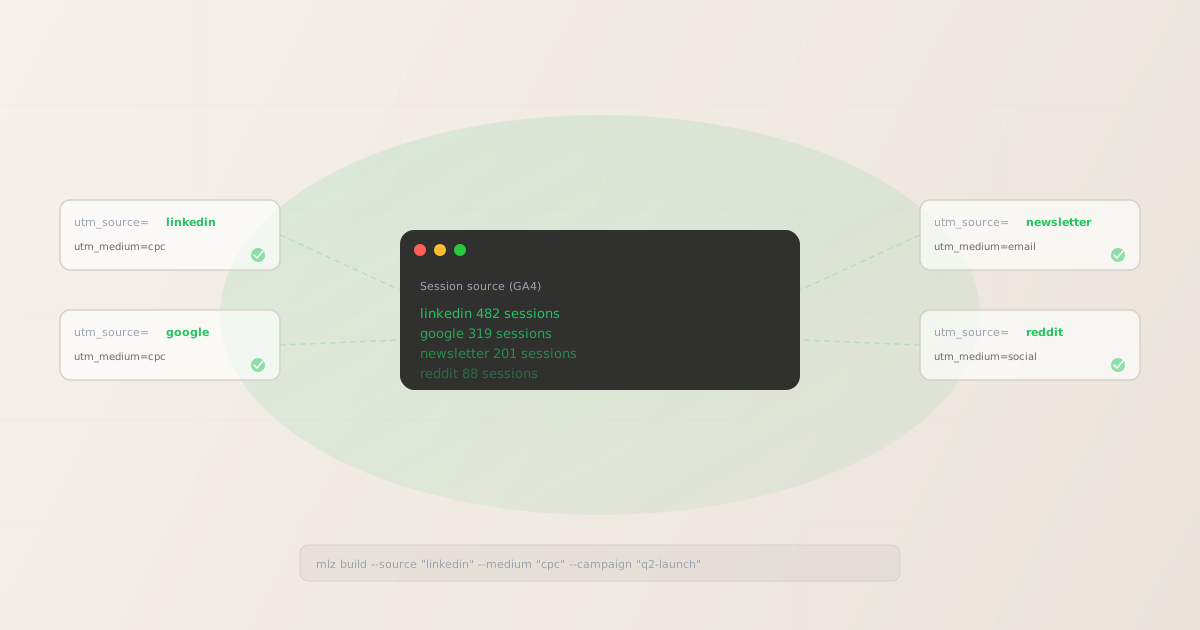
What utm_source is for
utm_source names the origin of the traffic — the platform, website, or publisher that sent the visitor. It's the most fundamental UTM parameter: GA4 requires it for any manual campaign attribution. Without it, sessions land in the "Unassigned" bucket regardless of what other UTM parameters are present.
The distinction between utm_source and the other two required parameters:
- utm_source — who sent it
- Names the specific platform or publisher. Examples:
linkedin,google,newsletter,reddit,twitter,partner-blog. This is the most granular attribution dimension — it tells you which exact source generated a session. - utm_medium — how it was sent
- Names the marketing channel category. Examples:
cpc,email,social,organic. Whereutm_sourceis specific,utm_mediumis categorical. See the utm_medium parameter guide for full details on medium values and GA4 channel mapping. - utm_campaign — why it was sent
- Names the marketing initiative the link belongs to. Shared across all channels in a single campaign. See the utm_campaign parameter guide for naming conventions.
For every link you distribute through a paid channel, partnership, or owned channel (email, social post), utm_source should clearly identify where that link lives. A link in a LinkedIn ad should have utm_source=linkedin. A link in a partner newsletter should have something like utm_source=partner-name-newsletter.
utm_source values and GA4 channel groups
GA4 uses a combination of utm_source and utm_medium to route sessions into default channel groups. Getting utm_source wrong can misroute sessions — for example, using utm_source=linkedin-ads instead of utm_source=linkedin won't break attribution, but it produces a non-standard source value that may not match GA4's channel group rules for Paid Social.
These are the most-used utm_source values for common channels:
| Channel | utm_source value | GA4 channel group (with correct utm_medium) |
|---|---|---|
| Google Ads | google |
Paid Search (with utm_medium=cpc) |
| LinkedIn Ads | linkedin |
Paid Social (with utm_medium=cpc or paid-social) |
| Meta/Facebook Ads | facebook |
Paid Social (with utm_medium=cpc or paid-social) |
| Email newsletter | newsletter or sender name |
Email (with utm_medium=email) |
| Organic Twitter/X post | twitter |
Organic Social (with utm_medium=social) |
| Reddit post or ad | reddit |
Paid Social or Organic Social (depends on medium) |
| Partner blog | partner-blog-name |
Referral (with utm_medium=referral) |
GA4 is case-sensitive: LinkedIn and linkedin appear as two separate sources in the Traffic Acquisition report. Always use lowercase. The mlz build CLI normalises source values to lowercase automatically, but it's still best practice to pass clean values at input.
Common utm_source mistakes
- Using the platform's full name instead of a slug
utm_source=LinkedIn Adsencodes asLinkedIn%20Adsin the URL. GA4 decodes it to "LinkedIn Ads" — but this won't match the expectedlinkedinused by other team members or ad platform auto-tagging. Useutm_source=linkedinconsistently.- Mixing source and medium in one parameter
- A common pattern is
utm_source=linkedin-cpcto encode both the platform and the channel type. This makes source-level attribution messier in GA4 reports and prevents aggregating all LinkedIn traffic (ads + organic) under a single source. Put the channel type inutm_mediuminstead. - Skipping utm_source on organic social posts
- Many teams only add UTM parameters to paid links. But organic social posts — LinkedIn organic, Twitter posts, Reddit comments — generate real traffic that gets attributed to "Direct" in GA4 without UTM tagging. Add
utm_source=linkedin&utm_medium=socialto organic posts to get accurate organic social attribution. - Inconsistent capitalisation across teams
- The paid team tags a link with
utm_source=LinkedInwhile the content team usesutm_source=linkedin. GA4 shows two separate sources. Fix it at the source by routing all link generation through a shared tool — one that normalises casing.
Building utm_source links from the CLI
The mlz build command takes a --source flag. It normalises the value to lowercase before appending it to the URL, preventing the case fragmentation problem in GA4. The same command with a different --source value generates the matching link for each distribution channel:
# LinkedIn paid ad
$ mlz build \
  --url "https://example.com/landing" \
  --source "linkedin" \
  --medium "cpc" \
  --campaign "q2-launch-2026"

{
  "tracked_url": "https://example.com/landing?utm_source=linkedin&utm_medium=cpc&utm_campaign=q2-launch-2026",
  "params": {
    "utm_source": "linkedin",
    "utm_medium": "cpc",
    "utm_campaign": "q2-launch-2026"
  }
}

# Google Ads — same campaign, different source
$ mlz build \
  --url "https://example.com/landing" \
  --source "google" \
  --medium "cpc" \
  --campaign "q2-launch-2026"
"tracked_url": "...?utm_source=google&utm_medium=cpc&utm_campaign=q2-launch-2026"

# Email newsletter — same campaign, different source
$ mlz build \
  --url "https://example.com/landing" \
  --source "newsletter" \
  --medium "email" \
  --campaign "q2-launch-2026"
"tracked_url": "...?utm_source=newsletter&utm_medium=email&utm_campaign=q2-launch-2026"
All three links share utm_campaign=q2-launch-2026 but carry distinct utm_source values. In GA4's Traffic Acquisition report, you can filter by campaign and see the per-source breakdown — LinkedIn, Google, and newsletter as separate rows, each with their own session and conversion counts.
Validating source-tagged links before publishing
Correct utm_source values are necessary but not sufficient for a successful campaign. The destination still needs to resolve correctly, serve an HTTPS response, and have valid Open Graph tags so social platforms render a preview when the link is shared. Add --validate to mlz build to check the destination at link-build time:
$ mlz build \
  --url "https://example.com/landing" \
  --source "reddit" \
  --medium "social" \
  --campaign "q2-launch-2026" \
  --validate

{
  "tracked_url": "https://example.com/landing?utm_source=reddit&utm_medium=social&utm_campaign=q2-launch-2026",
  "params": {
    "utm_source": "reddit",
    "utm_medium": "social",
    "utm_campaign": "q2-launch-2026"
  },
  "validation": {
    "valid": true,
    "checks": [
      { "check": "ssl", "status": "pass", "message": "URL uses HTTPS." },
      { "check": "resolution", "status": "pass", "message": "Destination responded with 200." },
      { "check": "redirects", "status": "pass", "message": "No redirects detected." }
    ]
  }
}
For a complete pre-launch check that also verifies OG tags and Twitter Cards (important for social sharing), use mlz build --validate --inspect or see how to validate UTM links before publishing.
How GA4 reports utm_source
In GA4, utm_source maps to the Session source dimension (also shown as Session source / medium when combined with utm_medium). To see source-level performance:
- Go to Reports → Acquisition → Traffic acquisition
- Change the primary dimension to Session source or Session source / medium
GA4 also uses utm_source — in combination with utm_medium — to assign sessions to default channel groups. For example, sessions with utm_source=google and utm_medium=cpc are routed to "Paid Search." If your source value is unexpected (e.g., utm_source=Google Ads with a space), GA4 may not match its channel group rules and will route the session to "Unassigned" or another group.
For consistent channel attribution, use the lowercase, slug-style source values in the table above and pair them with matching utm_medium values that satisfy GA4's channel conditions.
FAQ
- Is utm_source required?
- Yes — it's the only UTM parameter that GA4 truly requires for manual campaign attribution. Without
utm_source, GA4 cannot assign the session to any campaign, even ifutm_mediumandutm_campaignare present. The session lands in the "Unassigned" channel group or gets attributed to "Direct" if there's no referrer. - Can I use any value for utm_source?
- Yes, technically. But for GA4 channel group matching to work correctly, the combination of
utm_sourceandutm_mediummust match GA4's channel group conditions. Non-standard values (e.g.,utm_source=my-custom-platform) won't match standard channel groups and will route sessions to "Unassigned" unless you configure custom channel groups in GA4. For paid and social channels, stick to the standard values. - What's the difference between utm_source and the referrer?
- The HTTP referrer is the URL of the page that linked to yours — it's set automatically by the browser and is often stripped by HTTPS→HTTP transitions, link shorteners, and some social apps.
utm_sourceis explicit: you set it in the link, it travels in the URL, and GA4 reads it directly. For owned and paid channels where you control the links, always useutm_source. Don't rely on the referrer for attribution. - Should I use utm_source for organic search traffic?
- No — organic search traffic doesn't need manual UTM parameters. GA4 detects organic search automatically from the HTTP referrer (Google, Bing, etc.) when no UTM parameters are present. Adding
utm_source=googleto your organic search links would override GA4's natural detection and may produce inaccurate channel attribution. UTM parameters are for traffic you control: paid ads, email, social posts, and partner referrals. - What happens if two different links share the same utm_source but different campaigns?
- Nothing breaks. GA4 aggregates by source across all campaigns, so both links contribute to the same "linkedin" source row in the Traffic Acquisition report. Use the Session source / medium + Session campaign dimension combination to see per-campaign data broken out by source.
Recommended posts
Build utm_source links from the terminal
Pass --source "linkedin" to mlz build and get a normalised, validated URL in one command. Values are automatically lowercased so GA4 receives consistent source attribution every time.
1,000 links/month free. No credit card.
Your API key
Save this now — it won't be shown again.
npm install -g missinglinkz
Free plan: 1,000 links/month. No credit card. See the UTM tracking for developers guide for the full programmatic workflow.