UTM Tracking for Quora Ads: How to Build and Validate Campaign Links
Quora Ads is a B2B-friendly advertising platform that reaches audiences while they are actively researching a topic — the question-intent context that makes Quora particularly valuable for software, SaaS, and professional services advertisers. The platform offers Text Ads, Image Ads, Promoted Answers, and Lead Generation Forms, all driving traffic to your website or collecting leads directly on Quora. Quora Ads has no auto-tagging click ID equivalent — unlike Google Ads (which appends gclid) or Microsoft Ads (which appends msclkid), Quora does not append any parameter to your destination URLs automatically. UTM parameters are the only mechanism for GA4 to attribute website sessions from Quora Ads. Use utm_source=quora with utm_medium=cpc for all paid Quora ad placements. This article covers the correct UTM values for each Quora ad format, how to build them programmatically with the MissingLinkz CLI, and how to validate destination URLs before campaigns go live.
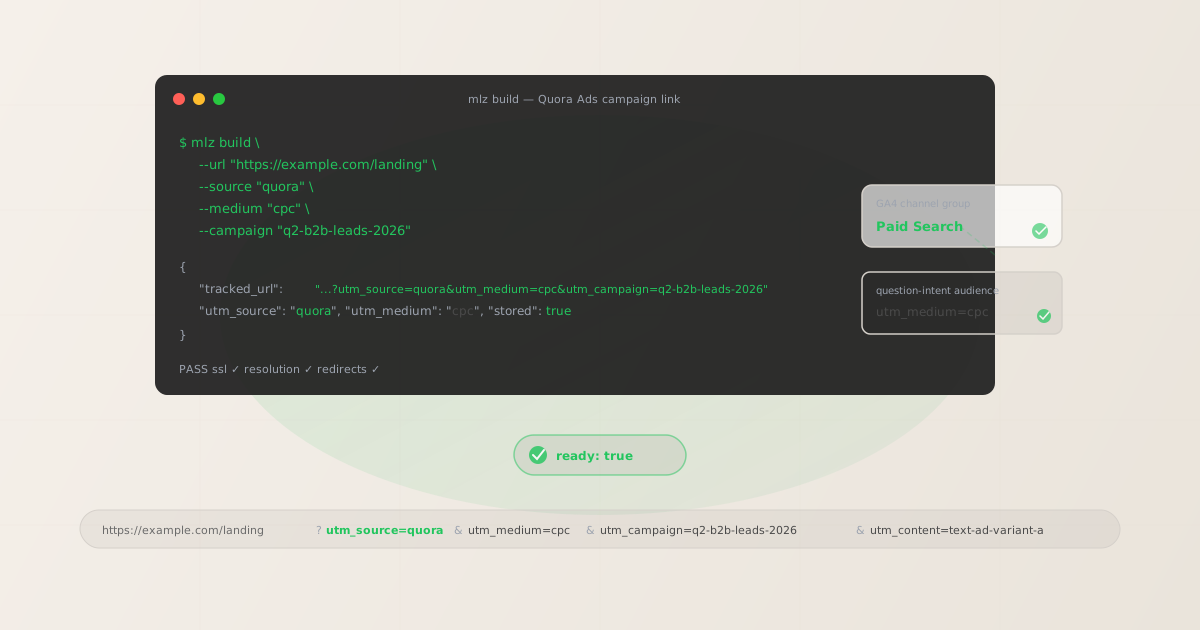
Quora ad formats and UTM parameters
Quora Ads Manager offers several ad format types. Most drive traffic directly to your destination URL, where GA4 reads the UTM parameters and attributes the session. Lead Generation Forms are the exception:
| Quora ad format | Where users go on click | UTM parameters applicable? |
|---|---|---|
| Text Ads | Your destination URL (website or landing page) | ✓ Yes — append to destination URL |
| Image Ads | Your destination URL (website or landing page) | ✓ Yes — append to destination URL |
| Promoted Answers | Your destination URL via the answer's CTA link | ✓ Yes — append to destination URL |
| Lead Generation Forms | Form stays on Quora (no website visit) | ✗ No — leads collected on Quora |
Lead Generation Forms keep users on Quora rather than sending them to your website. The form submission is captured within Quora Ads Manager — your GA4 tag never fires because the user never visits your domain. Lead Gen Form conversions appear in Quora's reporting dashboard, but not in GA4 unless you subsequently send a follow-up email with a UTM-tagged link that the lead clicks. For all other Quora ad formats — Text Ads, Image Ads, and Promoted Answers — UTM parameters on the destination URL are essential for GA4 attribution.
Promoted Answers are unique to Quora: you sponsor an existing answer on a Quora question page, and a "Promoted by [Brand]" label appears on the answer. The call-to-action link at the bottom of the promoted answer is your destination URL — this is where UTM parameters go. Promoted Answers can be highly effective for B2B campaigns because the answer content provides educational context before the user clicks through.
The correct utm_source and utm_medium for Quora Ads
Use utm_source=quora for all Quora Ads placements. GA4's default channel group definitions recognise quora as a source value. The correct utm_medium for all Quora paid ad formats that send traffic to your site is cpc:
| Quora ad format | utm_source | utm_medium | GA4 channel group |
|---|---|---|---|
| Text Ads | quora |
cpc |
Paid Search |
| Image Ads | quora |
cpc |
Paid Search |
| Promoted Answers | quora |
cpc |
Paid Search |
GA4's default Paid Search channel group matches sessions where utm_medium is cpc, ppc, or paidsearch. Quora is not a traditional search engine, but its question-answer format means audiences are in active research mode — similar intent to paid search. Using utm_medium=cpc routes Quora traffic to the Paid Search channel, which is the most practical default for cross-channel comparison. If you prefer to keep Quora separate from Google and Microsoft paid search traffic in GA4, you can use a custom channel group rule — but utm_medium=cpc remains the most compatible value with GA4's default definitions.
Do not use utm_source=quora-ads or utm_source=qads. Non-standard source values create unmatched rows in GA4's Traffic Acquisition report unless you add a custom channel group rule. The canonical value is simply quora.
Building Quora Ads UTM links with mlz build
mlz build generates the tracked URL, enforces lowercase normalisation across all parameter values, and stores the link for auditing. For Quora Text Ads or Image Ads:
# Text Ad or Image Ad — destination URL click
$ mlz build \
  --url "https://example.com/landing" \
  --source "quora" \
  --medium "cpc" \
  --campaign "q2-b2b-leads-2026" \
  --content "text-ad-variant-a"

{
  "tracked_url": "https://example.com/landing?utm_source=quora&utm_medium=cpc&utm_campaign=q2-b2b-leads-2026&utm_content=text-ad-variant-a",
  "params": {
    "utm_source": "quora",
    "utm_medium": "cpc",
    "utm_campaign": "q2-b2b-leads-2026",
    "utm_content": "text-ad-variant-a"
  },
  "link_id": "lnk_qr5m2x9p",
  "stored": true
}
Use utm_content to distinguish between ad format types within the same campaign — for example, text-ad-variant-a vs image-ad-banner vs promoted-answer-saas. This makes it straightforward to compare which Quora ad format drives better downstream conversion without creating separate GA4 campaigns for each creative type.
For Promoted Answers, the CTA link at the bottom of the answer is the destination URL field. Use a distinct utm_content value that identifies the answer topic or the question being answered:
# Promoted Answer — CTA link at the bottom of the answer
$ mlz build \
  --url "https://example.com/landing" \
  --source "quora" \
  --medium "cpc" \
  --campaign "q2-b2b-leads-2026" \
  --content "promoted-answer-utm-tracking"

{
  "tracked_url": "https://example.com/landing?utm_source=quora&utm_medium=cpc&utm_campaign=q2-b2b-leads-2026&utm_content=promoted-answer-utm-tracking",
  "params": {
    "utm_source": "quora",
    "utm_medium": "cpc",
    "utm_campaign": "q2-b2b-leads-2026",
    "utm_content": "promoted-answer-utm-tracking"
  },
  "link_id": "lnk_qr8n4z2k",
  "stored": true
}
The CLI enforces lowercase normalisation — passing --source "Quora" or --medium "CPC" outputs the lowercase canonical form in the tracked URL. This prevents GA4 attribution fragmentation from capitalisation inconsistency across campaigns, which is a common source of duplicate rows in Traffic Acquisition reports. See the UTM naming conventions guide for the cross-channel naming reference.
Validating Quora Ads destination URLs before launch
Quora Ads Manager validates destination URLs during the campaign creation process — a URL that fails HTTPS or returns a non-200 status will be rejected. Run mlz build --validate to confirm the destination resolves cleanly before entering Quora's ad review:
$ mlz build \
  --url "https://example.com/landing" \
  --source "quora" \
  --medium "cpc" \
  --campaign "q2-b2b-leads-2026" \
  --content "text-ad-variant-a" \
  --validate

{
  "tracked_url": "https://example.com/landing?utm_source=quora&utm_medium=cpc&utm_campaign=q2-b2b-leads-2026&utm_content=text-ad-variant-a",
  "validation": {
    "valid": true,
    "checks": [
      { "check": "url_format", "status": "pass", "message": "URL format is valid." },
      { "check": "ssl", "status": "pass", "message": "URL uses HTTPS." },
      { "check": "resolution", "status": "pass", "message": "Destination responded with 200.", "details": { "response_time_ms": 217 } },
      { "check": "redirects", "status": "pass", "message": "No redirects detected." }
    ]
  },
  "link_id": "lnk_qr5m2x9p",
  "stored": true
}
The redirect check is important for Quora Promoted Answers in particular. If you promoted an answer that contains a link to a page that has since moved or been taken down, the redirect check will surface this before your campaign goes through Quora's review process. For a full pre-launch workflow that also checks OG tags and social preview metadata — ensuring your landing page looks correct when Quora previews it — see the mlz publish-check guide.
Quora Ads UTM tracking gotchas
- No auto-tagging — UTM parameters must be on the destination URL before launch
- Quora Ads Manager does not append any click ID or tracking parameter to destination URLs automatically. If you launch a Quora campaign with a destination URL that has no UTM parameters, GA4 records all resulting website sessions as Direct traffic — the source and medium are blank, and the campaign spend is invisible in your acquisition reports. Unlike Google Ads or Microsoft Ads, there is no auto-tagging fallback to capture sessions where UTM tags were forgotten. UTM parameters must be on the destination URL before your ad goes live in Quora Ads Manager.
- Lead Generation Forms do not generate GA4 sessions
- If you use Quora's Lead Generation Forms, the user fills out the form directly on Quora without visiting your website. Your GA4 tag never fires for these leads. Quora captures lead data within its Ads Manager interface. If you want to include Lead Gen Form conversions in GA4, you need an intermediate step: download leads from Quora Ads Manager and import them into GA4 as offline conversions, or send a follow-up email to each lead with a UTM-tagged link that triggers a GA4 event when clicked. For most teams, tracking Lead Gen Form performance within Quora Ads Manager directly is simpler than engineering a GA4 integration.
- Quora may append its own tracking parameters — this does not conflict with UTM tags
- Quora Ads sometimes appends its own query parameters to destination URLs for internal click tracking. These parameters (typically starting with
_refor similar prefixes) appear alongside your UTM parameters in the full URL string but do not interfere with how GA4 reads the UTM tags. GA4 processesutm_source,utm_medium, and other UTM parameters independently of any additional Quora tracking parameters. Your UTM attribution remains intact even when Quora appends additional parameters. - Quora-referred organic traffic looks different from paid Quora Ads traffic
- If you have organic presence on Quora — your company employees answer questions with links to your website, or Quora users share links to your content — this traffic appears in GA4 as
quora.com / referral(no UTM parameters, just the referrer header). Your paid Quora Ads traffic will appear asquora / cpc(with UTM parameters). The two source/medium pairs are distinct rows in GA4's Traffic Acquisition report, so organic Quora referrals and paid Quora Ads clicks are naturally separated without additional configuration. - Promoted Answers have a longer editorial process — validate URLs before submitting for review
- Promoted Answers require an existing Quora answer to be selected and submitted for promotion. Quora reviews promoted content more carefully than standard text or image ads. If the destination URL in your promoted answer's CTA link is broken or fails validation, the ad may be rejected after an extended review period — adding days to your campaign timeline. Run
mlz build --validateon the CTA destination URL before submitting the promoted answer to Quora's review queue.
Quora Ads UTM naming conventions
Consistent naming across Quora Ads and your other paid channels is important for cross-channel comparison in GA4. Recommended conventions for Quora Ads UTM parameters:
- utm_source:
quora— always lowercase, always this exact value for all Quora Ads placements - utm_medium:
cpcfor Text Ads, Image Ads, and Promoted Answers that drive clicks to your site - utm_campaign: lowercase hyphen-separated name matching the Quora Ads campaign, e.g.
q2-b2b-leads-2026 - utm_content: ad format or creative variant identifier, e.g.
text-ad-variant-a,image-ad-banner,promoted-answer-saas-tools— use this to distinguish between ad format types in the same campaign - utm_term: targeting cluster or topic identifier if relevant, e.g.
marketing-automationorb2b-saas— useful for campaigns targeting multiple Quora topic categories
If you run simultaneous B2B campaigns on Quora and LinkedIn, keep utm_source as the platform identifier (quora vs linkedin) and use the same campaign slug in utm_campaign. This allows direct cross-platform comparison in GA4 by filtering on campaign name and grouping by source — showing which platform delivered better results for the same campaign investment. See the UTM tracking best practices guide for the full cross-channel naming system.
FAQ
- Do UTM parameters work with Quora Ads?
- Yes. All Quora ad formats that drive traffic to your website — Text Ads, Image Ads, and Promoted Answers — support UTM parameters on the destination URL. Append UTM parameters to your landing page URL before entering it in Quora Ads Manager. When a user clicks your ad, they land on your page and GA4 reads the UTM parameters, attributing the session to
quora / cpc. Quora does not have auto-tagging, so UTM parameters are the only GA4 attribution mechanism for Quora Ads clicks. - What utm_source should I use for Quora Ads?
- Use
utm_source=quora(lowercase, no hyphens or underscores). Forutm_medium, usecpcfor all paid Quora ad formats that drive clicks to your website. This routes Quora traffic to GA4's default Paid Search channel group. If you prefer a separate custom channel for Quora, add a custom channel group rule in GA4 Admin matchingsourceequalsquora. - How do I track Quora Lead Generation Forms in GA4?
- You cannot track Quora Lead Generation Form submissions directly in GA4 because users complete the form on Quora without visiting your website — your GA4 tag never fires. Lead Gen Form performance (submissions, cost-per-lead) is tracked within Quora Ads Manager. To include Quora leads in GA4, you can import lead data as offline conversions via GA4's Measurement Protocol after downloading leads from Quora Ads Manager, or send a confirmation email to each lead with a UTM-tagged link that triggers a GA4 event on click.
- Can Quora organic referral traffic be confused with paid Quora Ads traffic in GA4?
- No — the two appear as separate rows in GA4. Organic Quora referrals (users clicking links in Quora answers or question pages that weren't part of an ad) appear as
quora.com / referralbased on the browser's referrer header. Paid Quora Ads clicks to UTM-tagged URLs appear asquora / cpc. The source/medium pairs are distinct, so paid and organic Quora traffic are naturally separated in your Traffic Acquisition reports without additional configuration. - How do I validate my Quora Ads destination URL before launch?
- Use
mlz build --validateto check that your destination URL resolves with HTTPS, returns a 200 status code, and passes through any redirect chain with UTM parameters intact. Quora Ads Manager validates destination URLs during campaign creation — a broken URL causes rejection and delays launch. Running validation before submission with the CLI catches these issues before entering Quora's review process. For Promoted Answers in particular, where the review process is more manual and time-consuming, pre-submission URL validation is strongly recommended.
Recommended posts
Build Quora Ads UTM links from the terminal
Pass --source "quora" --medium "cpc" to mlz build and get a normalised, validated URL ready to paste into Quora Ads Manager. Lowercase normalisation means GA4 routes every session to the Paid Search channel group consistently. Add --validate to confirm the destination resolves cleanly with HTTPS before your ad enters Quora's review queue.
1,000 links/month free. No credit card.
Your API key
Save this now — it won't be shown again.
npm install -g missinglinkz
Free plan: 1,000 links/month. No credit card. See the UTM tracking for developers guide for the full programmatic workflow.