UTM Tracking for Moosend: How to Build and Validate Email Campaign Links
UTM tracking for Moosend requires attention to two issues that catch most teams off guard: Moosend's built-in UTM tracking derives utm_campaign directly from your campaign name, and Moosend's Automation (their term for triggered email sequences) feature assigns auto-generated UTM values based on the automation name rather than slugs you control. If your Moosend campaign is named "Summer Promo June 2026," Moosend's auto-UTM generates utm_campaign=Summer%20Promo%20June%202026 — URL-encoded spaces and title case — while your manually built links use utm_campaign=summer-promo-june-2026. In GA4, these are two separate rows for what should be a single campaign. For teams running both one-time Campaigns and recurring Automation sequences in Moosend, the problem compounds: auto-generated slugs for Automation emails change every time you rename the automation, fragmenting attribution data that was previously accumulating under a different slug. This guide covers the correct UTM values for Moosend, how to build consistent tracked links with mlz build, how to disable Moosend's auto-UTM, and how to validate destination URLs before every send.
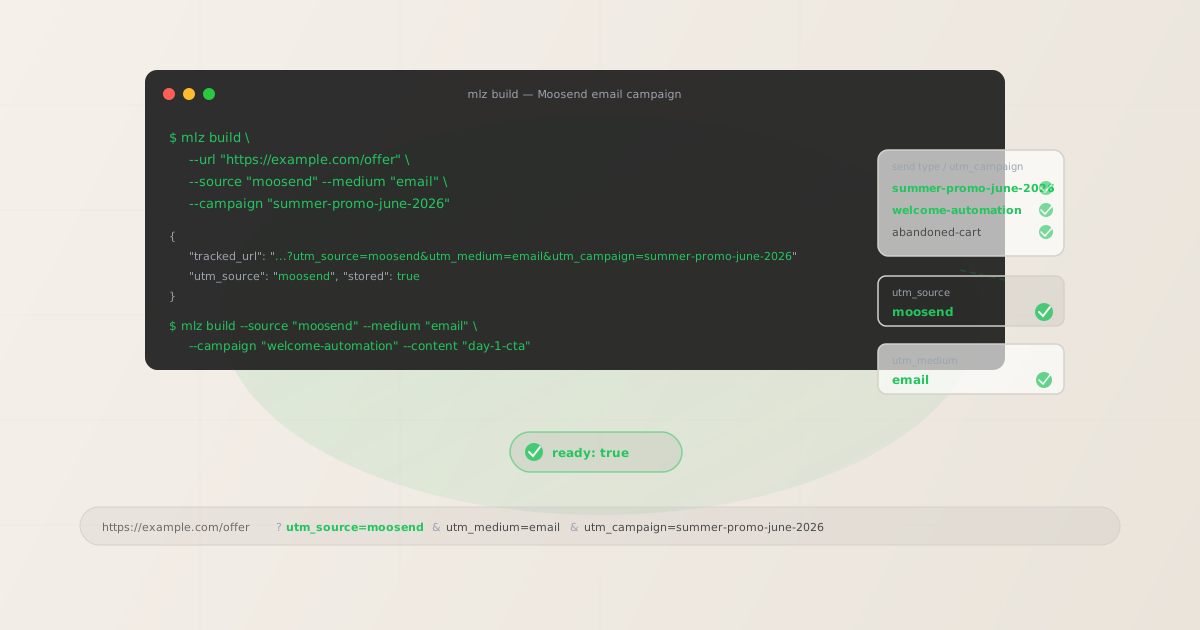
The correct utm_source for Moosend
Use utm_source=moosend — all lowercase, no hyphen, no underscore — for all email sends from Moosend. The utm_medium value is email for all Moosend email sends. Moosend is a single-channel ESP (email only, unlike platforms that also send SMS or push), so utm_medium=email applies uniformly across all Moosend send types.
| Moosend send type | utm_source | utm_medium | GA4 default channel |
|---|---|---|---|
| Campaign (one-time broadcast to a mailing list) | moosend |
email |
|
| Automation (triggered sequence — welcome, cart, re-engagement) | moosend |
email |
|
| Transactional email (via Moosend's transactional service) | moosend |
email |
GA4 automatically maps utm_medium=email to the Email default channel group. Using utm_source=moosend with consistent casing across all sends means you can filter by source in GA4's Traffic Acquisition report to see all Moosend-attributed traffic in a single row — Campaigns, Automations, and transactional emails combined — then break down by utm_campaign to compare individual sends.
utm_campaign naming for Moosend campaigns and automations
Moosend distinguishes between one-time Campaigns (manual or scheduled sends to a mailing list or segment) and Automations (event-triggered sequences like welcome series, cart abandonment, or re-engagement flows). These two send types need different utm_campaign naming approaches.
# Campaign (one-time send) — date-stamped slug
$ mlz build --url "https://example.com/summer-offer" \
  --source "moosend" --medium "email" \
  --campaign "summer-promo-june-2026" --content "main-cta"

# Welcome Automation — stable evergreen slug
$ mlz build --url "https://example.com/getting-started" \
  --source "moosend" --medium "email" \
  --campaign "welcome-automation" --content "day-1-cta"

# Cart abandonment Automation — stable evergreen slug
$ mlz build --url "https://example.com/cart" \
  --source "moosend" --medium "email" \
  --campaign "abandoned-cart" --content "hour-1-cta"

# Re-engagement Automation — stable evergreen slug
$ mlz build --url "https://example.com/offer" \
  --source "moosend" --medium "email" \
  --campaign "re-engagement" --content "winback-cta"
One-time Campaign slugs should encode when the send happened: summer-promo-june-2026, product-launch-q2-2026, black-friday-2026. Automation slugs should describe the automation's purpose without a date: welcome-automation, abandoned-cart, re-engagement, post-purchase-followup. Automation slugs are evergreen — they accumulate attribution data under a stable slug over months. If you rename the automation in Moosend (which updates the auto-UTM value if auto-UTM is active), your manually built slugs remain consistent as long as you're managing parameters through mlz build.
Use utm_content to differentiate individual emails within a multi-step Moosend Automation. For a 3-email welcome sequence: use utm_campaign=welcome-automation for all three emails, with utm_content=day-1-cta, utm_content=day-3-resources, utm_content=day-7-offer per email. In GA4, utm_content as a secondary dimension on the welcome-automation campaign row shows which step drove the most clicks and conversions.
Building Moosend links with mlz build
mlz build generates a normalised tracked URL with lowercase hyphen-separated values and stores the link for auditing. For a Moosend Campaign send:
$ mlz build \
  --url "https://example.com/summer-offer" \
  --source "moosend" \
  --medium "email" \
  --campaign "summer-promo-june-2026" \
  --content "main-cta"

{
  "tracked_url": "https://example.com/summer-offer?utm_source=moosend&utm_medium=email&utm_campaign=summer-promo-june-2026&utm_content=main-cta",
  "params": {
    "utm_source": "moosend",
    "utm_medium": "email",
    "utm_campaign": "summer-promo-june-2026",
    "utm_content": "main-cta"
  },
  "link_id": "lnk_ms6t2k8n",
  "stored": true
}
Copy the tracked_url and paste it directly into Moosend's email editor as your link destination. Moosend wraps all links in a click-tracking redirect to record click counts — this redirect preserves your full destination URL, including the UTM query string, when forwarding recipients to the destination.
For a Moosend Automation step, build links for each message in the sequence with a stable campaign slug and a unique utm_content value per step:
# Day 1 — welcome Automation CTA
$ mlz build \
  --url "https://example.com/getting-started" \
  --source "moosend" \
  --medium "email" \
  --campaign "welcome-automation" \
  --content "day-1-cta"

{
  "tracked_url": "https://example.com/getting-started?utm_source=moosend&utm_medium=email&utm_campaign=welcome-automation&utm_content=day-1-cta",
  "params": {
    "utm_source": "moosend",
    "utm_medium": "email",
    "utm_campaign": "welcome-automation",
    "utm_content": "day-1-cta"
  },
  "link_id": "lnk_ms3p9v4h",
  "stored": true
}

# Day 7 — welcome Automation upgrade offer
$ mlz build \
  --url "https://example.com/upgrade" \
  --source "moosend" \
  --medium "email" \
  --campaign "welcome-automation" \
  --content "day-7-upgrade-cta"

{
  "tracked_url": "https://example.com/upgrade?utm_source=moosend&utm_medium=email&utm_campaign=welcome-automation&utm_content=day-7-upgrade-cta",
  "params": {
    "utm_source": "moosend",
    "utm_medium": "email",
    "utm_campaign": "welcome-automation",
    "utm_content": "day-7-upgrade-cta"
  },
  "link_id": "lnk_ms7r1x5j",
  "stored": true
}
How to disable Moosend's built-in UTM tracking
Moosend includes a UTM tracking option that automatically appends UTM parameters to all links in your campaigns. When this option is active, Moosend derives utm_campaign from the name you assigned to the campaign in Moosend's campaign builder. If the campaign is named "Summer Promo June 2026," Moosend generates utm_campaign=Summer%20Promo%20June%202026. GA4 treats this as a separate row from utm_campaign=summer-promo-june-2026, splitting attribution that should be unified.
When Moosend's auto-UTM is active and you've also embedded manually built parameters in your links, the same UTM key may appear twice in the final URL. GA4 processes only one value in this case. The simplest fix is to disable Moosend's auto-UTM and manage all parameters with mlz build.
To disable Moosend's UTM tracking:
- Campaign-level: When creating a Campaign in Moosend, the campaign creation flow includes a step for tracking settings. Look for a "Google Analytics" or "UTM tracking" toggle in the campaign settings. Disable it for campaigns where you are applying custom UTM parameters to your links. This only affects the current campaign; the default setting persists for future campaigns unless changed at the account level.
- Account defaults: In Moosend's account settings, navigate to the Integrations or Tracking section to find global defaults for UTM tracking. Setting this to off disables auto-UTM for all future campaigns by default. This is the most efficient approach if your team manages all tracked links through
mlz build. - Automations: When building or editing a Moosend Automation, review the tracking settings for the automation workflow. Disable UTM auto-tracking for Automations where you are embedding custom parameters in individual email links. Note that Moosend Automations use the automation name (not individual email names) as the basis for auto-generated
utm_campaignvalues when the integration is active.
Once Moosend's auto-UTM is disabled, all click-tracking redirects forward your manually built UTM parameters intact to the destination URL.
Validating Moosend destination URLs before sending
Use mlz build --validate to confirm destination URLs resolve cleanly before every Moosend Campaign send or Automation activation:
$ mlz build \
  --url "https://example.com/summer-offer" \
  --source "moosend" \
  --medium "email" \
  --campaign "summer-promo-june-2026" \
  --content "main-cta" \
  --validate

{
  "tracked_url": "https://example.com/summer-offer?utm_source=moosend&utm_medium=email&utm_campaign=summer-promo-june-2026&utm_content=main-cta",
  "validation": {
    "valid": true,
    "checks": [
      { "check": "url_format", "status": "pass", "message": "URL format is valid." },
      { "check": "ssl", "status": "pass", "message": "URL uses HTTPS." },
      { "check": "resolution", "status": "pass", "message": "Destination responded with 200.", "details": { "response_time_ms": 183 } },
      { "check": "redirects", "status": "pass", "message": "No redirects detected." }
    ]
  },
  "link_id": "lnk_ms6t2k8n",
  "stored": true
}
For Moosend Automations, validate all destination URLs when building the automation, and re-validate periodically while the automation is active. Automations run continuously — a landing page that gets archived after a campaign ends, or a URL that redirects after a website restructure, will break every future automated send without triggering an alert from Moosend. Use mlz links list to retrieve all stored tracked URLs for your account and run periodic spot-checks on automation destinations after any website or platform changes.
Moosend UTM tracking gotchas
- Moosend's auto-UTM generates utm_campaign from your campaign name
- When Moosend's built-in UTM tracking is enabled, it derives
utm_campaignfrom the name you assigned to the send in Moosend's campaign builder. Names with spaces, uppercase, or special characters are URL-encoded — "Summer Promo June 2026" becomesutm_campaign=Summer%20Promo%20June%202026. GA4 treats URL-encoded and manually slugified values as distinct rows:Summer%20Promo%20June%202026andsummer-promo-june-2026will never merge in your attribution reports. Disable auto-UTM and usemlz buildto control the exact slug format. - Renaming a Moosend Automation changes its auto-UTM utm_campaign value
- If Moosend's auto-UTM is active for Automations, the auto-generated
utm_campaignvalue is derived from the Automation name. Renaming the automation — even a minor edit — changes the auto-generated value in GA4 going forward, fragmenting attribution data that was accumulating under the previous automation name. This is particularly damaging for long-running Automations like welcome series or re-engagement flows that have accumulated months of attribution data. The fix: disable auto-UTM for all Automations and embed stable, manually built slugs viamlz build. Renaming the automation in Moosend will not affect your manually built UTM values. - Moosend campaigns can include multiple links with different destinations
- A typical Moosend campaign email includes multiple links: a primary CTA button, secondary text links, a header image link, and a footer unsubscribe link. Use
utm_contentto distinguish attribution from different links within the same send:utm_content=header-image,utm_content=main-cta,utm_content=secondary-link. Build a separate tracked URL per link in the email. In GA4's Explore report,utm_contentas a secondary dimension on the campaign row shows which link in the email drove clicks — a frequently overlooked optimisation signal. - utm_source variants from previous manual tagging accumulate in GA4
- Teams that have manually tagged Moosend links inconsistently in the past may have historic data under values like
Moosend(capitalised),moosend-email, or justemail. GA4 treats each of these as a distinct source, scattering Moosend attribution across multiple rows. When standardising toutm_source=moosend, create a custom channel group in GA4 that maps all known Moosend variants to a single "Email" channel — this preserves continuity in your reports while you transition all future sends to the consistent value. - Moosend's landing page builder creates pages at moosend.com subdomains
- Moosend includes a landing page builder that hosts pages at a Moosend subdomain by default (e.g.,
pages.moosend.com/your-page) unless you configure a custom domain. If your campaign destination is a Moosend-hosted landing page at a Moosend subdomain, validate the URL withmlz build --validatebefore every send to confirm it resolves. Landing page URLs at third-party-hosted subdomains can occasionally fail DNS resolution or go offline during platform maintenance.
Moosend UTM naming conventions
Recommended UTM parameter values for Moosend across all send types, aligned with GA4 default channel groupings:
- utm_source:
moosend— all lowercase, no hyphen or underscore, for all sends from Moosend (Campaigns, Automations, transactional). - utm_medium:
emailfor all Moosend email sends. - utm_campaign: lowercase hyphen-separated slug — for Campaigns (one-time sends):
summer-promo-june-2026,product-launch-q3-2026,black-friday-2026; for Automations:welcome-automation,abandoned-cart,re-engagement,post-purchase-followup,browse-abandonment. Never date-stamp Automation slugs. - utm_content: Link or step identifier — for Campaigns:
main-cta,header-image,secondary-link; for Automation steps:day-1-cta,day-3-resources,day-7-offer,hour-1-cta,hour-24-winback. - utm_term: Use sparingly for segment-targeted Campaigns where audience segment is meaningful for attribution:
premium-subscribers,trial-users,60d-inactive.
See the UTM naming conventions guide for the full cross-platform reference and the UTM tracking for developers guide for programmatic generation and validation at scale.
FAQ
- Should I use moosend or moose-send as utm_source?
- Use
utm_source=moosend— one word, all lowercase. "Moosend" is the brand name written as a single word, so the UTM source value matches: no hyphen, no underscore, all lowercase. AvoidMoosend(capitalised),moose-send(hyphenated), ormoose_send(underscored) — each of these creates a separate attribution row in GA4 from correctly-cased values, fragmenting your email attribution over time. - How do I name utm_campaign for Moosend Automations?
- Use a stable evergreen slug that describes the automation's purpose:
welcome-automation,abandoned-cart,re-engagement,post-purchase-followup. Never date-stamp automation slugs — Automations run continuously and accumulate attribution data under a single slug over time. Useutm_contentto distinguish individual steps within the automation sequence, keepingutm_campaignstable across all steps. If you rename the automation in Moosend, your manually built UTM values remain unaffected as long as you manage parameters viamlz build. - What happens if I have both Moosend's auto-UTM and manually built parameters active?
- If Moosend's auto-UTM is active and your links also contain manually built UTM parameters, the same UTM key may appear twice in the final URL (once from your manual link, once appended by Moosend). GA4 processes only one value when a key appears twice — and which value is used depends on parameter order, which is unreliable. The cleanest solution is to disable Moosend's auto-UTM at the campaign or account level and apply all parameters manually using
mlz build. This guarantees that only your controlled, consistently formatted values reach GA4. - How do I use utm_content to track multiple links in a Moosend campaign?
- Build a separate tracked URL for each distinct link in your Moosend campaign email using
mlz buildwith the sameutm_campaignslug but a different--contentvalue per link. For a typical campaign email with a header image link, a primary CTA button, and a secondary text link: build three URLs withutm_content=header-image,utm_content=main-cta, andutm_content=secondary-linkrespectively. In GA4's Explore report, addutm_contentas a secondary dimension to see which specific link in the email drove clicks. - How do I validate Moosend destination URLs for my entire automation?
- When building a new Moosend Automation, use
mlz build --validatefor each destination URL in the automation sequence. After building all links, usemlz links listto see all stored tracked URLs for your account. Periodically runmlz check <url>on automation destination URLs to confirm they still resolve after website updates or redirects. For long-running Automations that have been active for months, spot-check destination URLs at least quarterly — destination pages change, and Moosend does not alert you when a destination goes offline.
Recommended posts
Build Moosend links from the terminal
Pass --source "moosend" --medium "email" to mlz build and get a normalised, validated URL ready to paste into Moosend's campaign or automation editor — all lowercase hyphenated, no mixed-case from Moosend's auto-UTM, stable evergreen slugs for Automations and date-stamped slugs for one-time Campaigns. Add --validate to confirm every destination resolves before send.
1,000 links/month free. No credit card.
Your API key
Save this now — it won't be shown again.
npm install -g missinglinkz
Free plan: 1,000 links/month. No credit card. See the UTM tracking for developers guide for the full programmatic workflow.