UTM Tracking for Klaviyo Campaigns: How to Build and Validate Email and SMS Campaign Links
Klaviyo's built-in UTM tracking generates utm_campaign values from your campaign subject line or flow name — resulting in long, space-encoded strings like utm_campaign=Summer+Sale+2026+%E2%80%94+Final+Hours in GA4 reports instead of clean slugs like summer-sale-2026. When Klaviyo's auto-UTM is enabled, the values are also inconsistent across campaigns (subject lines change every send) and don't match the naming convention you use for paid channels, making cross-channel attribution harder. The recommended approach is to override Klaviyo's auto-UTM with custom parameters built to your taxonomy. This article covers the correct utm_source and utm_medium values for Klaviyo email and SMS campaigns, how to override Klaviyo's auto-tagging, how to build consistent UTM links with mlz build, and how to validate destination URLs before each send.
How Klaviyo's default UTM tracking works (and where it breaks)
Klaviyo's UTM tracking is configured per-campaign in the campaign builder and per-flow in the flow settings. When enabled, Klaviyo auto-populates UTM parameters using its own template variables. The default output looks like this:
# What Klaviyo auto-appends to email links by default
https://example.com/shop/sale
  ?utm_source=klaviyo
  &utm_medium=email
  &utm_campaign=Summer+Sale+2026+%E2%80%94+Final+Hours
  &utm_content=body+link+1
  &_kx=abc123xyz
The problems with Klaviyo's auto-UTM defaults:
- Campaign name is the subject line: Klaviyo uses the campaign subject line as the default
utm_campaignvalue. Subject lines change with every send, contain spaces and special characters (URL-encoded as+and%XX), and are often too long to read directly in GA4 reports. Each campaign send creates a unique row in GA4's Traffic Acquisition report instead of consolidating traffic under a consistent campaign slug. - utm_content values are generic: Klaviyo's default
utm_contentvalues use positional labels likebody link 1,body link 2, andheader link. These don't identify which CTA or offer the link points to — only its position in the email. That makes it impossible to tell from GA4 which specific CTA drove conversions without opening Klaviyo to cross-reference link positions. - The _kx parameter is Klaviyo-specific: Klaviyo appends its own proprietary
_kxparameter for individual email click tracking and contact-level attribution within Klaviyo. This parameter is not read by GA4 and appears in URLs as clutter alongside your UTM parameters. - SMS links have no auto-UTM: Klaviyo's SMS flows do not automatically add UTM parameters to links. If you send an SMS campaign with a bare URL, GA4 will attribute those sessions as direct traffic — indistinguishable from someone typing the URL directly. You must manually add UTM parameters to every link in Klaviyo SMS messages.
The solution is to disable Klaviyo's auto-UTM tracking and add custom UTM parameters that use your taxonomy — or, for SMS where there is no auto-UTM, always build tracked links before pasting them into SMS message templates.
The correct utm_source and utm_medium for Klaviyo
For Klaviyo email campaigns, use utm_source=klaviyo and utm_medium=email. Klaviyo's default utm_source=klaviyo is actually reasonable — it identifies the platform clearly. The problem is in Klaviyo's default utm_campaign and utm_content values, not the source. For SMS campaigns, use utm_source=klaviyo and utm_medium=sms to separate SMS-driven traffic from email-driven traffic in GA4's channel reports.
| Klaviyo send type | utm_source | utm_medium | GA4 default channel |
|---|---|---|---|
| Email campaign (newsletter) | klaviyo |
email |
|
| Email flow (welcome, browse abandon) | klaviyo |
email |
|
| SMS campaign | klaviyo |
sms |
Unassigned (custom group) |
| SMS flow (abandoned cart, back-in-stock) | klaviyo |
sms |
Unassigned (custom group) |
| Push notification | klaviyo |
push |
Unassigned (custom group) |
GA4's default channel groupings do not include an "SMS" channel — sessions arriving with utm_medium=sms are placed in the "Unassigned" channel unless you create a custom channel group in GA4 that maps utm_medium=sms to an "SMS" channel. Create this custom channel group in GA4 under Admin › Data display › Channel groups so your SMS-driven traffic is properly attributed rather than appearing in the Unassigned bucket alongside traffic with missing or malformed UTM parameters.
For the utm_campaign value, always use a lowercase hyphen-separated slug that identifies the campaign purpose — not the subject line. For example, summer-sale-2026 rather than the full subject line text. This value should be the same across all emails in the same campaign send (including A/B variants) and should match how you name the campaign in your internal calendar and reporting.
Building Klaviyo campaign links with mlz build
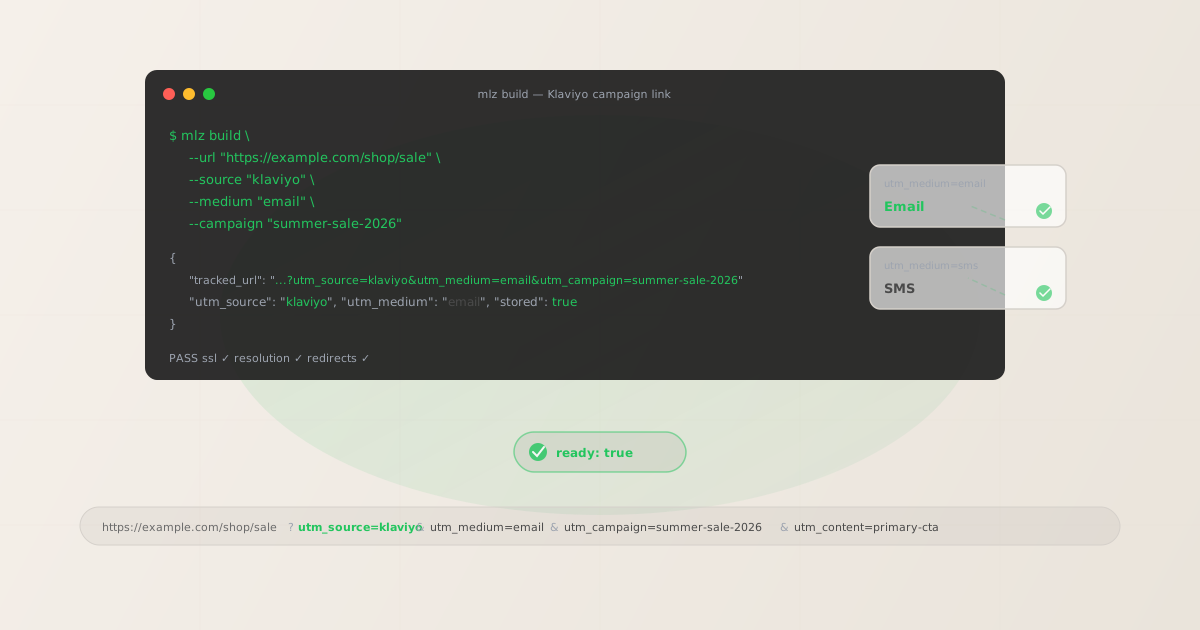
mlz build enforces lowercase normalisation, generates the tracked URL, and stores the link for auditing. For a standard Klaviyo promotional email with multiple CTAs:
# Primary CTA in a Klaviyo promotional email
$ mlz build \
  --url "https://example.com/shop/sale" \
  --source "klaviyo" \
  --medium "email" \
  --campaign "summer-sale-2026" \
  --content "primary-cta"

{
  "tracked_url": "https://example.com/shop/sale?utm_source=klaviyo&utm_medium=email&utm_campaign=summer-sale-2026&utm_content=primary-cta",
  "params": {
    "utm_source": "klaviyo",
    "utm_medium": "email",
    "utm_campaign": "summer-sale-2026",
    "utm_content": "primary-cta"
  },
  "link_id": "lnk_kv3m8p1r",
  "stored": true
}
Use utm_content to identify CTAs by their purpose rather than position. Replace Klaviyo's default position-based labels (body link 1) with descriptive identifiers: hero-cta, product-grid-1, footer-cta. This makes GA4's link attribution reports immediately readable without needing to cross-reference Klaviyo's link position in the email template.
For Klaviyo email flows — welcome series, abandoned cart, browse abandonment, post-purchase — use a stable utm_campaign slug that identifies the flow, not the specific send. Because flows send continuously over time, a time-stamped campaign name becomes outdated:
# Email 2 in a Klaviyo abandoned cart flow
$ mlz build \
  --url "https://example.com/cart" \
  --source "klaviyo" \
  --medium "email" \
  --campaign "abandoned-cart" \
  --content "email-2-recover"

{
  "tracked_url": "https://example.com/cart?utm_source=klaviyo&utm_medium=email&utm_campaign=abandoned-cart&utm_content=email-2-recover",
  "params": {
    "utm_source": "klaviyo",
    "utm_medium": "email",
    "utm_campaign": "abandoned-cart",
    "utm_content": "email-2-recover"
  },
  "link_id": "lnk_kv5n9w2s",
  "stored": true
}
Stable flow-level campaign slugs like abandoned-cart and welcome-series aggregate all traffic from that flow into a single campaign row in GA4, making it easy to see total revenue attributed to each Klaviyo flow over time.
UTM tracking for Klaviyo SMS campaigns and flows
Klaviyo SMS links require manual UTM tagging — there is no auto-UTM option for SMS messages in Klaviyo. Every link you include in a Klaviyo SMS campaign or SMS flow step needs UTM parameters added before the link is pasted into the message template. Without UTM parameters, SMS-driven traffic arrives at your site as direct traffic in GA4, indistinguishable from users who typed the URL directly.
Build tracked URLs for SMS with utm_medium=sms before inserting them into Klaviyo's SMS composer:
# SMS campaign link — note utm_medium=sms, not email
$ mlz build \
  --url "https://example.com/shop/sale" \
  --source "klaviyo" \
  --medium "sms" \
  --campaign "summer-sale-2026" \
  --content "sms-blast"

{
  "tracked_url": "https://example.com/shop/sale?utm_source=klaviyo&utm_medium=sms&utm_campaign=summer-sale-2026&utm_content=sms-blast",
  "params": {
    "utm_source": "klaviyo",
    "utm_medium": "sms",
    "utm_campaign": "summer-sale-2026",
    "utm_content": "sms-blast"
  },
  "link_id": "lnk_kv7q2x4t",
  "stored": true
}
SMS links are often shortened using Klaviyo's built-in link shortener or a third-party service to reduce character count. If you use Klaviyo's link shortener, the tracked URL is shortened but UTM parameters are preserved through the redirect when the short link resolves. Verify this is working correctly before a large SMS send by using mlz build --validate to confirm the destination resolves with UTM parameters intact through the full redirect chain.
For SMS flows — abandoned cart SMS, back-in-stock alerts, loyalty win-back — use the same stable flow-level campaign slug convention as email flows:
- Abandoned cart SMS:
utm_campaign=abandoned-cart,utm_medium=sms - Back-in-stock SMS:
utm_campaign=back-in-stock,utm_medium=sms - Win-back SMS:
utm_campaign=win-back,utm_medium=sms - Loyalty points SMS:
utm_campaign=loyalty-reminder,utm_medium=sms
If you run the same promotional campaign across both email and SMS simultaneously — for example, a summer sale where you send both a Klaviyo email campaign and a Klaviyo SMS blast on the same day — use the same utm_campaign slug (summer-sale-2026) but different utm_medium values (email vs. sms). This lets you compare email and SMS performance for the same campaign in GA4 by filtering on utm_campaign=summer-sale-2026 and breaking down by utm_medium.
How to disable Klaviyo's automatic UTM tagging
Klaviyo's UTM auto-tagging is controlled at the campaign level and the flow level. The setting is independent for each:
- For email campaigns: In the Klaviyo campaign builder, navigate to the Tracking step (the final step before Review & Send). Under "UTM Parameters," you'll see Klaviyo's auto-generated values. Set each field to your custom values — or turn off the UTM tracking toggle entirely and add your custom parameters directly to the link URLs in your email template before uploading the campaign.
- For email flows: Open the flow in Klaviyo's flow builder. In the settings for each email action step, look for the Tracking section. Disable Klaviyo's auto-UTM and use your custom-built tracked URLs in the email template's link fields.
- Account-level defaults: Klaviyo allows you to set default UTM tracking behavior in your account settings under Settings › Email › UTM Parameters. You can configure default
utm_sourceandutm_mediumvalues that pre-populate for new campaigns. Setting these toklaviyoandemailrespectively gives you sensible defaults, but you still need to overrideutm_campaignwith your own slug rather than letting Klaviyo use the subject line.
The most reliable approach is to turn off Klaviyo's auto-UTM entirely, build all tracked URLs with mlz build before creating the campaign, and paste the tracked_url values directly into the link fields in Klaviyo's email editor. This gives you complete control over UTM values, stores all links in MissingLinkz for auditing, and ensures your taxonomy is consistent across campaigns.
Validating Klaviyo destination URLs before sending
Klaviyo sends cannot be recalled after delivery — a broken destination URL cannot be corrected for recipients who already received the email or SMS. For high-volume Klaviyo sends (promotional emails to your full list, SMS blasts), run mlz build --validate to confirm each destination URL resolves correctly before the campaign goes live:
$ mlz build \
  --url "https://example.com/shop/sale" \
  --source "klaviyo" \
  --medium "email" \
  --campaign "summer-sale-2026" \
  --content "hero-cta" \
  --validate

{
  "tracked_url": "https://example.com/shop/sale?utm_source=klaviyo&utm_medium=email&utm_campaign=summer-sale-2026&utm_content=hero-cta",
  "validation": {
    "valid": true,
    "checks": [
      { "check": "url_format", "status": "pass", "message": "URL format is valid." },
      { "check": "ssl", "status": "pass", "message": "URL uses HTTPS." },
      { "check": "resolution", "status": "pass", "message": "Destination responded with 200.", "details": { "response_time_ms": 198 } },
      { "check": "redirects", "status": "pass", "message": "No redirects detected." }
    ]
  },
  "link_id": "lnk_kv3m8p1r",
  "stored": true
}
For Klaviyo eCommerce campaigns that link to specific product pages, sale pages, or collection pages, validate destination URLs at least a few hours before the scheduled send — not minutes before. Product pages can go out of stock and redirect to a collection page, sale pages can be taken down or have their URLs changed, and CMS redirects added during a redesign can create redirect chains that strip UTM parameters before they reach the landing page. Catching a broken destination URL before a large email send is significantly easier than dealing with attribution loss or customer confusion from broken links after the fact.
Klaviyo UTM tracking gotchas
- Klaviyo's auto-UTM uses the subject line as utm_campaign
- Klaviyo's default
utm_campaignvalue is populated from the email subject line. Subject lines change with every send, contain spaces and special characters, and are often long. In GA4, each unique subject line creates a separate campaign row rather than consolidating sends under a consistent campaign name. Always override Klaviyo's defaultutm_campaignvalue with your own slug, or disable auto-UTM entirely and build tracked URLs withmlz buildbefore creating the campaign. - Klaviyo's link shortener wraps but preserves UTM parameters
- Klaviyo's built-in link shortener creates a redirect through Klaviyo's own domain (typically
go.klaviyo.com) before resolving to your destination URL. This redirect is Klaviyo's click tracking mechanism for its own email analytics dashboard. UTM parameters are preserved through this redirect and arrive at your landing page intact — GA4 reads them correctly. However, if your destination URL also redirects (through a link shortener, a CMS redirect, or a landing page builder), you may have a multi-hop redirect chain. Usemlz build --validateto confirm all hops resolve and UTM parameters survive. - SMS traffic appears as Direct in GA4 without UTM parameters
- Unlike email, Klaviyo SMS flows have no auto-UTM option. Any SMS link sent without UTM parameters will appear as
direct / (none)in GA4's Traffic Acquisition report — there is no way to retroactively identify which sessions came from an SMS campaign. Build tracked URLs for every SMS link withutm_source=klaviyoandutm_medium=smsbefore inserting them into Klaviyo's SMS message composer. For high-volume SMS flows like abandoned cart, this can mean a measurable percentage of eCommerce revenue being attributed to "Direct" rather than your SMS channel if UTM parameters are missing. - Klaviyo and GA4 measure different things for the same send
- Klaviyo's email analytics measure opens, clicks, revenue attributed by Klaviyo's last-click model, and conversion events tracked within Klaviyo. GA4 measures sessions and conversions arriving at your site with UTM parameters from Klaviyo links. The revenue numbers will differ — Klaviyo uses a 5-day last-touch attribution window by default, while GA4 uses a 30-day data-driven model. Both numbers are correct within their own attribution model; they measure different things. Use Klaviyo's analytics for email performance optimisation and GA4 for cross-channel revenue attribution.
- _kx parameter in Klaviyo URLs is not a UTM parameter
- Klaviyo appends a
_kxparameter to email links for individual contact-level tracking within Klaviyo's own platform. This parameter is not a UTM parameter and is not read by GA4. It appears in URLs alongside your UTM parameters and is safe to leave in place — it does not interfere with GA4 attribution. If you are building tracked URLs withmlz buildand entering them into Klaviyo's email editor, Klaviyo will append_kxto your custom UTM parameters automatically when wrapping the link for its click tracking. This is expected and correct behaviour.
Klaviyo UTM naming conventions
Recommended conventions for Klaviyo UTM parameters, consistent with GA4 channel groupings and cross-platform attribution:
- utm_source:
klaviyo— lowercase, for all emails and SMS sent from Klaviyo - utm_medium:
emailfor email campaigns and flows;smsfor SMS campaigns and flows;pushfor push notification campaigns - utm_campaign: lowercase hyphen-separated slug identifying the campaign or flow — e.g.
summer-sale-2026,abandoned-cart,welcome-series,back-in-stock. For one-off campaigns, include the season or year:black-friday-2026. For flows, use a stable name without dates since the flow sends continuously over time. - utm_content: CTA or element identifier — e.g.
hero-cta,product-grid-1,footer-cta,email-1-recover,sms-blast. For A/B test variants in Klaviyo:variant-a,variant-b. - utm_term: Use for audience segment or list identifier if relevant — e.g.
vip-customers,30-day-inactive,high-aov-segment.
Klaviyo is used primarily for eCommerce, so your Klaviyo campaigns often run concurrently with paid social, paid search, and organic social campaigns targeting the same products. Using consistent lowercase hyphen-separated slugs across all channels lets you compare channel performance in GA4 without needing to decode platform-specific naming variants. See the UTM naming conventions guide for the full cross-channel naming reference and the UTM tracking best practices guide for team-level governance recommendations.
FAQ
- What utm_source should I use for Klaviyo?
- Use
utm_source=klaviyofor all sends from Klaviyo — email campaigns, email flows, SMS campaigns, and SMS flows. Klaviyo's own auto-UTM usesutm_source=klaviyoby default, which is a reasonable convention. The problem with Klaviyo's auto-UTM is not the source value but the campaign name (uses the subject line) and the content value (uses generic position labels). Keeputm_source=klaviyoand override just the campaign and content values with your own taxonomy. - How do I track Klaviyo SMS separately from Klaviyo email in GA4?
- Use
utm_medium=smsfor all Klaviyo SMS links andutm_medium=emailfor all Klaviyo email links. In GA4, filter the Traffic Acquisition report byutm_source=klaviyoand then break down byutm_mediumto see email versus SMS performance side by side. Because GA4 does not have a default "SMS" channel grouping, you'll also need to create a custom channel group in GA4 that mapsutm_medium=smsto an "SMS" channel — otherwise SMS sessions appear in the "Unassigned" channel alongside traffic with missing UTM parameters. - Does Klaviyo's link shortener strip UTM parameters?
- No. Klaviyo's built-in link shortener (used in SMS messages to reduce character count) preserves the full query string including UTM parameters through its redirect. The short link resolves to your destination URL with all UTM parameters intact. However, if your destination URL redirects again — through a CMS redirect rule, a landing page builder, or another link shortener — the resulting redirect chain may or may not preserve UTM parameters depending on how each hop is configured. Use
mlz build --validateto confirm the full redirect chain ends at your destination with UTM parameters present. - Should I use utm_campaign=abandoned-cart or include the date?
- For Klaviyo flows that run continuously — abandoned cart, welcome series, back-in-stock, win-back — use a stable campaign slug without a date:
abandoned-cart,welcome-series. Because these flows send to new contacts continuously, a date-stamped slug would either need to be updated regularly or would become inaccurate over time. A stable slug consolidates all flow traffic into a single campaign row in GA4, making lifetime flow performance easy to see. Reserve date-stamped slugs (likesummer-sale-2026) for one-time campaign sends with a defined start and end date. - Can I use mlz build in a script to generate links for multiple Klaviyo campaigns at once?
- Yes.
mlz buildaccepts all UTM parameters as flags, making it scriptable. Run it in a shell loop or from a CSV to generate tracked URLs for an entire batch of Klaviyo campaigns at once. Each generated URL is stored in MissingLinkz's link management under the campaign, giving you an audit trail of all links built for each campaign. This is useful for teams managing large Klaviyo accounts with many simultaneous flows and campaigns — you can generate and validate all links for a launch before entering any of them into Klaviyo's campaign editor.
Recommended posts
Build Klaviyo campaign links from the terminal
Pass --source "klaviyo" --medium "email" (or --medium "sms") to mlz build and get a normalised, validated URL ready to paste into Klaviyo's campaign editor — no subject-line slugs or positional content labels in your GA4 reports. Add --content to identify CTAs by purpose, and --validate to confirm the destination resolves cleanly before your campaign sends.
1,000 links/month free. No credit card.
Your API key
Save this now — it won't be shown again.
npm install -g missinglinkz
Free plan: 1,000 links/month. No credit card. See the UTM tracking for developers guide for the full programmatic workflow.