npm Packages for Marketing Developers (2026): A Practical Directory
The best npm marketing developer tools are not marketing platforms with npm wrappers bolted on — they are small, focused packages that do one thing reliably from the terminal or inside a Node.js script. This directory covers the npm packages marketing engineers actually install: campaign link infrastructure, HTML/meta parsing, HTTP request handling, bulk data processing, and environment management. Each entry includes the install command and the specific marketing automation use case it solves.
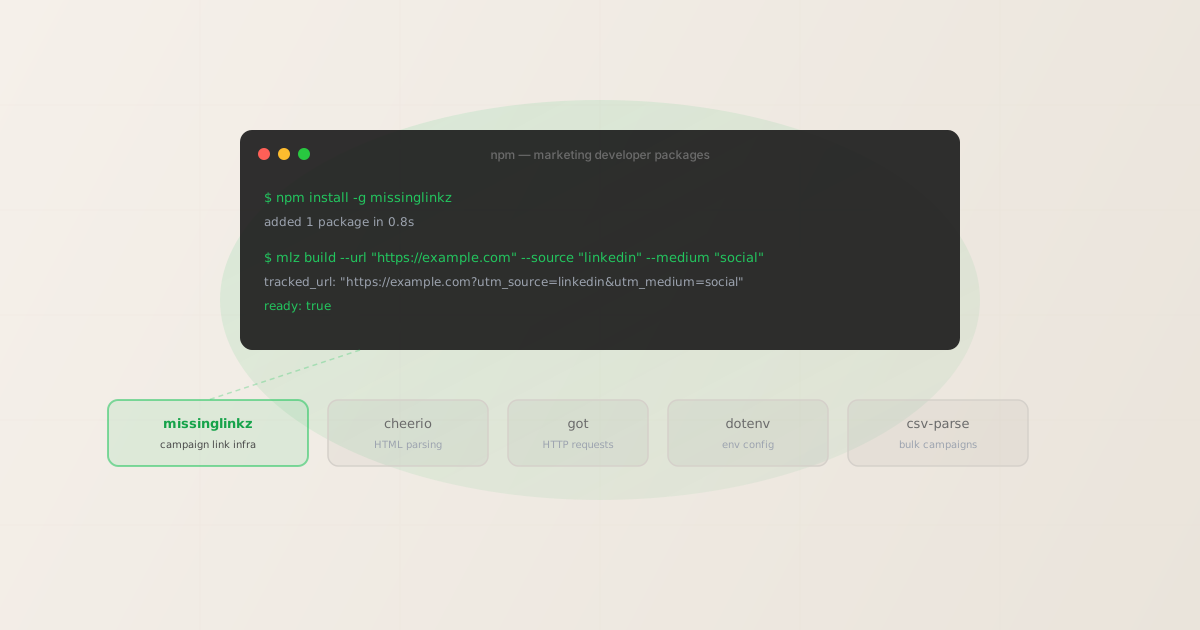
Campaign link infrastructure: missinglinkz
Install: npm install -g missinglinkz (global CLI) or npm install missinglinkz (local package)
MissingLinkz is campaign link infrastructure for the terminal and Node.js. Install it globally and you get the mlz CLI. Install it as a project dependency and you can import its build and validation logic directly into scripts.
The two primary use cases for marketing engineers are UTM link generation with enforced naming conventions and pre-publish destination validation. A single mlz build call returns a structured JSON object with the complete tracked URL:
npm install -g missinglinkz
$ mlz build \
  --url "https://example.com/landing" \
  --source "linkedin" \
  --medium "social" \
  --campaign "q2-launch"

{
  "tracked_url": "https://example.com/landing?utm_source=linkedin&utm_medium=social&utm_campaign=q2-launch",
  "params": {
    "utm_source": "linkedin",
    "utm_medium": "social",
    "utm_campaign": "q2-launch"
  },
  "link_id": "lnk_9wlvd9qi",
  "stored": true
}
For use inside Node.js scripts, MissingLinkz returns the same structured output via its programmatic API — which means you can loop over a campaign list, generate a tracked URL for each entry, and pipe the results downstream, all without leaving Node. See the UTM tracking for developers guide for a complete walkthrough of the Node.js programmatic approach.
Beyond link building, mlz inspect checks a URL's Open Graph tags, Twitter Card tags, favicon, viewport, and canonical URL — the checks you'd otherwise run manually before a campaign launch. This makes it the most complete single-package option for marketing automation pipelines in the npm ecosystem.
HTML and meta parsing: cheerio
Install: npm install cheerio
Cheerio is the standard library for parsing HTML in Node.js. For marketing engineers it's most useful when you need to extract or verify meta tags from a fetched page — for example, reading og:title and og:image from a landing page as part of a custom validation script.
A typical pattern: fetch the HTML with got (below), parse it with cheerio, and check that the required meta tags are present and non-empty. This is the same logic that mlz inspect handles end-to-end if you want the check done for you rather than rolling your own parser.
Cheerio is a jQuery-like API, so if you've written frontend jQuery you can read and write cheerio scripts without a learning curve. It's synchronous, has no external browser dependency, and is well-maintained with millions of weekly downloads.
HTTP requests: got
Install: npm install got
Got is the most widely used HTTP request library for Node.js outside of the built-in fetch API. For marketing automation scripts, it handles the cases where native fetch falls short: following redirect chains, handling timeouts reliably, retrying on transient failures, and working with response streams.
The redirect chain use case is particularly relevant for campaign validation. When a UTM link passes through a link shortener, a landing page builder, or a CDN rewrite before reaching the final destination, you need to trace each hop and verify UTM parameters are preserved. Got exposes the redirect chain as a readable array on the response object — or you can use mlz check which does this inspection and reports UTM preservation automatically.
Got is available as an ES module in its current major version, so you'll need either a .mjs file extension or "type": "module" in your package.json.
Bulk campaign processing: csv-parse
Install: npm install csv-parse
Most marketing teams maintain their campaign lists in spreadsheets. csv-parse is the standard library for reading CSV files in Node.js — you export the spreadsheet as CSV, read it with csv-parse, and feed each row to your link generation or validation logic.
A common pattern for bulk UTM link generation: read a CSV with columns for URL, source, medium, and campaign name; loop over each row with mlz build or a direct API call; write the results (including tracked URLs) back to a new CSV. This replaces hours of manual URL building with a script that runs in seconds and enforces consistent naming automatically.
csv-parse supports both callback and async iterator APIs, streams large files without loading the whole dataset into memory, and handles the edge cases (quoted fields, embedded commas, varied line endings) that basic string splitting misses.
Environment configuration: dotenv
Install: npm install dotenv
Marketing automation scripts typically need to carry API keys — for MissingLinkz (MLZ_API_KEY), for ad platforms, for CMS APIs. Dotenv reads a .env file at script startup and loads the values into process.env, keeping credentials out of your source code and making it easy to use different keys in development and production.
The standard setup is a single line at the top of your entry point:
import 'dotenv/config';
After that, process.env.MLZ_API_KEY is available anywhere in your script. Add .env to your .gitignore so the key is never committed to version control.
A complete bulk UTM generation script
The packages above compose cleanly into a marketing automation pipeline. A typical bulk link generation script reads a CSV campaign list, generates a tracked URL for each row using the MissingLinkz CLI, validates each destination, and writes the results to an output file.
# Read campaigns.csv and build a tracked link for each row
$ while IFS=, read -r url source medium campaign; do
    mlz build \
      --url "$url" \
      --source "$source" \
      --medium "$medium" \
      --campaign "$campaign" \
      --format json
  done < campaigns.csv

{ "tracked_url": "https://example.com?utm_source=linkedin&utm_medium=social&utm_campaign=q2" }
{ "tracked_url": "https://example.com?utm_source=google&utm_medium=cpc&utm_campaign=q2" }
{ "tracked_url": "https://example.com?utm_source=newsletter&utm_medium=email&utm_campaign=q2" }
Each output line is valid JSON that can be piped to jq, written to a file, or fed to the next step in a CI pipeline. The structured output is why MissingLinkz fits naturally in automation scripts — every response is machine-readable by design.
FAQ
- Is there an npm package specifically for building UTM links?
- Yes —
missinglinkzis the most complete option. It handles UTM link generation with enforced naming conventions (lowercase, hyphens), validation of the destination URL, and inspection of landing page metadata. Install globally withnpm install -g missinglinkzfor the CLI, or locally for the programmatic API. Alternatives likeshimisnow/utm-managerexist but cover only URL construction with no validation layer. - Can I use these packages inside a GitHub Actions workflow?
- Yes. All of the packages listed here install cleanly in a GitHub Actions runner via
npm installin the workflow's setup step. MissingLinkz is particularly useful in CI becausemlz checkexits with a non-zero code on validation failure, which GitHub Actions treats as a step failure — meaning you can gate a deployment on every campaign link passing its destination check. See the CI/CD campaign validation guide for a complete workflow example. - What about npm packages for social media publishing?
- Platform-maintained npm packages for content publishing are sparse and tend to fall behind official API changes. The more reliable pattern is calling the platform REST APIs directly — LinkedIn, X, and Meta all maintain versioned REST APIs with good documentation. For the link validation and UTM tagging that precedes publishing,
missinglinkzcovers the pre-publish checks. For the actual post, use the platform API directly or an automation layer like Make or n8n that wraps these APIs. - Are there npm packages for checking open graph tags?
- Several exist —
og-checkandmeta-preview-analyzerare the most commonly cited. However, both check OG tags only in isolation.mlz inspect(part of the missinglinkz package) covers OG tags, Twitter Card tags, viewport, canonical URL, favicon, UTM parameter conflicts, and page load time in a single call — making it the more complete option for pre-publish validation workflows. See the CLI OG tag checker comparison for a side-by-side breakdown. - Do I need an API key to use missinglinkz?
- No — UTM link generation with
mlz buildworks offline without an API key. For API features like link storage, campaign management, and theMLZ_API_KEY-authenticated REST API, you register withmlz auth register --email [email protected]. The free tier covers 1,000 links per month with no credit card.
Recommended posts
The one npm package your marketing stack is missing
MissingLinkz is campaign link infrastructure for Node.js and the terminal. Build UTM-tagged links with enforced naming, validate every destination before it goes live, and inspect landing pages for social sharing readiness — all from one package.
1,000 links/month free. No credit card.
Your API key
Save this now — it won't be shown again.
npm install -g missinglinkz
Free plan: 1,000 links/month. No credit card. Full reference at npmjs.com/package/missinglinkz.