UTM Tracking in Node.js: Build and Validate Campaign Links Programmatically
UTM tracking in Node.js means generating campaign links programmatically from your application code — not from a browser form. The missinglinkz npm package gives you a build() function that produces UTM-tagged URLs with consistent, lowercase, URL-safe parameters. This guide walks through single link generation, bulk building from an array, validation, and TypeScript integration.
When you need UTM tracking in Node.js
There are three scenarios where Node.js UTM generation makes sense over a CLI or a web form:
- Web applications generating links at request time
- A SaaS product that generates a campaign link for each user referral, a content management system that tags every article's share URL, or a customer portal that creates personalized email links — all need UTM tracking in the application layer, not as a manual step. The link generation logic belongs in code, next to the logic that decides what URL to use.
- Automation scripts and scheduled jobs
- A nightly job that generates links for the next day's email sends, a script that prepares campaign assets for a launch, or a pipeline that tags URLs from a product catalog. These run without a human in the loop, which means they need programmatic generation. The CLI works fine for scripts, but a Node.js module integrates better when the surrounding code is already JavaScript.
- Multi-platform link sets
- A single campaign often needs one link per platform — LinkedIn, X, email, push notification, paid search — each with a different
utm_sourcebut the same destination URL and campaign name. Building these in a loop or withPromise.allis simpler in code than running multiple CLI commands. See the programmatic UTM building guide for the full pattern across CLI, npm, and REST API.
Installation
Install the package as a dependency in your project:
npm install missinglinkz
Note the difference from the global CLI install: npm install missinglinkz (no -g) adds it as a project dependency. This is what you want when calling it from application code. The global install adds the mlz binary to your PATH for terminal use.
For link storage and campaign management features, set your API key:
MLZ_API_KEY=mlz_live_your_key_hereFor offline UTM generation (building URLs without storing them), no API key is required. The stored: false flag in the response tells you when a link was generated locally rather than persisted via the API.
Building a single UTM link
Import the build function and pass your campaign parameters:
import { build } from 'missinglinkz';

const link = await build({
  url: 'https://acme.com/launch',
  campaign: 'q2-2026',
  source: 'linkedin',
  medium: 'social',
});

console.log(link.tracked_url);
// https://acme.com/launch?utm_source=linkedin&utm_medium=social&utm_campaign=q2-2026
The full response object includes more than just the URL:
{
  "tracked_url": "https://acme.com/launch?utm_source=linkedin&utm_medium=social&utm_campaign=q2-2026",
  "params": {
    "utm_source": "linkedin",
    "utm_medium": "social",
    "utm_campaign": "q2-2026"
  },
  "destination_url": "https://acme.com/launch",
  "created_at": "2026-04-13T10:22:41.010Z",
  "link_id": "lnk_9wlvd9qi",
  "campaign_id": "cmp_kbcht77d",
  "stored": true
}
The link_id and campaign_id are useful if you want to reference this link in later operations — for example, to retrieve it from storage or associate it with a campaign record. The stored flag tells you whether the link was persisted to the API or generated locally (useful for logging).
Bulk building from an array
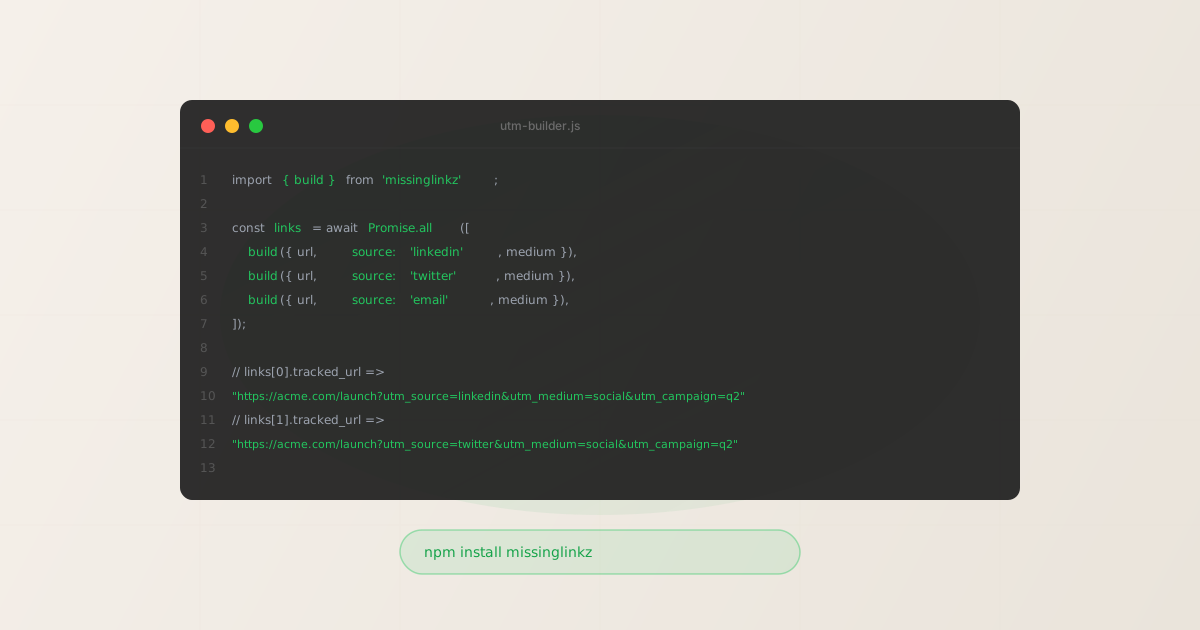
For a multi-platform campaign, build all source variants in parallel using Promise.all:
import { build } from 'missinglinkz';

const url = 'https://acme.com/launch';
const campaign = 'q2-2026';
const medium = 'social';

const sources = ['linkedin', 'twitter', 'facebook'];

const links = await Promise.all(
  sources.map(source => build({ url, campaign, source, medium }))
);

for (const link of links) {
  console.log(`${link.params.utm_source}: ${link.tracked_url}`);
}

// linkedin:  https://acme.com/launch?utm_source=linkedin&utm_medium=social&utm_campaign=q2-2026
// twitter:   https://acme.com/launch?utm_source=twitter&utm_medium=social&utm_campaign=q2-2026
// facebook:  https://acme.com/launch?utm_source=facebook&utm_medium=social&utm_campaign=q2-2026
For bulk builds from a CSV or database, replace the sources array with rows from your data source. The pattern is the same: map each row to a build() call, await all of them, and collect the results. Each call is independent and runs concurrently, so a batch of 20 links takes roughly the same time as a single link.
Adding validation to Node.js builds
For campaigns where you need to confirm the destination is reachable before generating the link, pass validate: true to the build() call. This runs destination validation (SSL, HTTP resolution, redirect chain, response time) as part of the build:
import { build } from 'missinglinkz';

const link = await build({
  url: 'https://acme.com/launch',
  campaign: 'q2-2026',
  source: 'linkedin',
  medium: 'social',
  validate: true,   // run destination checks
});

if (!link.valid) {
  throw new Error(`Destination failed validation: ${link.validation_error}`);
}

console.log(link.tracked_url);
The validate: true option corresponds to the --validate flag in the CLI. It is the same check set that mlz check runs. For a comprehensive validation walkthrough including the JSON response structure, see the UTM link validation guide.
If you also need social sharing validation (OG tags, Twitter Card, viewport), use inspect: true in the build() call. This runs mlz inspect logic against the destination and attaches the results to the response. See the UTM tracking for developers guide for the full build + inspect pattern.
TypeScript types and integration tips
The missinglinkz package ships with TypeScript type definitions. Import the types alongside the functions:
import { build } from 'missinglinkz';
import type { BuildParams, BuildResult } from 'missinglinkz';

const params: BuildParams = {
  url: 'https://acme.com/launch',
  campaign: 'q2-2026',
  source: 'linkedin',
  medium: 'social',
};

const result: BuildResult = await build(params);
const url: string = result.tracked_url;
A few integration notes for TypeScript projects:
- ESM vs CommonJS
- The package supports both ESM (
import { build } from 'missinglinkz') and CommonJS (const { build } = require('missinglinkz')). In a TypeScript project with"module": "ESNext", use the ESM import. In a legacy CJS project, use require. Both produce identical results. - API key in production
- Set
MLZ_API_KEYas an environment variable in your deployment environment. Do not hardcode it in source files. If the key is absent,build()works but setsstored: false— links are generated locally and not persisted. This is fine for development and testing. - Error handling
- The
build()function throws on network errors and invalid parameters. Wrap calls in try/catch in production code, especially whenvalidate: trueis set and the destination might be temporarily unreachable. The error message from the SDK is descriptive enough to log and act on.
FAQ
- Is the npm package the same as the CLI?
- The CLI (
mlz) is built on top of the same npm package. Runningmlz buildin the terminal calls the samebuild()function internally. The CLI adds argument parsing, formatted output, and a shell interface. If you want to use the same logic from Node.js code without invoking a child process, use the npm package directly. - Can I use this in a Next.js app?
- Yes. Import and call
build()in any server-side context: API routes, Server Actions, route handlers, or middleware. Avoid calling it in client-side code (browser) because theMLZ_API_KEYenvironment variable would be exposed to the browser. Keep link generation server-side. - How do I generate links for hundreds of campaigns efficiently?
- Use
Promise.allto build concurrently, as shown in the bulk example above. For very large batches (hundreds of links), chunk your array into groups of 10–20 to avoid overwhelming the API. The API rate limits are generous for the Pro and Enterprise tiers — checkmlz auth statusfor your remaining quota before a large batch run. - Does the npm package work in Bun and Deno?
- Bun: yes, it is compatible with Bun's npm resolution. Deno: use Deno's npm specifier (
import { build } from "npm:missinglinkz"). Both runtimes can resolve and execute the package without issues. The package has no native dependencies. - Can I build links without any internet connection?
- Yes, for offline UTM generation without
validate: true. Thebuild()function constructs the URL locally when no API key is present. Validation (validate: true) and storage require a network connection to the MissingLinkz API. URL construction itself is pure local computation.
Recommended posts
Add UTM tracking to your Node.js app
Install the missinglinkz npm package and start generating validated, consistently formatted UTM links directly from your JavaScript or TypeScript application.
1,000 links/month free. No credit card.
Your API key
Save this now — it won't be shown again.
npm install missinglinkz
import { build } from 'missinglinkz';
const link = await build({
  url: 'https://yoursite.com/landing', campaign: 'q2-launch',
  source: 'linkedin', medium: 'social'
});
console.log(link.tracked_url);
Full API reference in the SKILL.md docs. No API key required for offline URL generation.