UTM Tracking for Agencies: Managing Multiple Clients Without Taxonomy Drift
UTM tracking for agencies is harder than it looks. A single client's UTM taxonomy is manageable — a shared spreadsheet, a documented convention, a consistent team. But agencies managing five, ten, or twenty clients face a multiplied version of that problem: each client has different campaign naming patterns, different analytics platforms, different team members generating links, and different historical data that has to stay consistent. This guide covers how to structure per-client UTM conventions and generate them programmatically so your tracking doesn't drift as campaigns scale.
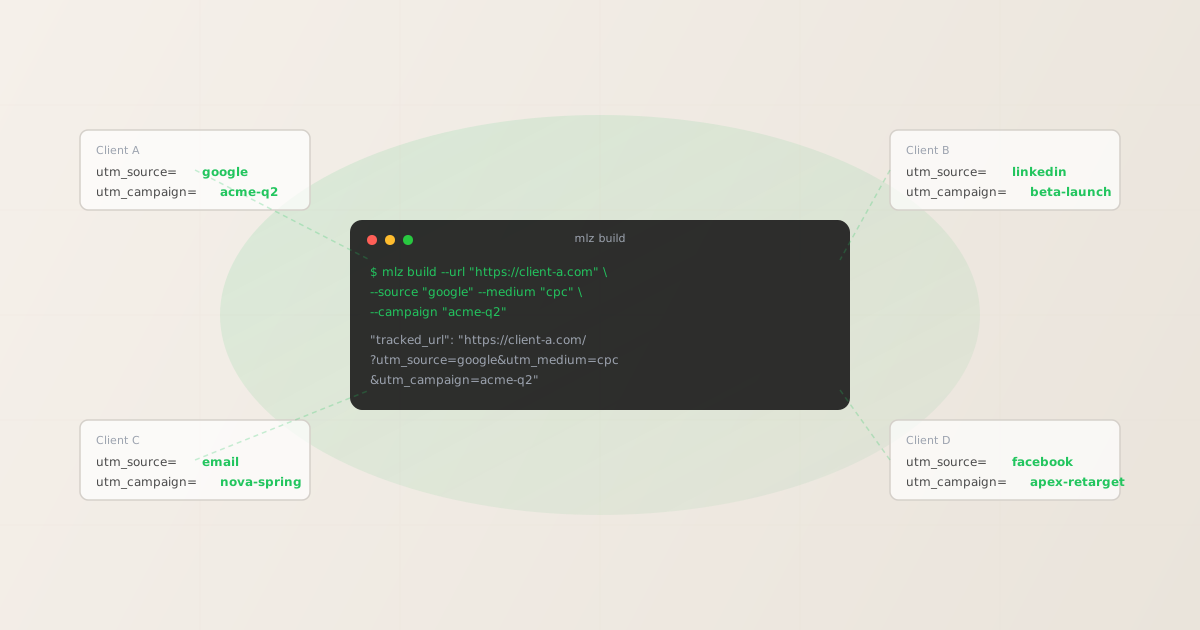
The agency UTM tracking problem
UTM taxonomy drift happens faster than you'd expect. It starts with a junior coordinator abbreviating utm_campaign=q2-product-launch to utm_campaign=q2-prod-launch for one client. Then a freelancer uses title case for another. Then a media buyer copies a past campaign name but adds a hyphen in a different place. Six months later, the analytics export has twelve variations of the same campaign and attribution is fragmented across all of them.
Agencies face three structural problems that internal marketing teams don't:
- Different conventions per client: Client A may have established
utm_medium=paid-socialwhile Client B usesutm_medium=cpc-social. Both are reasonable — but they're incompatible, and whoever generates links for the wrong client propagates bad data. - Staff turnover: Conventions documented in a shared spreadsheet or Notion page are invisible to new team members who don't know they exist, or who don't find them before generating their first set of links.
- Volume: An agency running ten clients across LinkedIn, Google Ads, email, and organic social may generate hundreds of campaign links per week. At that volume, manual QA is not realistic.
The solution is not a stricter spreadsheet. It's treating UTM generation as a code problem: conventions are defined programmatically, links are generated from those definitions, and naming is enforced at the point of generation rather than audited after the fact.
Structuring per-client UTM taxonomies
A UTM taxonomy defines the allowed values for each parameter, the naming format, and any client-specific rules. The right structure for an agency is a per-client config file that encodes these decisions — one file per client that anyone on the team can reference.
A minimal per-client taxonomy covers:
- utm_source values
- The approved traffic sources for this client. For most B2B clients:
google,linkedin,facebook,email,twitter. For B2C clients: may also includetiktok,pinterest,influencer. Document the exact strings — not display names — since GA4 matches on exact strings. - utm_medium values
- The marketing medium categories. Standard agency conventions:
cpc,social,email,organic,referral,display. Some clients preferpaid-socialto distinguish fromorganic-social— document whichever they've chosen and enforce it consistently. - utm_campaign naming format
- The most important convention. A good format encodes the quarter, campaign purpose, and optionally the client code:
{client-code}-{quarter}-{descriptor}. Example:acme-q2-product-launch. The format should be enforced as lowercase, hyphen-separated — no spaces, no special characters, no underscores (which can cause analytics parsing issues in some platforms). - utm_content and utm_term usage
- Whether and how the client uses these optional parameters. Some clients use
utm_contentfor creative variant tracking (creative-a,creative-b). Others don't use it at all. Document the decision per client to avoid ad hoc usage.
Generating UTM links programmatically per client
Once conventions are documented, the next step is generating links from those conventions rather than from memory or a spreadsheet. The MissingLinkz CLI generates UTM-tagged links with enforced lowercase naming — the fastest way to generate a valid tracked link for a specific client is a single command with the client's taxonomy values:
mlz build --url "https://client-a.com/landing" --source "google" --medium "cpc" --campaign "acme-q2-product-launch"
$ mlz build \
  --url "https://client-a.com/landing" \
  --source "google" \
  --medium "cpc" \
  --campaign "acme-q2-product-launch"

{
  "tracked_url": "https://client-a.com/landing?utm_source=google&utm_medium=cpc&utm_campaign=acme-q2-product-launch",
  "params": {
    "utm_source": "google",
    "utm_medium": "cpc",
    "utm_campaign": "acme-q2-product-launch"
  },
  "link_id": "lnk_a7xpd2mn",
  "stored": true
}
The CLI enforces lowercase parameter values automatically — if a team member types --source "Google", it normalises to google. This prevents the single most common source of GA4 fragmentation: inconsistent case producing duplicate rows for the same source.
Bulk link generation for campaign launches
Agency campaigns typically require multiple links per launch — one per channel, one per ad set, one per creative variant. A shell loop reading from a CSV or an array generates all of them in one pass:
# Generate links for all channels in a campaign
$ for MEDIUM in cpc social email; do
    mlz build \
      --url "https://client-b.com/landing" \
      --source "linkedin" \
      --medium "$MEDIUM" \
      --campaign "beta-q2-launch" \
      --format json
  done

{ "tracked_url": "...?utm_source=linkedin&utm_medium=cpc&utm_campaign=beta-q2-launch" }
{ "tracked_url": "...?utm_source=linkedin&utm_medium=social&utm_campaign=beta-q2-launch" }
{ "tracked_url": "...?utm_source=linkedin&utm_medium=email&utm_campaign=beta-q2-launch" }
With --format json, the output is machine-readable — you can pipe it into jq to extract just the tracked_url values and write them to a CSV for the media buyer or into a campaign config file for your automation stack.
Validating campaign links before handing off to clients
Agencies are responsible for links that break after handoff. A destination page that goes 404, a redirect chain that strips UTM parameters, a missing og:image that makes the LinkedIn preview blank — these failures reflect on the agency, not the platform. Validating links before they're handed to media buyers or published is the point where you catch these failures.
Use mlz check to validate the destination URL resolves correctly before including it in a campaign:
mlz check "https://client-a.com/landing"
$ mlz check "https://client-a.com/landing"

{
  "url": "https://client-a.com/landing",
  "valid": true,
  "checks": [
    { "check": "ssl", "status": "pass", "message": "URL uses HTTPS." },
    { "check": "resolution", "status": "pass", "message": "Destination responded with 200." },
    { "check": "redirects", "status": "pass", "message": "No redirects detected." },
    { "check": "response_time", "status": "pass", "message": "Response time: 312ms." }
  ],
  "status_code": 200
}
For a full pre-publish check that also inspects OG tags, Twitter Cards, and social sharing metadata, use mlz inspect. This is the right tool when handing off a link to a client for a LinkedIn or social campaign — you want to confirm the preview image is there before they post it. See the UTM governance at scale guide for how to incorporate validation into a team-wide workflow.
Handling inconsistent historical UTM data
Most agencies inheriting an existing client don't get a clean slate — they inherit years of inconsistent UTM values in GA4. The practical approach is to draw a clean-break line rather than retroactively "fixing" history (which is impossible in GA4 anyway):
- Audit the existing taxonomy. Export the current UTM values from GA4 (source, medium, campaign dimensions). Identify the most common patterns and the variations around them.
- Document the canonical version. For each dimension, pick the canonical form:
linkedinnotLinkedIn,paid-socialnotpaid social. Write this down in a client-specific config that all link generators reference. - Set a start date. From that date forward, all new links are generated with the canonical values. Historical data stays fragmented — but it's clearly bounded. Any analyst querying data after the start date gets clean attribution.
- Enforce at generation time. Use programmatic generation (
mlz buildor the REST API) so the canonical values are applied automatically. Staff no longer need to remember the convention — the tool enforces it.
This is more effective than trying to "rename" historical UTM values, which GA4 doesn't support natively and which retroactively changes attribution history in ways that break reporting.
Agency UTM naming convention patterns
The two most common agency campaign naming patterns, with their tradeoffs:
| Pattern | Example | Best for |
|---|---|---|
| Quarter + descriptor | q2-2026-product-launch |
Clients with quarterly campaign cycles; easy to filter by quarter in GA4 |
| Client code + quarter + descriptor | acme-q2-product-launch |
Agencies managing multiple clients in a shared analytics view; the client code prevents cross-client collisions |
| Campaign purpose + month | lead-gen-apr-2026 |
Clients with monthly campaign cycles or continuous lead generation programs |
The universal rules that apply regardless of pattern:
- Lowercase only — GA4 treats
Linkedinandlinkedinas different sources - Hyphens as separators, not underscores or spaces
- No special characters or encoding-sensitive characters
- Keep campaign names under 50 characters where possible — long values create messy GA4 reports
For a deeper look at taxonomy design, see the UTM governance at scale guide and UTM tracking for developers.
Suggesting consistent naming with mlz campaigns suggest
For teams that want a lightweight tool to suggest consistent source and medium values based on past usage, the mlz campaigns suggest command returns the most common existing values as recommendations:
mlz campaigns suggest --source linkedin
This returns the naming conventions the account has used historically for that source — a useful sanity check before generating a new campaign link to make sure you're matching the existing taxonomy rather than introducing a new variation.
Combine this with mlz links list --campaign "{name}" to see what links have already been generated for a specific campaign, which prevents duplicate or near-duplicate links being generated by different team members on the same campaign.
FAQ
- Should each client have separate MissingLinkz accounts?
- That depends on your billing and reporting preferences. Separate accounts give clear isolation — each client's campaign history, links, and conventions are independent. A shared account works for smaller agencies but requires disciplined campaign naming (the client-code prefix approach) to keep client data distinguishable in
mlz links listoutput. - How do we prevent team members from using the wrong UTM values?
- The most durable approach is generating links via a script or tool that reads from a client config — rather than asking team members to remember the values. When the values come from a config file rather than memory, the convention is enforced automatically. Using
mlz buildin a shared script where the source, medium, and campaign format are parameterised is more reliable than a shared spreadsheet where someone manually types values. - What's the right cadence for auditing UTM consistency?
- Monthly for active clients. Export the UTM source, medium, and campaign dimensions from GA4 and scan for variations — misspellings, mixed case, alternative abbreviations. New variations appearing after a clean-break date indicate someone bypassed the approved generation process. The earlier you catch them, the less historical data is affected.
- Can we use the MissingLinkz REST API to integrate UTM generation into our CMS or project management tool?
- Yes — the REST API accepts the same parameters as
mlz buildand returns a JSON response with the tracked URL. This is the pattern for agency tools that want to embed link generation into a Notion workflow, Airtable base, or internal web app. The API key is authenticated via theMLZ_API_KEYenvironment variable or theAuthorization: Bearerheader. - What's the difference between utm_source and utm_medium for agencies?
utm_sourceidentifies where the traffic comes from (the specific platform or publisher:google,linkedin,email-newsletter).utm_mediumidentifies the marketing channel category (cpc,social,email). For agencies, the key principle is consistency: the same source string should appear across all clients' accounts for the same platform. See UTM tracking for developers for a complete parameter reference.
Recommended posts
Enforce your agency's UTM conventions programmatically
MissingLinkz generates UTM-tagged campaign links with enforced lowercase naming and validates destinations before they're shared — so your agency's tracking stays consistent across every client, every campaign, every team member.
1,000 links/month free. No credit card.
Your API key
Save this now — it won't be shown again.
npm install -g missinglinkz
Free plan: 1,000 links/month. No credit card. See all commands in the SKILL.md reference.