UTM Tracking for Taboola Ads: How to Build and Validate Campaign Links
Taboola is the world's largest content discovery platform, delivering sponsored content recommendations across a network of premium publishers including NBC News, MSN, USA Today, and thousands of regional and niche publications. Advertisers use Taboola to reach audiences through native placements — thumbnail-and-headline units that appear alongside editorial content under labels like "Sponsored" or "Around the Web." Like Outbrain, Taboola does not automatically append a click identifier to destination URLs. Taboola's tblci parameter is appended for Taboola's own internal click tracking, but it is not a GA4 auto-tagging mechanism. UTM parameters on your destination URL are the only way for GA4 to attribute website sessions from Taboola placements. Use utm_source=taboola with utm_medium=native for all Taboola paid placements. This article covers the correct UTM values for each Taboola ad format, how to build them programmatically with the MissingLinkz CLI, how to handle GA4 channel group configuration for native advertising, and how to validate destination URLs before campaigns launch.
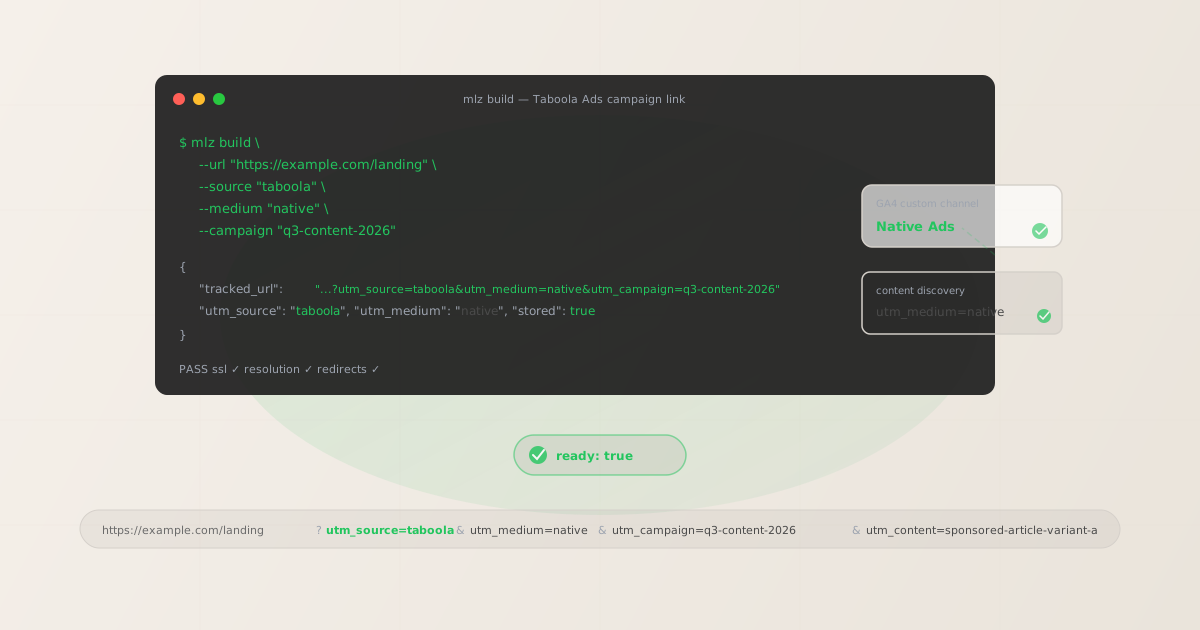
Taboola ad formats and UTM parameters
Taboola Ads Manager offers several ad format types across its publisher network. Most drive traffic directly to your destination URL, where GA4 reads the UTM parameters and attributes the session:
| Taboola ad format | Where users go on click | UTM parameters applicable? |
|---|---|---|
| Sponsored Content (article/landing page) | Your destination URL | ✓ Yes — append to destination URL |
| Video Ads (click-through) | Your destination URL (click-through from video) | ✓ Yes — append to click-through URL |
| Carousel Ads | Your destination URL (per card) | ✓ Yes — append to each card URL |
| Motion Ads | Your destination URL | ✓ Yes — append to destination URL |
| App Install Ads | App store page | ✗ No — app stores handle attribution |
App Install Ads direct users to the Apple App Store or Google Play Store. App store pages do not process UTM parameters — mobile attribution is handled by mobile measurement partners (MMPs) such as AppsFlyer, Adjust, or Branch, not by GA4 UTM tags. For Carousel Ads, note that each card in the carousel can have a separate destination URL — you can append different utm_content values to each card to track which card position drives the most clicks in GA4.
Taboola's Sponsored Content format is the core placement type: your article headline and thumbnail image appear in the "Sponsored Content" or "You May Like" widget at the bottom or side of publisher pages. You enter your destination URL in Taboola's campaign creation interface; this is where you append UTM parameters before launching.
The correct utm_source and utm_medium for Taboola Ads
Use utm_source=taboola for all Taboola paid placements. For utm_medium, the semantically correct value is native — Taboola's content recommendation format is native advertising, distinct from display, paid search, or social:
| Taboola ad format | utm_source | utm_medium | GA4 channel (default) |
|---|---|---|---|
| Sponsored Content | taboola |
native |
Unassigned* |
| Video Ads (click-through) | taboola |
native |
Unassigned* |
| Carousel Ads | taboola |
native |
Unassigned* |
| Motion Ads | taboola |
native |
Unassigned* |
*Important: GA4's default channel group definitions do not include a "Native" channel. Sessions with utm_medium=native fall into the Unassigned bucket in GA4's default Traffic Acquisition report — the attribution is accurate, but the channel label is missing. You have two options:
- Add a custom channel group rule in GA4 Admin — create a "Native Advertising" channel that matches
sourceis one oftaboola,outbrain, or any other native networks you use. This is the recommended approach. If you run both Taboola and Outbrain campaigns, a single custom channel group rule can cover both platforms. - Use
utm_medium=displayinstead — routes Taboola sessions into GA4's default Display channel (matchingdisplay,cpm,banner,expandable,interstitial). Use this if you cannot configure custom channel groups but want to avoid Unassigned, at the cost of Taboola sessions being merged with display advertising from other networks.
Do not use utm_source=taboola.com, utm_source=tb, or utm_source=taboola-ads. Non-canonical source values create separate, unrecognised rows in GA4 reports. The canonical value is taboola.
Building Taboola Ads UTM links with mlz build
mlz build generates the tracked URL, enforces lowercase normalisation across all parameter values, and stores the link for auditing. For Taboola Sponsored Content or Video Ad placements:
# Sponsored Content placement — article or landing page
$ mlz build \
  --url "https://example.com/blog/industry-guide" \
  --source "taboola" \
  --medium "native" \
  --campaign "q3-content-acquisition-2026" \
  --content "sponsored-article-guide"

{
  "tracked_url": "https://example.com/blog/industry-guide?utm_source=taboola&utm_medium=native&utm_campaign=q3-content-acquisition-2026&utm_content=sponsored-article-guide",
  "params": {
    "utm_source": "taboola",
    "utm_medium": "native",
    "utm_campaign": "q3-content-acquisition-2026",
    "utm_content": "sponsored-article-guide"
  },
  "link_id": "lnk_tb4n8k2p",
  "stored": true
}
Use utm_content to distinguish between ad creatives within the same campaign — for example, sponsored-article-guide vs video-product-demo vs carousel-card-1. Taboola's A/B testing feature lets you run multiple headlines and thumbnails within a single campaign; utm_content lets you see which creative drives better downstream conversion in GA4 without creating separate campaigns for each variant.
For Carousel Ads with multiple cards, you can append a different utm_content to each card's destination URL to track which card position performs best:
# Card 1 in a Carousel Ad
$ mlz build \
  --url "https://example.com/product/feature-a" \
  --source "taboola" \
  --medium "native" \
  --campaign "q3-content-acquisition-2026" \
  --content "carousel-card-1"

{
  "tracked_url": "https://example.com/product/feature-a?utm_source=taboola&utm_medium=native&utm_campaign=q3-content-acquisition-2026&utm_content=carousel-card-1",
  "params": {
    "utm_source": "taboola",
    "utm_medium": "native",
    "utm_campaign": "q3-content-acquisition-2026",
    "utm_content": "carousel-card-1"
  },
  "link_id": "lnk_tb6r2m9w",
  "stored": true
}
The CLI enforces lowercase normalisation — passing --source "Taboola" or --medium "Native" outputs the lowercase canonical form in the tracked URL. This prevents GA4 attribution fragmentation from capitalisation inconsistency across campaigns. See the UTM naming conventions guide for the cross-channel naming reference.
Validating Taboola Ads destination URLs before launch
Taboola reviews all new campaigns before they go live, and a destination URL that fails HTTPS validation or returns a non-200 status can cause the campaign to be rejected during the review process. Taboola also routes clicks through its own tracking redirect chain before reaching your destination URL — this chain typically preserves query parameters including UTM tags, but redirect misconfiguration on your end can drop them. Run mlz build --validate to confirm the destination resolves cleanly before entering your UTM-tagged URL in Taboola Ads Manager:
$ mlz build \
  --url "https://example.com/blog/industry-guide" \
  --source "taboola" \
  --medium "native" \
  --campaign "q3-content-acquisition-2026" \
  --content "sponsored-article-guide" \
  --validate

{
  "tracked_url": "https://example.com/blog/industry-guide?utm_source=taboola&utm_medium=native&utm_campaign=q3-content-acquisition-2026&utm_content=sponsored-article-guide",
  "validation": {
    "valid": true,
    "checks": [
      { "check": "url_format", "status": "pass", "message": "URL format is valid." },
      { "check": "ssl", "status": "pass", "message": "URL uses HTTPS." },
      { "check": "resolution", "status": "pass", "message": "Destination responded with 200.", "details": { "response_time_ms": 196 } },
      { "check": "redirects", "status": "pass", "message": "No redirects detected." }
    ]
  },
  "link_id": "lnk_tb4n8k2p",
  "stored": true
}
Taboola's editorial review process checks destination URLs for content compliance and technical accessibility. A broken or slow-loading destination URL can delay campaign approval, sometimes by 24–48 hours, restarting the review clock. Validating before submission avoids this delay. For a full pre-launch workflow that also checks OG tags and page metadata — ensuring your landing page thumbnail looks correct when Taboola's crawler fetches it for the native placement — see the mlz publish-check guide.
Taboola Ads UTM tracking gotchas
- No auto-tagging — UTM parameters must be on the destination URL before launch
- Taboola does not automatically append any click ID or UTM parameters to destination URLs. If you launch a Taboola campaign with a destination URL that has no UTM parameters, GA4 records all resulting website sessions as Direct traffic or as taboola.com / referral (depending on whether the browser sends a referrer header through Taboola's redirect). Either way, your paid Taboola spend is invisible in GA4's channel-level reports. UTM parameters must be on the destination URL when you enter it in Taboola Ads Manager during campaign creation.
- tblci is Taboola's click ID — it is not a GA4 auto-tagging equivalent
- Taboola appends a
tblciparameter to destination URLs for its own internal click tracking and conversion attribution within Taboola's reporting dashboard. This parameter enables Taboola's Pixel-based conversion tracking within the Taboola Ads Manager interface but does not write any data to GA4. Seeingtblciin your URL alongside UTM parameters is expected and correct — the two tracking mechanisms coexist without interference. Do not confusetblciwith GA4 auto-tagging (like Google'sgclid). Your UTM attribution in GA4 is entirely independent oftblci. - utm_medium=native lands in Unassigned in GA4's default channel groups
- GA4's pre-built channel group definitions do not include a "Native" channel. Sessions with
utm_medium=nativeappear as Unassigned in the default Traffic Acquisition channel view. The session data is accurate — you can seetaboola / nativein the "Session source / medium" dimension — but the channel label is missing from the top-level overview. Fix this by creating a custom channel group rule in GA4 Admin matchingsource exactly matches taboola(you can expand this rule to includeoutbrainand other native networks in a single "Native Advertising" channel). - Taboola's A/B testing can make UTM content tracking confusing without a plan
- Taboola Ads Manager lets you run multiple headlines and thumbnail images within a single campaign — the platform optimises delivery toward the best-performing creative combination automatically. If all creatives in the campaign use the same UTM-tagged destination URL, GA4 will show one combined row for all creative variants. If you want per-creative performance data in GA4, you need a distinct
utm_contentvalue for each creative and a separate URL per creative in Taboola. Plan this before campaign launch, since changing destination URLs after launch requires editing active campaign items and may temporarily pause delivery. - Organic Taboola referral traffic differs from paid placements in GA4
- Taboola sometimes surfaces your content organically in its recommendation engine based on engagement signals, without you paying for placement. These organic Taboola-driven sessions appear in GA4 as
taboola.com / referralbased on the referrer header — no UTM parameters, just the domain referrer. Your paid Taboola Ads placements with UTM tags appear astaboola / native. The source/medium pairs are distinct, so paid and organic Taboola-referred traffic are naturally separated in GA4's Traffic Acquisition report without additional configuration.
Taboola Ads UTM naming conventions
Consistent naming across Taboola and your other paid channels is important for cross-channel comparison in GA4. Recommended conventions for Taboola Ads UTM parameters:
- utm_source:
taboola— always lowercase, always this exact value for all Taboola Ads placements - utm_medium:
nativefor all Taboola paid placements that drive traffic to your website (requires a custom GA4 channel group rule to avoid Unassigned) - utm_campaign: lowercase hyphen-separated name matching the Taboola campaign, e.g.
q3-content-acquisition-2026 - utm_content: creative or article identifier, e.g.
sponsored-article-guide,video-product-demo,carousel-card-1— use this to distinguish between ad creatives or Carousel card positions within the same campaign - utm_term: audience segment or publisher category if relevant, e.g.
finance-audienceortech-vertical— useful when targeting multiple Taboola publisher categories
If you run simultaneous content distribution campaigns on Taboola and Outbrain (the other major native advertising network), keep utm_source as the platform identifier (taboola vs outbrain) and use the same campaign slug in utm_campaign. This allows direct cross-platform comparison in GA4 by filtering on campaign name and grouping by source — showing which native network delivered better results for the same campaign investment. See the UTM tracking best practices guide for the full cross-channel naming system.
FAQ
- Do UTM parameters work with Taboola Ads?
- Yes. All Taboola ad formats that drive traffic to your website — Sponsored Content, Video Ads (click-through), Carousel Ads, and Motion Ads — support UTM parameters on the destination URL. Enter the UTM-tagged URL as the destination URL when creating your Taboola campaign. When a user clicks your placement, they land on your page and GA4 reads the UTM parameters, attributing the session to
taboola / native. Taboola does not have auto-tagging, so UTM parameters are the only GA4 attribution mechanism. - What utm_source and utm_medium should I use for Taboola?
- Use
utm_source=taboola(lowercase) for the source. Forutm_medium, usenativefor accurate channel labelling — this requires a custom channel group rule in GA4 Admin to appear as a named channel rather than "Unassigned." If you cannot configure custom channel groups, useutm_medium=displayto route Taboola traffic into GA4's default Display channel instead. - Why does Taboola traffic show as Unassigned in GA4?
- GA4's default channel group definitions do not include a "Native" channel. Sessions with
utm_medium=nativeare tracked correctly in the Traffic Acquisition "Session source / medium" dimension astaboola / native, but they appear as Unassigned in the default channel-level view. To fix this, create a custom channel group rule in GA4 Admin that matchessource exactly matches taboolaand name it "Native" or "Native Advertising." You can add Outbrain to the same rule if you run both networks. - What is tblci and does it conflict with UTM parameters?
tblciis Taboola's internal click tracking parameter, appended by Taboola's delivery system to measure conversions within Taboola Ads Manager's own reporting. It is used by Taboola's Pixel integration and has no effect on GA4. Whentblciappears in your URL alongside UTM parameters, GA4 reads only the UTM parameters for attribution —tblciis simply ignored by GA4. You should not remove it where Taboola has appended it, as doing so would break Taboola's own conversion measurement within its platform.- How do I track each Carousel card separately in GA4?
- Enter a different destination URL for each Carousel card, with a distinct
utm_contentvalue per card — for example,carousel-card-1,carousel-card-2,carousel-card-3. In GA4, filter the Traffic Acquisition report byutm_source=taboolaand group byutm_contentto see which card position drives more sessions and conversions. Usemlz buildto generate each card's URL, which ensures consistent lowercase formatting and logs all card URLs together under the same campaign in MissingLinkz's link management.
Recommended posts
Build Taboola Ads UTM links from the terminal
Pass --source "taboola" --medium "native" to mlz build and get a normalised, validated URL ready to paste into Taboola Ads Manager. Lowercase normalisation prevents GA4 attribution fragmentation across campaigns. Add --validate to confirm the destination resolves cleanly before your campaign enters Taboola's review queue.
1,000 links/month free. No credit card.
Your API key
Save this now — it won't be shown again.
npm install -g missinglinkz
Free plan: 1,000 links/month. No credit card. See the UTM tracking for developers guide for the full programmatic workflow.