UTM Tracking for Pepperjam (Ascend): How to Build and Validate Affiliate Campaign Links
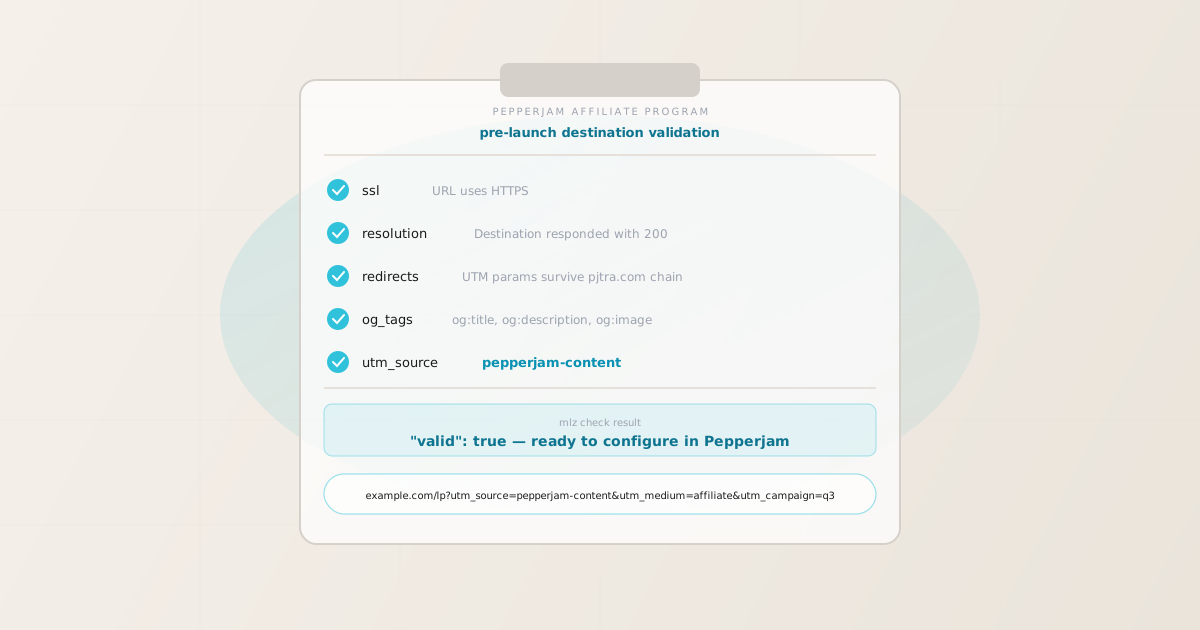
To add UTM tracking for Pepperjam (now operating as part of the Ascend Commerce ecosystem), add UTM parameters to the offer destination URL — the landing page URL you configure in the Pepperjam advertiser portal for each offer — not to the pjtra.com affiliate tracking link that publishers share. GA4 reads UTM parameters from the page URL at the moment the tracking tag fires, which is after Pepperjam’s pjtra.com redirect resolves to your destination page. Use MissingLinkz mlz build to generate a normalized, consistently cased destination URL and mlz check to validate that the pjtra.com redirect chain delivers UTM parameters intact to your landing page. That is the correct setup. But here is where advertisers lose attribution data at scale: even when UTM parameters are correctly placed on the Pepperjam offer destination URL, a redirect on the advertiser’s own side — an authentication layer, a CDN edge rewrite, or an e-commerce platform’s canonical URL enforcement — can strip query parameters before GA4 fires. A parameter syntax checker would show the URL as valid. mlz check follows the full redirect chain from your destination URL and confirms UTM parameters survive to the final page load.
How Pepperjam’s tracking architecture interacts with UTM parameters
Pepperjam is a performance affiliate marketing network founded in 2006 that now operates as part of the Ascend Commerce platform. It connects advertisers (merchants) with publishers (affiliates and content creators) across retail, e-commerce, travel, and software categories. The network is particularly strong in e-commerce, where advertisers upload product catalogs and publishers promote individual products or landing pages through content, email, and paid placements.
When a publisher shares a Pepperjam affiliate link, the click routes through Pepperjam’s tracking infrastructure at pjtra.com (Pepperjam’s click-tracking domain). Pepperjam records the click event, attributes the referral to the correct publisher account for commission purposes, and then redirects the browser to the advertiser’s offer destination URL configured in the advertiser portal. The Pepperjam link itself carries Pepperjam’s own tracking parameters — the publisher ID, offer ID, and creative ID — that are separate from your GA4 UTM data.
The consequence for UTM tracking: UTM parameters belong on the offer destination URL you configure in the Pepperjam advertiser portal, not on the pjtra.com publisher link. Adding UTM parameters to a Pepperjam publisher link is not reliable — the affiliate network’s tracking URL format is fixed and managed by Pepperjam. The reliable configuration point is the advertiser-controlled destination URL in the offer settings.
GA4 attribution works by reading utm_source, utm_medium, and utm_campaign from the page URL at the moment the GA4 measurement tag fires. For a Pepperjam-driven visit, this is the moment after pjtra.com redirects to your landing page and the page loads. If any redirect between pjtra.com’s forward and the final page load strips UTM parameters, GA4 records the session as Direct or Organic with no affiliate source data.
Pepperjam’s own attribution system is independent of GA4: it tracks conversions for commission payouts using its click tracking data, not UTM parameters. Both systems coexist — Pepperjam tracks publisher commissions via pjtra.com click attribution; GA4 tracks channel attribution via UTM parameters on the destination URL. For the full context of UTM parameters and redirect chain validation, see the UTM tracking for developers guide.
Building Pepperjam affiliate destination URLs with mlz build
Pepperjam advertisers typically run programs across multiple offer types — a main sitewide offer, category-specific product offers, and promotional landing page offers for seasonal campaigns. Each offer in the Pepperjam portal has its own destination URL field. Using a distinct utm_source for your Pepperjam traffic lets GA4 attribute revenue and conversions to the affiliate channel with enough granularity to understand whether performance is coming from Pepperjam’s publisher network specifically.
Generating destination URLs manually introduces casing inconsistencies and naming drift that fragments GA4 channel groupings. mlz build generates normalized destination URLs from structured input, enforcing lowercase-hyphenated values, and stores each link for an auditable record of what is configured in each Pepperjam offer.
The standard convention for Pepperjam programs is utm_source=pepperjam or utm_source=pepperjam-[offer-type], utm_medium=affiliate, and utm_campaign=[program-name]. Use utm_content to differentiate by offer type or creative within the same campaign.
$ mlz build \
  --url "https://shop.example.com/landing" \
  --source "pepperjam-content" \
  --medium "affiliate" \
  --campaign "q3-retail" \
  --content "sitewide-offer" \
  --validate

{
  "tracked_url": "https://shop.example.com/landing?utm_source=pepperjam-content&utm_medium=affiliate&utm_campaign=q3-retail&utm_content=sitewide-offer",
  "params": {
    "utm_source": "pepperjam-content",
    "utm_medium": "affiliate",
    "utm_campaign": "q3-retail",
    "utm_content": "sitewide-offer"
  },
  "destination_url": "https://shop.example.com/landing",
  "link_id": "lnk_pj_sw_q3r",
  "campaign_id": "cmp_q3-retail",
  "stored": true,
  "created_at": "2026-07-01T08:20:00.000Z"
}
The tracked_url value is what you paste into the Destination URL field for each offer in the Pepperjam advertiser portal. For offers that point to category pages or seasonal promotions, generate a separate URL for each offer type using mlz build with a distinct utm_content value:
mlz build --url "https://shop.example.com/sale" --source "pepperjam-content" --medium "affiliate" --campaign "q3-retail" --content "sale-page"
For naming conventions and how consistent lowercase-hyphenated values prevent GA4 data fragmentation across affiliate sources, see the UTM naming conventions guide. To generate destination URLs at scale via the REST API or npm for programs with many offers, see how to build UTM links programmatically.
Validating the Pepperjam redirect chain with mlz check
Once you have a UTM-tagged destination URL, validate it end-to-end with mlz check before configuring it in the Pepperjam offer. mlz check follows the complete redirect chain from your destination URL, confirms the server responds with a 200, and checks that query parameters survive every hop. Run this before your Pepperjam offer goes live — not after weeks of affiliate-driven traffic appear in GA4 as Direct with no campaign attribution.
$ mlz check "https://shop.example.com/landing?utm_source=pepperjam-content&utm_medium=affiliate&utm_campaign=q3-retail"

{
  "url": "https://shop.example.com/landing?utm_source=pepperjam-content&utm_medium=affiliate&utm_campaign=q3-retail",
  "valid": true,
  "checks": [
    { "check": "url_format", "status": "pass", "message": "URL format is valid." },
    { "check": "ssl", "status": "pass", "message": "URL uses HTTPS." },
    { "check": "resolution", "status": "pass", "message": "Destination responded with 200.", "details": { "status_code": 200, "response_time_ms": 212 } },
    { "check": "redirects", "status": "pass", "message": "No redirects detected." },
    { "check": "response_time", "status": "pass", "message": "Response time: 212ms.", "details": { "response_time_ms": 212 } }
  ],
  "status_code": 200,
  "response_time_ms": 212,
  "validated_at": "2026-07-01T08:21:15.000Z"
}
A valid: true result means the destination URL resolves correctly and query parameters survive to the final page. If valid is false, the checks array identifies exactly which hop failed. The most common failure modes in Pepperjam programs are e-commerce platform redirect rules (Shopify, Magento, WooCommerce canonical URL rewrites that strip query strings) and CDN edge rules that normalize URLs for cache efficiency. For a detailed walkthrough of diagnosing redirect chain failures, see how to check if a redirect strips UTM parameters.
Pepperjam UTM tracking gotchas for advertisers
- E-commerce platform canonical URL rules can silently strip UTM parameters
- E-commerce platforms including Shopify, Magento, and WooCommerce enforce canonical URLs for product and category pages. A Shopify store, for example, may redirect
/collections/sale?utm_source=pepperjam-contentto/collections/saleif the platform’s URL normalization rules treat query parameters as non-canonical. This stripping happens on the server side before the GA4 tag can fire, so the session records as Direct in GA4. Validate every Pepperjam offer destination URL withmlz checkbefore activation, and if you observe parameter stripping, work with your platform configuration or use a dedicated landing page that does not trigger the canonical redirect. - Pepperjam’s SID parameter and UTM parameters serve different tracking systems
- Pepperjam supports a SID (sub-ID or sub-affiliate ID) parameter that publishers can append to their tracking links to pass additional tracking data back to Pepperjam’s reporting. Some publishers use SID to track their own sub-campaigns or traffic sources. This SID parameter operates within Pepperjam’s attribution system and does not affect GA4 UTM tracking. Your UTM parameters on the offer destination URL remain entirely separate from whatever SID values publishers attach to their
pjtra.comlinks. Do not confuse publisher SID tracking with advertiser-side UTM tracking — they are parallel systems. - Configure UTM parameters on the destination URL, not on the pjtra.com link
- The affiliate link that Pepperjam generates for publishers routes through
pjtra.comand is formatted as a fixed affiliate tracking URL. Advertisers cannot reliably append UTM parameters to thepjtra.comlink itself. The correct configuration point is the Destination URL field in the Pepperjam offer settings — the URL thatpjtra.comultimately redirects to. The UTM parameters you place there will appear in the browser’s address bar when GA4 fires, provided no subsequent redirect strips them. - Pepperjam programs with multiple offer types need multiple UTM-tagged destination URLs
- A Pepperjam advertiser account can contain multiple offers: a sitewide offer, category offers, and promotional landing page offers. Each offer has its own destination URL in the Pepperjam portal. If you use the same destination URL across all offers, GA4 cannot distinguish which offer type drove a conversion. Generate distinct destination URLs for each offer type using
mlz buildwith a differentutm_contentvalue (e.g.utm_content=sitewide-offer,utm_content=sale-page,utm_content=category-electronics). Validate each destination URL individually before configuring it in the corresponding Pepperjam offer. - CDN and load balancer redirect rules are the most common silent attribution failure
- High-traffic e-commerce sites frequently run CDN configurations that enforce HTTPS redirects, www-to-non-www redirects, or trailing-slash normalization at the edge. Any of these edge redirects may or may not preserve query parameters depending on the CDN configuration. An HTTP-to-HTTPS redirect that was configured before UTM tracking was added to the site is a common culprit — it was set up to forward the base URL, and the query string preservation behaviour was never verified.
mlz checkfollows the chain exactly as a browser would and flags any hop where parameters are lost.
Frequently asked questions
- Where do I add UTM parameters in the Pepperjam advertiser portal?
- In the Pepperjam (Ascend) advertiser portal, navigate to your Offers and open the offer you want to configure. The Destination URL field (sometimes labelled Landing Page URL or Click URL) is where you paste the UTM-tagged URL generated with
mlz build. The URL format is:https://shop.example.com/landing?utm_source=pepperjam-content&utm_medium=affiliate&utm_campaign=q3-retail. After saving, Pepperjam will route all publisher clicks on that offer throughpjtra.comto this destination. Create separate offers with distinct UTM-tagged destination URLs for different offer types or seasonal campaigns. - Does the pjtra.com redirect strip UTM parameters?
- The
pjtra.comredirect is designed to forward the destination URL intact, including any query parameters on the advertiser-configured offer destination URL. Parameter stripping typically occurs on the advertiser’s own server side: e-commerce platform canonical URL enforcement, CDN edge rewrites, or HTTP-to-HTTPS redirect rules that normalize query strings. Validate your full destination URL chain withmlz checkafter any infrastructure change that could affect URL handling. For programs that have been running for more than a few months, re-validate if you change CDN provider, deploy a new e-commerce platform version, or modify your server’s redirect configuration. - What utm_source value should I use for Pepperjam traffic?
- Use
utm_source=pepperjamas a baseline. If you run multiple Pepperjam offers targeting different content types (coupon publishers, content publishers, email publishers), consider a more granularutm_source=pepperjam-content,utm_source=pepperjam-couponpattern. This segmentation lets GA4 channel groupings show attribution at the Pepperjam network level (utm_medium=affiliate) whileutm_sourcecaptures the offer-type dimension. Keep all values lowercase and hyphenated to prevent GA4 data fragmentation.mlz buildenforces this automatically. - How do I track Pepperjam performance separately from other affiliate networks in GA4?
- Use a consistent, distinct
utm_sourcevalue for Pepperjam offers and a different value for each other affiliate network (e.g.utm_source=cj-affiliatefor CJ,utm_source=shareasalefor ShareASale,utm_source=awinfor Awin). Setutm_medium=affiliateconsistently across all affiliate network traffic. This lets GA4’s default channel grouping recognize the Affiliate channel, while the Source dimension cleanly separates Pepperjam traffic from traffic coming via other networks. For the full affiliate medium convention, see the UTM naming conventions guide. - Should I validate Pepperjam destination URLs in CI/CD?
- For programs with many offers or frequent promotional rotations, validating destination URLs programmatically in a CI/CD pipeline before each offer update is a practical safeguard. Use
mlz checkin a script that runs against a list of destination URLs and fails if any returnvalid: false. This prevents a CDN or platform configuration change from silently breaking affiliate attribution across all active Pepperjam offers. For a complete implementation, see automating campaign link validation in CI/CD.
Build Pepperjam-ready UTM destination URLs and validate every redirect chain before your offer goes live
mlz build generates normalized, consistently cased UTM destination URLs for each Pepperjam offer. mlz check validates the full redirect chain — catching the e-commerce platform rewrites and CDN edge rules that silently strip UTM parameters before GA4 fires.
1,000 links/month free. No credit card.
Your API key
Save this now — it won't be shown again.
npm install -g missinglinkz
Free plan: 1,000 links/month. No credit card. See the UTM tracking for developers guide for the full programmatic workflow.