UTM Tracking for CJ Affiliate (Commission Junction): How to Build and Validate Campaign Links
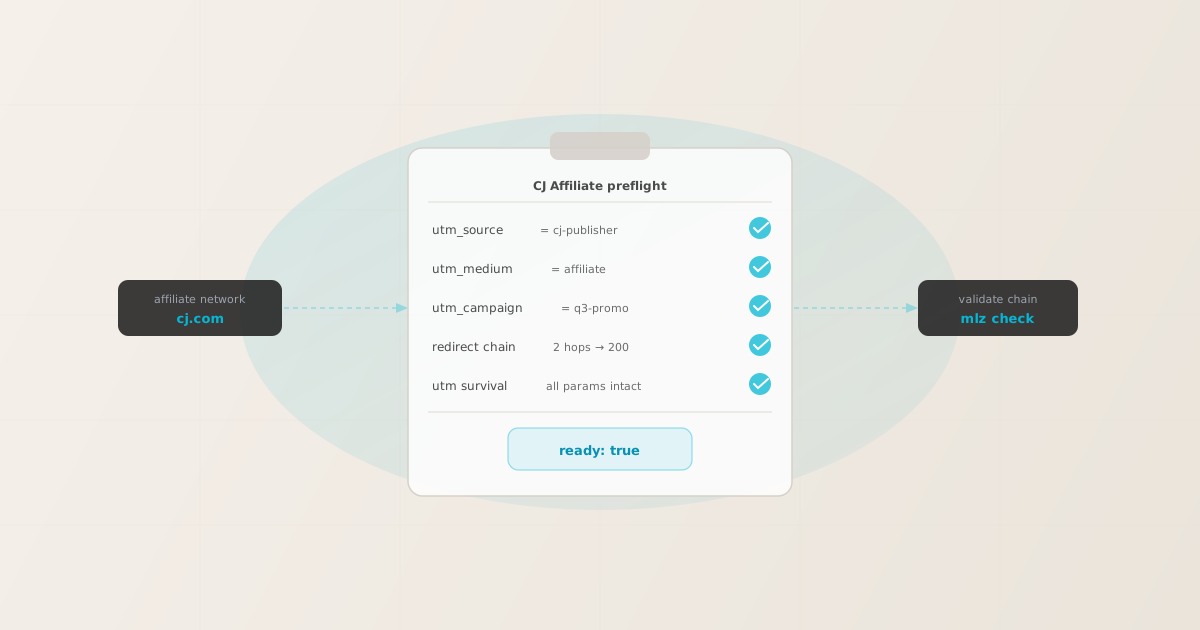
To add UTM tracking for CJ Affiliate (Commission Junction), add UTM parameters to the offer URL — the destination URL you configure in the CJ advertiser dashboard — not to the CJ tracking link that publishers share. GA4 reads UTM parameters from the page the browser lands on after CJ's redirect resolves. Use mlz build to generate normalized, per-publisher UTM destination URLs, and mlz check to validate the complete redirect chain before the offer goes live in CJ. That is the correct setup. But here is where advertisers lose attribution data: UTM parameters can be present on the destination URL and still fail to reach GA4. CJ's tracking architecture routes clicks through CJ's servers before forwarding to your offer URL. If a CDN rule, A/B testing tool, or redirect on your site strips query parameters at any hop, GA4 fires on a URL with no UTM data. A parameter syntax checker would return valid. mlz check follows the entire redirect chain and confirms that UTM parameters survive to the final destination — the check that prevents silent attribution loss in CJ programs.
How CJ Affiliate's tracking architecture interacts with UTM parameters
CJ Affiliate (formerly Commission Junction) is one of the world's largest affiliate marketing networks. When a publisher shares a CJ tracking link, the click goes to CJ's tracking infrastructure first. CJ records the click and assigns its own click identifier — typically surfaced as a cjevent or similar parameter — then redirects the browser to the advertiser's offer URL configured in the CJ program settings.
This redirect architecture has one important implication for UTM tracking: UTM parameters belong on the offer URL, not on the CJ tracking link. CJ's tracking link carries CJ's own identifiers for affiliate attribution within the CJ platform. UTM parameters added directly to the CJ tracking link are not reliably forwarded to your destination. The only reliable approach is to configure UTM parameters on the offer URL inside the CJ advertiser dashboard.
GA4 attribution works by reading utm_source, utm_medium, and utm_campaign from the URL at page load time — the URL the browser is on when the GA4 tag fires. For GA4 to correctly attribute affiliate traffic from CJ publishers, those parameters must be present on the final destination URL after CJ's redirect resolves. If the redirect strips them at any hop, the session lands in GA4 as Direct or Referral, and the partnership team has no GA4 conversion data to attribute to CJ publishers.
Note that CJ's own platform records click and conversion data independently of GA4, using its own publisher tracking IDs. Both systems can coexist: CJ tracks affiliate conversions via its own identifiers, GA4 tracks via UTM parameters on the destination URL. For the broader context on UTM parameters and why redirect survival matters, see the UTM tracking for developers guide.
Building per-publisher UTM destination URLs for CJ Affiliate with mlz build
CJ programs commonly have many publishers — content sites, coupon platforms, loyalty networks, influencers, and comparison engines — each needing a distinct utm_source so GA4 can attribute conversions to the right publisher type. Generating these manually introduces inconsistencies: mixed casing, misspelled source names, missing parameters. mlz build generates normalized, validated destination URLs from structured input and stores each link so you have an auditable record of what was configured in CJ.
The standard convention for CJ is utm_source=[publisher-name-or-type], utm_medium=affiliate, and utm_campaign=[campaign-name]. Use utm_content to differentiate creative variants within the same publisher.
$ mlz build \
  --url "https://brand.example.com/offer" \
  --source "cj-content-pub" \
  --medium "affiliate" \
  --campaign "q3-promo" \
  --content "banner-top" \
  --validate

{
  "tracked_url": "https://brand.example.com/offer?utm_source=cj-content-pub&utm_medium=affiliate&utm_campaign=q3-promo&utm_content=banner-top",
  "params": {
    "utm_source": "cj-content-pub",
    "utm_medium": "affiliate",
    "utm_campaign": "q3-promo",
    "utm_content": "banner-top"
  },
  "destination_url": "https://brand.example.com/offer",
  "link_id": "lnk_cj_q3_bn_top",
  "campaign_id": "cmp_q3-promo",
  "stored": true,
  "created_at": "2026-06-28T09:20:11.000Z"
}
For a coupon or cashback publisher on the same campaign, change --source to reflect the publisher type:
mlz build --url "https://brand.example.com/offer" --source "cj-coupon-pub" --medium "affiliate" --campaign "q3-promo" --content "coupon-15off"
For a loyalty or rewards publisher:
mlz build --url "https://brand.example.com/offer" --source "cj-loyalty-pub" --medium "affiliate" --campaign "q3-promo"
The tracked_url value from each mlz build call is what you paste into the offer URL field in the CJ advertiser dashboard for each publisher's link configuration. Each publisher type gets a distinct utm_source. For naming conventions across affiliate, coupon, and loyalty publisher types, see the UTM naming conventions guide. To generate these at scale via the API or npm, see how to build UTM links programmatically.
Validating the CJ redirect chain with mlz check
Once you have the UTM destination URL, validate it end-to-end before setting it as the offer URL in CJ. mlz check follows the complete redirect chain from your destination URL, confirms the server responds with a 200, and verifies there are no configuration errors that would strip UTM parameters. Run it before the CJ program goes live — not after you notice a drop in attributed conversions.
$ mlz check "https://brand.example.com/offer?utm_source=cj-content-pub&utm_medium=affiliate&utm_campaign=q3-promo"

{
  "url": "https://brand.example.com/offer?utm_source=cj-content-pub&utm_medium=affiliate&utm_campaign=q3-promo",
  "valid": true,
  "checks": [
    { "check": "url_format", "status": "pass", "message": "URL format is valid." },
    { "check": "ssl", "status": "pass", "message": "URL uses HTTPS." },
    { "check": "resolution", "status": "pass", "message": "Destination responded with 200.", "details": { "status_code": 200, "response_time_ms": 203 } },
    { "check": "redirects", "status": "pass", "message": "No redirects detected." },
    { "check": "response_time", "status": "pass", "message": "Response time: 203ms.", "details": { "response_time_ms": 203 } }
  ],
  "status_code": 200,
  "response_time_ms": 203,
  "validated_at": "2026-06-28T09:20:35.000Z"
}
A clean result means the destination URL resolves correctly. If valid is false, the checks array tells you exactly which hop in the chain failed. The most common failure mode in CJ setups is a redirect somewhere in the advertiser's site stripping query parameters — the exact scenario a parameter-only validator would miss but mlz check catches. For a detailed walkthrough of diagnosing redirect chain failures, see how to check if a redirect strips UTM parameters.
CJ Affiliate UTM tracking gotchas for affiliate managers
- CJ's click tracking identifiers are not UTM parameters
- CJ uses its own click identifiers (surfaced as
cjeventor similar) to track affiliate conversions within the CJ platform. These are entirely separate from UTM parameters and serve different purposes. Do not confuse them: UTM parameters are for GA4 attribution; CJ's click IDs are for CJ's own reporting and commission attribution. Both can coexist on the destination URL without interfering with each other. You do not need to remove CJ's parameters to make UTM tracking work — and you should not, as doing so breaks CJ's own commission tracking. - UTM parameters go on the offer URL, not the CJ tracking link
- The CJ tracking link (the URL publishers actually share with their audiences) routes clicks through CJ's infrastructure. If you add UTM parameters to the CJ tracking link rather than the offer URL, those parameters may not survive the redirect to your destination. Always configure UTM parameters on the offer URL field inside the CJ advertiser dashboard — the URL your browser ends up on after CJ's redirect chain completes. This is the URL GA4 reads when the tracking tag fires.
- Coupon and cashback publisher links often add their own redirect hops
- Coupon sites, cashback platforms, and comparison engines frequently wrap the CJ tracking link in their own redirect layer before sharing it with users. This can add one or more additional hops before the browser reaches your offer URL. Each additional hop is another opportunity for query parameters to be stripped.
mlz checkfollows every hop and confirms your UTM parameters survive to the final URL. If a publisher's wrapping strips parameters, you will see the failure in theredirectscheck before the program launches. - Advertisers sometimes use vanity URLs or redirect rules on the offer URL
- Some advertisers configure CJ offers using a vanity URL (e.g.,
brand.com/go/offer) that redirects internally to the actual landing page. If that internal redirect is not configured to preserve query strings, UTM parameters are silently dropped before GA4 fires. Validate the vanity URL directly withmlz checkto confirm query strings pass through. If they do not, either fix the redirect rule or use the direct landing page URL as the CJ offer URL. - GA4 attribution requires UTMs at page load, not at the click
- GA4 reads UTM parameters from
document.locationat the moment the GA4 tag fires on the page — not when the publisher's tracking link is clicked. If any redirect in the chain between the CJ tracking link and your destination drops UTM parameters, GA4 receives a session with no campaign data. The session is attributed to Direct or Referral instead of to the affiliate channel. Validate the destination URL directly to confirm the redirect chain resolves to the correct final URL before the GA4 tag fires.
Frequently asked questions
- Where exactly do I add UTM parameters in the CJ Affiliate dashboard?
- In the CJ advertiser dashboard, navigate to your program's link settings. Each link has an offer URL or destination URL field — this is where you paste the UTM-tagged URL you generate with
mlz build. The resulting value looks like:https://brand.example.com/offer?utm_source=cj-publisher&utm_medium=affiliate&utm_campaign=your-campaign. CJ appends its own tracking parameters when it generates publisher links; the offer URL you set becomes the final destination after CJ's redirect resolves. - Does CJ Affiliate strip UTM parameters during the redirect?
- CJ's redirect is generally designed to pass the offer URL through to the browser intact, including query parameters. However, stripping can occur at other points in the chain: secondary redirects on the advertiser's site (CDN rules, A/B testing tools, internal routing), or publisher-side link wrapping (coupon sites adding their own redirect hop). The safest approach is to validate the complete redirect chain with
mlz checkbefore the program goes live. Do not assume the parameters survive without testing. - Can I use one offer URL for all CJ publishers, or does each publisher need a different URL?
- You need a different offer URL per publisher type if you want per-type GA4 attribution. Each offer URL should have a distinct
utm_sourcevalue that identifies the publisher type (content publisher, coupon site, loyalty network). Theutm_medium,utm_campaign, andutm_contentvalues can be shared across publishers within the same campaign.mlz buildgenerates a correctly normalized URL per publisher type in a single command per type, avoiding the casing and spelling errors that fragment GA4 data. - How is CJ's click tracking different from UTM parameters?
- CJ's click tracking (the
cjeventidentifier and related CJ parameters) is CJ's proprietary attribution system. It tracks which publisher drove a click, records the conversion, and manages commission payouts — all within the CJ platform, independently of GA4. UTM parameters are read by GA4 (and other analytics tools) to attribute sessions to campaigns and channels in your analytics reports. Both systems work in parallel without conflicting: CJ uses its own click IDs for its reports, GA4 uses UTM parameters for its reports. Configure both correctly and you get attribution data in both systems. - How do I validate UTM tracking across all my CJ offers before the program launches?
- Run
mlz checkagainst each offer URL you configure in CJ. For a large program with many publisher types, generate all URLs usingmlz buildwith a script or via the REST API, then validate each one systematically. If you use a CI/CD pipeline to manage campaign configuration, see automating campaign link validation in CI/CD to gate affiliate link changes on a passingmlz checkresult.
Build CJ-compatible UTM destination URLs and validate every redirect chain
mlz build generates correctly normalized, per-publisher UTM destination URLs to configure in CJ's offer settings. mlz check validates the full redirect chain — confirming UTM parameters survive from the destination URL to the page where GA4 fires.
1,000 links/month free. No credit card.
Your API key
Save this now — it won't be shown again.
npm install -g missinglinkz
Free plan: 1,000 links/month. No credit card. See the UTM tracking for developers guide for the full programmatic workflow.