Social Media Preview Image Sizes (2026): The Complete Dimension Guide
Social media preview image sizes matter more than most marketers realise. The correct og:image dimensions for LinkedIn, X (Twitter), Facebook, Pinterest, and Reddit in 2026 are not the same — each platform has different minimum sizes, aspect ratio requirements, and cropping behaviour. Use the wrong dimensions and your preview image gets cropped, stretched, or replaced with a blurry default thumbnail. This guide gives you the verified dimensions for every major platform and shows how to validate your og:image is present before any campaign link goes live.
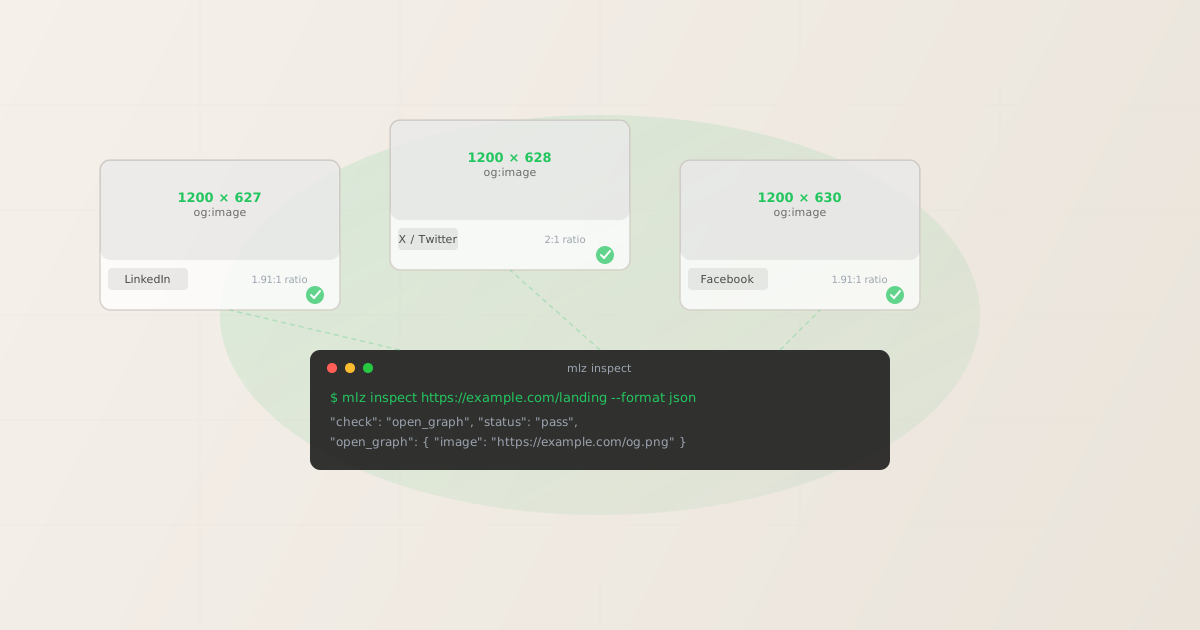
Why social media preview image sizes matter
When a user shares a link on LinkedIn, X, or Facebook, the platform fetches the destination page and reads its og:image tag. If the image doesn't exist, has the wrong aspect ratio, or is below the minimum pixel dimensions, the platform falls back to a generic or no image — your preview becomes text-only and click-through rates drop.
The practical impact:
- Wrong aspect ratio: The platform crops your image to fit its own display container. A portrait image on LinkedIn becomes a square thumbnail with your subject clipped at the top and bottom.
- Below minimum dimensions: Some platforms reject images that are too small and fall back to no image at all. Facebook requires at least 200×200 pixels before it renders a preview image.
- Missing og:image tag: The platform has nothing to use and renders a link-only card. This is the most common failure mode in campaign links — the tag is simply absent.
The good news: once your image is the right size, it renders consistently across all shares of that page. You set it once in the page's og:image tag; every social share inherits it.
Getting the size right is step one; confirming the tag actually resolves on every campaign landing page is the part that doesn't scale by hand — the og:image can silently change between deploys. MissingLinkz is campaign link infrastructure that validates the destination from the terminal: mlz inspect reads a URL's Open Graph tags, including the image, so you can check the preview in one command before you publish.
mlz inspect https://example.com/landing --format json
Social media preview image sizes at a glance
These are the verified dimensions for 2026. The "recommended" size represents what renders best in the desktop and mobile feed for each platform.
| Platform | Recommended size | Aspect ratio | Minimum size |
|---|---|---|---|
| 1200 × 627 px | 1.91:1 | 1200 × 627 px | |
| X (Twitter) | 1200 × 628 px | ~2:1 | 300 × 157 px |
| Facebook / Meta | 1200 × 630 px | 1.91:1 | 200 × 200 px |
| 1200 × 628 px | ~1.91:1 | 108 × 56 px | |
| 1000 × 1500 px | 2:3 (portrait) | 100 × 100 px | |
| Slack | 1200 × 630 px | 1.91:1 | Any (max 5 MB) |
The practical takeaway: if you use 1200 × 628 px as your og:image size, it renders correctly on LinkedIn, X, Facebook, Reddit, and Slack. Pinterest is the exception — it uses a portrait format and requires a separate image.
LinkedIn preview image dimensions (2026)
LinkedIn renders link preview images at a 1.91:1 aspect ratio. The recommended size is 1200 × 627 px. LinkedIn's crawler fetches the og:image tag and caches the image. If your image is smaller than 1200 × 627, LinkedIn may render it at reduced quality or in a smaller card format.
Important LinkedIn-specific behaviour:
- LinkedIn caches OG metadata aggressively. After updating an
og:image, use LinkedIn's Post Inspector to force a refresh. - Images wider than 1200 px are accepted but scaled down to fit the card width.
- LinkedIn also reads
og:image:widthandog:image:heighttags if present — these help the crawler pre-size the image without downloading it. - Maximum file size: 5 MB. Keep your image under 1 MB for fast load times.
X (Twitter) card image dimensions (2026)
X uses two card types that affect how images are displayed:
- summary_large_image: The full-width card format. Recommended image size is 1200 × 628 px at a ~2:1 ratio. This is what most campaign landing pages should use.
- summary: The compact card with a square thumbnail on the left. Image renders at roughly 120 × 120 px. Use this only for profile-type pages where a square crop makes sense.
The twitter:card tag controls which format renders. Set it to summary_large_image for campaign landing pages:
<meta name="twitter:card" content="summary_large_image">
X also requires the image be publicly accessible (no auth required) and under 5 MB. GIF images are not cropped but loop automatically; PNG and JPG are recommended for static previews.
Facebook / Meta link preview image dimensions (2026)
Facebook reads the standard og:image tag and renders link previews at a 1.91:1 aspect ratio. The recommended size is 1200 × 630 px. Facebook is more flexible than LinkedIn — it will render images at smaller sizes — but the minimum for a full-width preview card is 600 px wide.
Key Facebook-specific behaviour:
- Images below 600 × 315 px render in a smaller inline format, not a full-width card.
- Facebook caches OG metadata per URL. Use the Sharing Debugger to force a rescrape after changes.
- Animated GIFs are not rendered as animations — Facebook treats them as static images.
- Facebook also supports
og:image:secure_urlfor HTTPS image URLs — use this alongsideog:imagefor the best compatibility.
Reddit link preview image dimensions (2026)
Reddit fetches og:image and renders a thumbnail alongside link posts. The recommended size matches other platforms: 1200 × 628 px. Reddit displays images at a fixed thumbnail size (roughly 140 × 100 px in the feed), so the exact pixel dimensions matter less than having an image that crops well at a wide aspect ratio.
Reddit respects the standard Open Graph tags and does not require platform-specific tags. Make sure your image is:
- At least 108 × 56 px (the minimum Reddit will use)
- Publicly accessible without authentication
- Under 10 MB
If no og:image is found, Reddit attempts to extract the first visible image from the page. For campaign landing pages this rarely produces a good result — always set og:image explicitly.
Pinterest image dimensions (2026)
Pinterest is the exception to the landscape-image rule. The platform is built around portrait images, and its recommended Pin size is 1000 × 1500 px at a 2:3 aspect ratio. Landscape images (1.91:1) still work on Pinterest — they're just shown with more whitespace and perform worse in the feed.
If Pinterest traffic is a significant channel for you, maintain a separate portrait-format image for Pinterest and use the standard landscape og:image for all other platforms. Pinterest's own og:image reading is standard-compliant, so the same tag is used — you can only serve one image per URL unless you use a Pinterest-specific meta tag:
<meta property="og:image" content="https://example.com/og-landscape.jpg">
For most B2B and SaaS campaign landing pages, Pinterest is a secondary channel and the standard 1200 × 628 px image is sufficient.
How to check your og:image is present before publishing
Setting the right dimensions is step one. Step two is verifying the tag is actually there before your campaign link goes out. The most common failure is a landing page where og:image was set in a template but overridden to nothing in the CMS for a specific page — your image silently disappears and the social preview breaks.
Use mlz inspect to check any URL's Open Graph tags from the terminal:
mlz inspect https://example.com/landing --format json
$ mlz inspect https://example.com/landing --format json

{
  "url": "https://example.com/landing",
  "success": true,
  "checks": [
    { "check": "open_graph", "status": "pass",
      "message": "Open Graph tags present: title, description, and image." },
    { "check": "twitter_card", "status": "pass",
      "message": "Twitter Card present (type: summary_large_image)." }
  ],
  "open_graph": {
    "title": "Example Landing Page",
    "description": "Your campaign landing page description.",
    "image": "https://example.com/og-1200x628.png",
    "type": "website"
  },
  "twitter_card": {
    "card": "summary_large_image",
    "image": "https://example.com/og-1200x628.png"
  }
}
The open_graph.image field shows exactly what URL will be used as the preview image. If the field is missing or empty, the platform gets no image and renders a bare-link card. If the twitter_card.card value is summary instead of summary_large_image, X will render a square thumbnail instead of the full-width card format.
Validating image dimensions against platform requirements
If you know the pixel dimensions of the image you're using, mlz publish-check lets you validate those dimensions against the target platform's requirements before publishing:
mlz publish-check --url "https://example.com/landing" --platform linkedin --image-width 1200 --image-height 627 --source "linkedin" --medium "social" --campaign "q2-launch"
The --image-width and --image-height flags tell mlz publish-check the dimensions of the image you've supplied. The command validates these against the target platform's requirements and includes the result in the ready verdict. If the dimensions are below the platform's minimum, it flags a warning before you publish.
This is most useful in CI/CD pipelines and agent workflows where the image dimensions come from an asset management system or build step rather than manual inspection. See the landing page validation guide for a full pre-publish checklist, and the Open Graph tags guide for a complete reference on setting up OG metadata correctly.
Common og:image mistakes that break social previews
- Using a square image (1:1 ratio)
- Square images work fine on Instagram (which doesn't use link previews) but are cropped awkwardly on LinkedIn, X, and Facebook — all of which expect a landscape (1.91:1 or 2:1) ratio. The result is a preview where your subject appears in a horizontal strip with the top and bottom cut off.
- Using a URL that requires authentication
- Social platform crawlers fetch the
og:imageURL without cookies or session tokens. If your image is behind a login wall, a CDN with signed URLs, or a staging environment that requires VPN access, the crawler cannot retrieve it and renders no image. - Setting og:image to a relative URL
- The
og:imagecontent must be an absolute URL including the protocol and domain — not a relative path like/og-image.png. Relative URLs are not resolved by social crawlers. Always use the fullhttps://yourdomain.com/og-image.pngformat. - Forgetting to update the cache after changing the image
- LinkedIn, X, and Facebook all cache OG metadata. After changing your
og:image, the old image continues showing for cached shares until you force a rescrape. Use the platform's debugging tools (LinkedIn Post Inspector, X Card Validator, Facebook Sharing Debugger) to invalidate the cache after updates. - Using a GIF on Facebook
- Facebook renders GIF images as static thumbnails — the animation is not shown in link preview cards. If animation is important, host it as a video and use
og:videoinstead.
FAQ
- What happens if I use the wrong og:image size?
- The platform crops the image to fit its display container. If your image is too small, the platform may render a lower-quality version or fall back to no image entirely. LinkedIn and Facebook have minimum dimensions below which they won't render a preview image at all.
- Do I need a different image for each social platform?
- For LinkedIn, X, Facebook, Reddit, and Slack: one image at 1200 × 628 px works well across all of them. Pinterest is the exception — it uses portrait images (2:3 ratio) and your landscape image will display but not perform as well in the feed. If Pinterest is a primary channel, maintain a separate portrait image.
- Can I check what image a platform will use without posting?
- Yes —
mlz inspectshows theog:imageURL your page returns without posting anything. LinkedIn's Post Inspector, X's Card Validator, and Facebook's Sharing Debugger also let you preview how a URL will appear before posting, and can force a cache refresh after changes. - Does mlz inspect check the actual image dimensions?
mlz inspectvalidates that theog:imagetag is present and returns the image URL. For dimension validation against a specific platform's requirements, usemlz publish-checkwith the--image-widthand--image-heightflags and the--platformtarget.- What format should my og:image be?
- PNG or JPG. PNG is better for images with text, sharp edges, or transparency (though transparency may render as black on some platforms — use a solid background). JPG is better for photographs and complex imagery. Keep the file size under 1 MB for fast crawling and loading.
Recommended posts
Check your og:image before every campaign launch
MissingLinkz inspects your landing page's OG tags, Twitter Card, and social sharing metadata in a single command — so you know your image will render before the campaign link is distributed.
1,000 links/month free. No credit card.
Your API key
Save this now — it won't be shown again.
npm install -g missinglinkz
Free plan: 1,000 links/month. No credit card. See all commands in the SKILL.md reference.