How to Create UTM Links for Google Ads Campaigns
Google Ads has auto-tagging — the gclid parameter appended automatically to every click. So why do you still need UTM links for Google Ads? Because gclid only works in Google Analytics. The moment you want attribution data in Mixpanel, Amplitude, a data warehouse, or any tool outside the Google ecosystem, you need UTM parameters. And when you're running dozens of ad groups, building those links one by one in a web form introduces the naming inconsistencies that fragment your reports. This guide shows how to build Google Ads UTM links programmatically — with consistent naming, built-in validation, and no manual copy-paste.
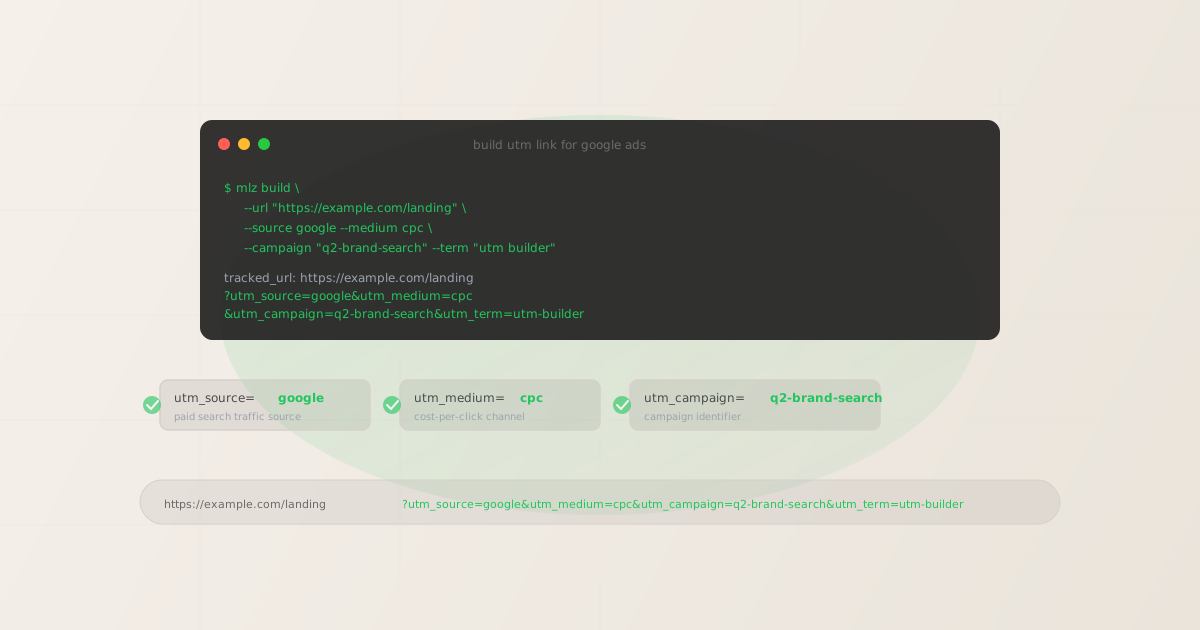
gclid vs. UTM parameters: what each one tracks
Google's auto-tagging appends a gclid value to every ad click. GA4 reads this parameter, looks up the corresponding click data from the Google Ads API, and populates the session with campaign, ad group, and keyword data. No UTM parameters required — as long as your analytics tool speaks to Google's API.
UTM parameters work differently: they're plain query string values that any analytics tool can read, regardless of whether it has a Google integration. Every tool that reads utm_source, utm_medium, and utm_campaign from the URL will capture the attribution correctly. This makes UTM parameters the portable, tool-agnostic standard for campaign attribution.
You need UTM parameters on your Google Ads links when:
- You use analytics tools outside GA4
- Mixpanel, Amplitude, Heap, Segment, Hubspot, Salesforce, and most data warehouse pipelines rely on UTM parameters for attribution. They can't read
gclidwithout a direct Google Ads integration, and even those integrations often have data delays. - You want consistent cross-channel reports
- If LinkedIn, Meta, and email campaigns all use UTM parameters, Google Ads should too. Inconsistent parameter use creates gaps in channel comparison reports and makes attribution modeling unreliable.
- You're running multiple ad groups or campaigns at scale
- With dozens of campaigns and hundreds of ad groups, you need a programmatic system to build links consistently. Manual web forms introduce typos, case inconsistencies, and naming drift that fragment your data in GA4.
UTM naming conventions for Google Ads
Google Ads campaigns follow a consistent parameter convention. Stick to these values to ensure your data maps correctly to GA4 channel groups and remains comparable across campaigns. For the complete naming reference, see the UTM naming convention guide.
| Parameter | Recommended value | Notes |
|---|---|---|
utm_source |
google |
Always lowercase. GA4 maps google + cpc to the "Paid Search" channel. |
utm_medium |
cpc |
Use cpc for paid search. Use display for Display Network. Use video for YouTube. |
utm_campaign |
q2-brand-search |
Match your Google Ads campaign name exactly (lowercase, hyphens for spaces). Enables GA4 ↔ Ads cross-referencing. |
utm_term |
{keyword} |
Use the ValueTrack {keyword} dynamic parameter to capture the actual search term that triggered the ad. Or set a fixed keyword for manual tracking. |
utm_content |
ad-variant-a |
Optional. Use to differentiate ad creative variants in the same campaign or ad group. |
The critical rule: always use lowercase. GA4 treats google and Google as different sources, splitting your channel data. A programmatic builder enforces lowercase automatically — which is one reason to use a CLI or API over a manual web form.
Building Google Ads UTM links with mlz build
The mlz build command generates a UTM-tagged URL from your parameters and returns structured JSON with the tracked URL and metadata. All values are automatically lowercased and URL-encoded, so the output is always clean and consistent regardless of how you specify the inputs.
mlz build --url "https://example.com/landing" --source google --medium cpc --campaign "q2-brand-search" --term "utm builder"
{
  "tracked_url": "https://example.com/landing?utm_source=google&utm_medium=cpc&utm_campaign=q2-brand-search&utm_term=utm-builder",
  "params": {
    "utm_source": "google",
    "utm_medium": "cpc",
    "utm_campaign": "q2-brand-search",
    "utm_term": "utm-builder"
  },
  "destination_url": "https://example.com/landing",
  "created_at": "2026-04-17T09:14:32.010Z",
  "link_id": "lnk_4xkqm2rp",
  "stored": true
}
For Display Network campaigns, swap --medium display. For YouTube, use --medium video. Add --content ad-variant-b to track creative variants:
mlz build --url "https://example.com/landing" --source google --medium display --campaign "q2-remarketing" --content "banner-300x250"
Building Google Ads UTM links at scale
When you're running multiple campaigns targeting different keywords and landing pages, build links from a CSV rather than running commands one at a time. The following shell script reads from a CSV file and calls mlz build for each row:
#!/bin/bash
# campaigns.csv: url,campaign,term
while IFS=, read url campaign term; do
  mlz build \
    --url "$url" \
    --source google \
    --medium cpc \
    --campaign "$campaign" \
    --term "$term" \
    --format json | jq -r '.tracked_url'
done < campaigns.csv
Each mlz build call returns the full JSON response. The jq -r '.tracked_url' pipe extracts just the tracked URL. Redirect the output to a file to get a list of all your campaign links ready to paste into Google Ads.
For teams with more complex requirements — multi-platform campaigns with different UTM conventions per channel — the UTM tracking for developers guide covers the full programmatic stack including the npm package and REST API.
Validating the destination before your campaign goes live
Building the UTM link is only half of the job. Before any Google Ads campaign goes live, validate the destination URL: check that it loads, uses HTTPS, isn't behind an unexpected redirect, and has the OG tags required for social sharing (which matters if you're also sharing the landing page URL on LinkedIn or in email). Add --validate to mlz build to run the destination check as part of the build step:
mlz build --url "https://example.com/landing" --source google --medium cpc --campaign "q2-brand-search" --term "utm builder" --validate
The --validate flag checks URL format, HTTPS, HTTP resolution, redirect chains, and response time before returning the tracked URL. If validation fails, no link is built and the error tells you exactly what to fix. This prevents you from loading a broken URL into Google Ads and discovering the problem only after the campaign has been running — and spending — for hours.
For a comprehensive pre-launch check that also includes OG tag validation and UTM preservation through redirects, use the full preflight workflow instead.
Recommended posts
FAQ
- Does adding UTM parameters interfere with Google Ads auto-tagging?
- No — when both
gclidand UTM parameters are present, GA4 usesgclidfor Google Ads attribution and the UTM values for cross-channel reports. You get both. The only time they conflict is when Google Ads is set to override manual tags, which you can disable in the Google Ads account settings under "Auto-tagging." - What utm_source value does GA4 use to classify traffic as "Paid Search"?
- GA4's default channel grouping maps traffic to "Paid Search" when
utm_sourcematches a recognized search engine (google, bing, yahoo, baidu, duckduckgo, etc.) andutm_mediumiscpc,ppc, orpaidsearch. Usingutm_source=googleandutm_medium=cpcensures correct channel assignment. - Should utm_campaign match the Google Ads campaign name exactly?
- It's good practice, but not required. Matching the name makes it easier to cross-reference GA4 report data against your Google Ads campaign structure. If you match names, use lowercase and replace spaces with hyphens: a Google Ads campaign named "Q2 Brand Search" becomes
utm_campaign=q2-brand-search. - Can I use ValueTrack parameters like {keyword} with mlz build?
- Yes — pass the ValueTrack parameter as the
--termvalue.mlz build --term "{keyword}"will URL-encode it correctly and Google Ads will substitute the actual keyword at click time. Thetracked_urlin the output will contain the literal{keyword}string, which is what you paste into the Google Ads Final URL field. - What's the difference between utm_term and utm_content for Google Ads?
utm_termcaptures the search keyword that triggered the ad. Use it with{keyword}for dynamic keyword insertion or with a fixed keyword for campaigns where all ads target the same term.utm_contentdifferentiates between ad variants — useful for A/B testing headlines or creatives within the same ad group. Both are optional but valuable when you need granular reporting.
Build your Google Ads links programmatically
Stop building UTM links in web forms. Install MissingLinkz, run your first mlz build, and get consistent campaign links in seconds — with validation included.
1,000 links/month free. No credit card.
Your API key
Save this now — it won't be shown again.
npm install -g missinglinkz
mlz build --url "https://yoursite.com/landing" --source google --medium cpc --campaign "your-campaign" --validate
See the full developer guide in UTM Tracking for Developers, or explore all supported channels.